


What’s on this page:
Key takeaways
- Use the NYSED Office of the Professions verification search as the starting point for a New York physician license lookup.
- Do not treat a name-only result as a confirmed identity match.
- Use NPI and practice location as cross-checks, and request the NY license number if the match remains unclear.
- Record the exact status text shown, the check date and time, and the disambiguation method in the ATS or CRM.
- If NYSED returns no results, try name variations and ask the candidate for the license number and exact name on the record.
Last updated: August 31, 2026
Ben Argeband, Founder & CEO of Heartbeat.ai — Prevent wrong-person verification.
Who this is for
This guide is for recruiters verifying physicians licensed in New York who need a consistent way to find a physician license record and reduce the risk of mixing up clinicians who share a name. Name-only matching can lead to rework or an incorrect record being attached to a candidate.
Quick Answer
- Core Answer
- Use the NYSED Office of the Professions verification search, then confirm identity with NPI and city before recording the license status in your ATS.
- Key Insight
- NYSED results can show multiple same-name entries with limited context; treat name-only matches as unverified until you tie them to NPI + location.
- Best For
- Recruiters verifying physicians in NY.
Compliance & Safety
This method is for legitimate recruiting outreach only. Respect candidate privacy, opt-out requests, and local data laws. Heartbeat does not provide medical advice or legal counsel.
The name-collision problem, and how NPI + location fixes it
A New York medical license lookup has two parts: find the record in the NYSED Office of the Professions verification search, then cross-check its identity against candidate information—such as NPI and practice location—before marking it verified internally. If the available details do not resolve a possible mismatch, ask the candidate for their NY license number rather than guessing.
Name-only matching can lead to attaching the wrong record to a candidate, resulting in a corrected submission or an awkward client conversation. Use additional identifiers and resolve uncertainty before recording a verification.
Two definitions worth using consistently across your team:
- License status: the standing shown on the NYSED record at the time you checked it — copy the exact status text displayed, along with the date and time you checked.
- Disambiguation: confirming a license record belongs to your candidate by matching at least two independent identifiers, not name alone. NPI plus city is the recommended pair.
Step-by-step method
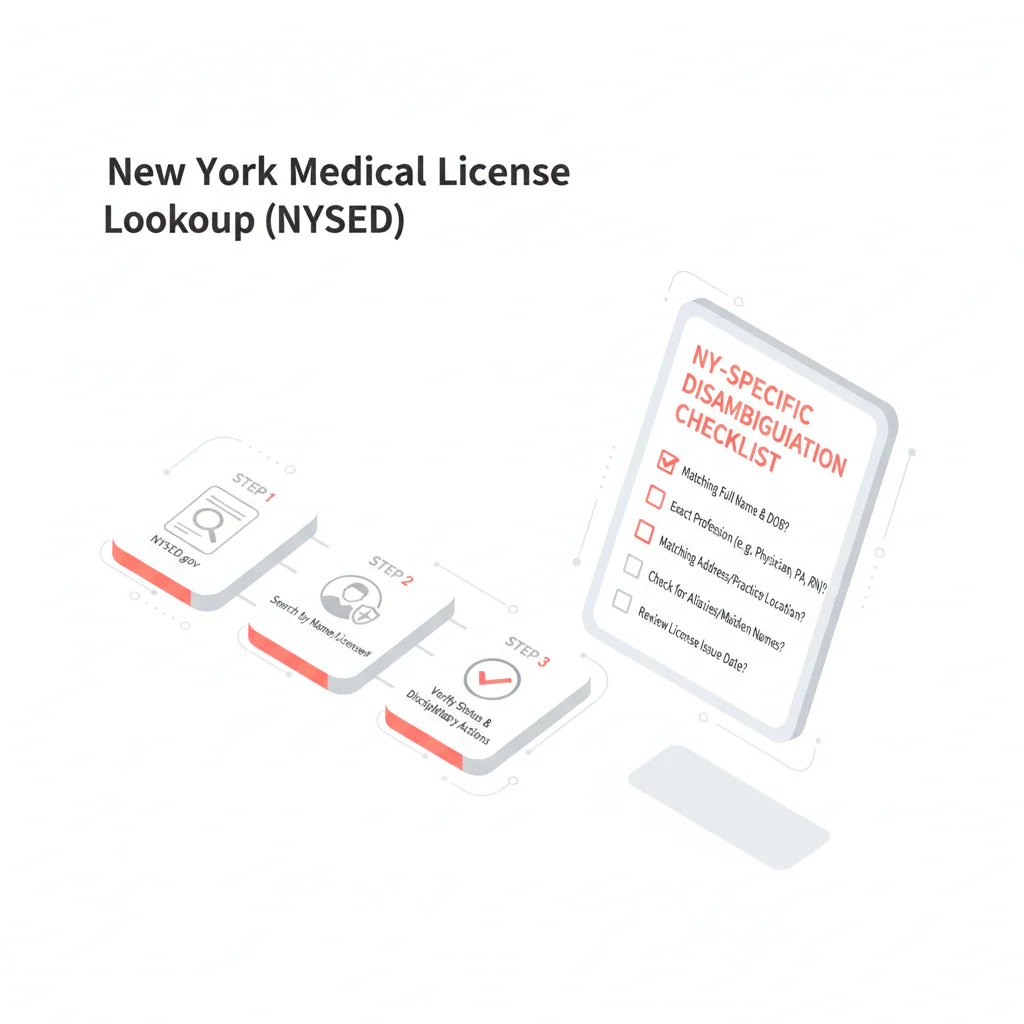
1) Start at the official NY source (NYSED)
Go to the NYSED verification search and run your lookup using the candidate’s last name, adding first name if the results are too broad. Treat NYSED as your anchor record for documentation — it’s the source you’d point to in an audit.
- Capture the candidate name as listed, profession, license number if shown, and the exact status text on the record.
- Log the date and time checked in your ATS/CRM.
2) NYSED quirks that trip recruiters up
- Status wording matters. Copy and paste the status line rather than paraphrasing it — a paraphrase loses meaning fast when someone else reads it later.
- Profession/category can be a trap. Same-name results sometimes appear across different licensed professions. Confirm you’re looking at the physician license, not another profession entirely.
- Context is limited by design. The verification view often doesn’t give enough to separate two same-name clinicians on its own. That’s the whole reason NPI + city exists as a tie-breaker.
- Write down how you got there. If you searched “Smith, John” and picked one of several results, note the fields that made it the right pick so a teammate can reproduce your work without starting over.
3) Disambiguate: match NPI + city before marking “verified”
Use this process when you see a common name, more than one result, or a mismatch between what the candidate told you and what NYSED shows. NPI and city are cross-checks; if they do not clearly resolve the match, request the candidate’s NY license number.
- Pull the candidate’s NPI from your intake form, CV, credentialing packet, or internal record.
- Confirm city from the candidate’s current or prior practice, a facility roster, or the candidate directly.
- Only then attach the NYSED record to the candidate profile, recording the status text exactly as shown.
For a repeatable way to tie identifiers together across systems, see NPI-to-license matching for recruiter verification.
4) When you get multiple matches
- Score each candidate record against the weighted checklist below.
- If NPI is missing, ask for the NY license number first — it’s the fastest tie-breaker available.
- If two records score similarly, don’t guess. Ask the candidate for their license number and preferred practice city.
- Log “Ambiguous: same-name collision” in the ATS so it isn’t mistaken for a completed verification.
5) When you get zero matches
- Try alternate spellings, hyphenations, and middle initials.
- Check whether the candidate practices under a different last name (a prior married name, for example).
- Ask the candidate for their license number and the exact name as it appears on the record.
6) Record it so it survives handoffs
For a reproducible ATS/CRM record, log these fields:
- Source: NYSED Office of the Professions verification search
- Date/time checked: [timestamp]
- Status (exact text): [copy/paste from NYSED]
- Disambiguation method: NPI + city (plus any additional fields used)
- Notes: “Same-name collision resolved via NPI match” or “Ambiguous; awaiting license #”
Diagnostic table
| What you see in NYSED results | Recruiting risk | Fast next action |
|---|---|---|
| Multiple identical names appear | Wrong-person verification | Run NPI + city disambiguation; if still unclear, request NY license number from candidate |
| Name matches but profession/category doesn’t | You’re in the wrong license type | Confirm you’re viewing the physician license/profession you’re recruiting for; refine search inputs and re-check |
| Status text differs from what the candidate reported | Either identity mismatch or a status mismatch that requires internal escalation per your policy | Re-check identity first (NPI + city). Then document the status text exactly and escalate internally if needed |
| Zero results | Missed match due to spelling/name variation | Try alternate spellings/hyphenation/middle initial; ask candidate for license number and exact license name |
Weighted checklist
NY disambiguation checklist — score each item before marking a record “verified.” Proceed only at 8+ points.
- +5 NPI matches your candidate record (exact 10-digit match)
- +3 City matches current or recent practice location (from CV, facility roster, or candidate confirmation)
- +2 Name format matches (middle initial, suffix, hyphenation) between candidate materials and NYSED listing
- +2 Profession/category aligns with the physician license you’re recruiting for
- +1 Candidate-provided NY license number matches the NYSED record
Stop conditions — don’t verify yet if:
- Two or more NYSED entries score 6+ points each
- NPI is missing and the candidate has a common name
- City conflicts and you can’t reconcile it against a prior location
ATS note snippet (copy/paste):
NYSED checked: [date/time]. Status (exact): “[paste status text]”. Disambiguation: NPI [##########] + city [City]. Collision handling: [none / multiple matches; awaiting license #].
Outreach templates
Template 1 — Candidate confirmation (email)
Subject: Quick NY license confirmation (avoiding same-name mix-ups)
Hi [Dr. Lastname] — I’m confirming your New York license record in NYSED for our file. To avoid a same-name mix-up, can you reply with:
- Your NY license number (as listed), and
- Your current or most recent NY practice city
Thanks — this helps keep the submission record clear and may reduce avoidable follow-up.
Template 2 — Internal handoff note (ATS/Slack)
NYSED lookup done [date/time]. Logged status text exactly as displayed. Identity confirmed via NPI [##########] + city [City]. If re-check needed: rerun NYSED search with last + first; do not verify on name-only.
Template 3 — Candidate SMS (short)
Hi Dr. [Last] — quick NYSED check to avoid same-name errors: what’s your NY license # and your current/prior NY practice city?
Common pitfalls
- Verifying on name-only. In New York, that’s the fastest route to attaching the wrong record. Default to NPI + city.
- Paraphrasing the status. Copy the exact NYSED status text and timestamp it.
- Cross-profession mix-ups. Same-name results can appear across professions; confirm the physician license before logging.
- Speculating about meaning. Document what NYSED shows and escalate internally — don’t interpret what a status or disciplinary note might imply.
- Ignoring the vishing risk. NYSED has publicly warned about scam communications impersonating the department to collect licensure and personal information; if a candidate mentions a suspicious inquiry, don’t ask them to confirm sensitive details over an unverified channel.
How to reduce rework at volume
At volume, the goal is to reduce re-checks without slowing submissions. Track the weekly rework rate as the number of license verifications requiring a second check divided by the total number of license verifications. An ATS tag such as "NY-RECHECK" can help identify those cases.
Measurement setup:
- Add two ATS fields: NYSED_checked_date and NY_disambiguation_method (values: “NPI+city”, “license#”, “other”).
- When a record turns out ambiguous or gets corrected later, tag it NY-RECHECK with a reason (same-name collision, missing NPI, city mismatch, name variation).
- Weekly, export total NYSED checks vs. NY-RECHECK counts, and break down reasons to target the biggest failure mode.
| ATS field | What to store (and allowed values) |
|---|---|
| NYSED_checked_date | Date/time you ran the NYSED verification search |
| NYSED_status_text | Exact status text shown on NYSED (copy/paste) |
| NY_disambiguation_method | NPI+city | license# | other |
| NY_RECHECK_reason (tag or field) | same-name collision | missing NPI | city mismatch | name variation | other |
Consider storing the NYSED source URL and the check timestamp in the ATS note so a teammate can retrace the lookup later.
Process changes to consider for reducing rework:
- Collect NPI at intake. Make it required for NY pipelines so disambiguation is immediate, not an afterthought.
- Standardize the note format. Use the ATS snippet above so handoffs don’t degrade between recruiters.
- Escalate ambiguity early. If two records look plausible, ask for the license number right away instead of guessing.
Legal and ethical use
This page provides operational guidance for recruiter verification. It is not legal advice and does not interpret disciplinary actions or outcomes. Use official sources, record what you see, and follow your organization’s compliance process when escalation is needed.
Data minimization — what to store:
- Store: NY license number (if provided), NPI, city, timestamp, and the exact NYSED status text.
- Avoid storing: SSN, date of birth, or other unnecessary sensitive identifiers in recruiting notes.
Keep outreach minimal and respectful: request only the information needed to resolve the match, such as a license number and practice city; honor opt-outs; and keep license details within your internal need-to-know workflow.
Evidence and trust notes
Official New York verification source: NYSED Office of the Professions verification search.
How we evaluate sources and handle corrections: Heartbeat trust methodology.
Related workflow: NPI and license matching for recruiter verification.
More states: State license lookups hub.
FAQs
What’s the official site for a New York medical license lookup?
Use the NYSED Office of the Professions verification search. It’s the source you should cite in ATS notes and audits.
What should I do if NYSED shows multiple physicians with the same name?
Do not guess. Disambiguate using NPI + city, and if it’s still ambiguous, request the candidate’s NY license number and the exact name as it appears on the record.
What should I record after I find the right NYSED record?
Record the date/time checked, the exact status text shown on NYSED, and the disambiguation method used (recommended: NPI + city). This prevents rework during submission and credentialing handoffs.
What if NYSED returns no results for the candidate?
Try alternate spellings, hyphenation, and middle initials, then confirm whether the candidate uses a different last name professionally. If needed, ask for the NY license number and exact license name.
Next steps
- Run the NYSED search, then use the checklist above to confirm identity before you mark verified.
- For a repeatable identifier workflow across systems, use: NPI-to-license matching.
- If you want to start a free search and preview data for recruiting workflows, create an account here: Heartbeat signup.
About the Author
Ben Argeband is the Founder and CEO of Swordfish.ai and Heartbeat.ai. With deep expertise in data and SaaS, he has built two successful platforms trusted by over 50,000 sales and recruitment professionals. Ben’s mission is to help teams find direct contact information for hard-to-reach professionals and decision-makers, providing the shortest route to their next win. Connect with Ben on LinkedIn.

