


What’s on this page:
Key takeaways
- Define the cohort by specialty, state rule, and eligibility criteria before building the list.
- Decide whether state means licensed in the state or practicing there, and label the cohort accordingly.
- Use NPI as an identity anchor for deduplication and matching, while keeping one primary practice record for routing.
- Refresh and validate phone and email close to outreach, and suppress opt-outs, bounces, and wrong numbers.
- Size the cohort to your recruiting funnel and outreach capacity, then track results by cohort segment.
Last updated: August 31, 2026
Ben Argeband, Founder & CEO of Heartbeat.ai — Make cohort-building idiot-proof.
Who this is for
Recruiters building a market map and outreach list by specialty and state, who need a cohort they can actually work: deduped, segmented, refreshable, and sized to match outreach capacity.
Quick Answer
- Core Answer
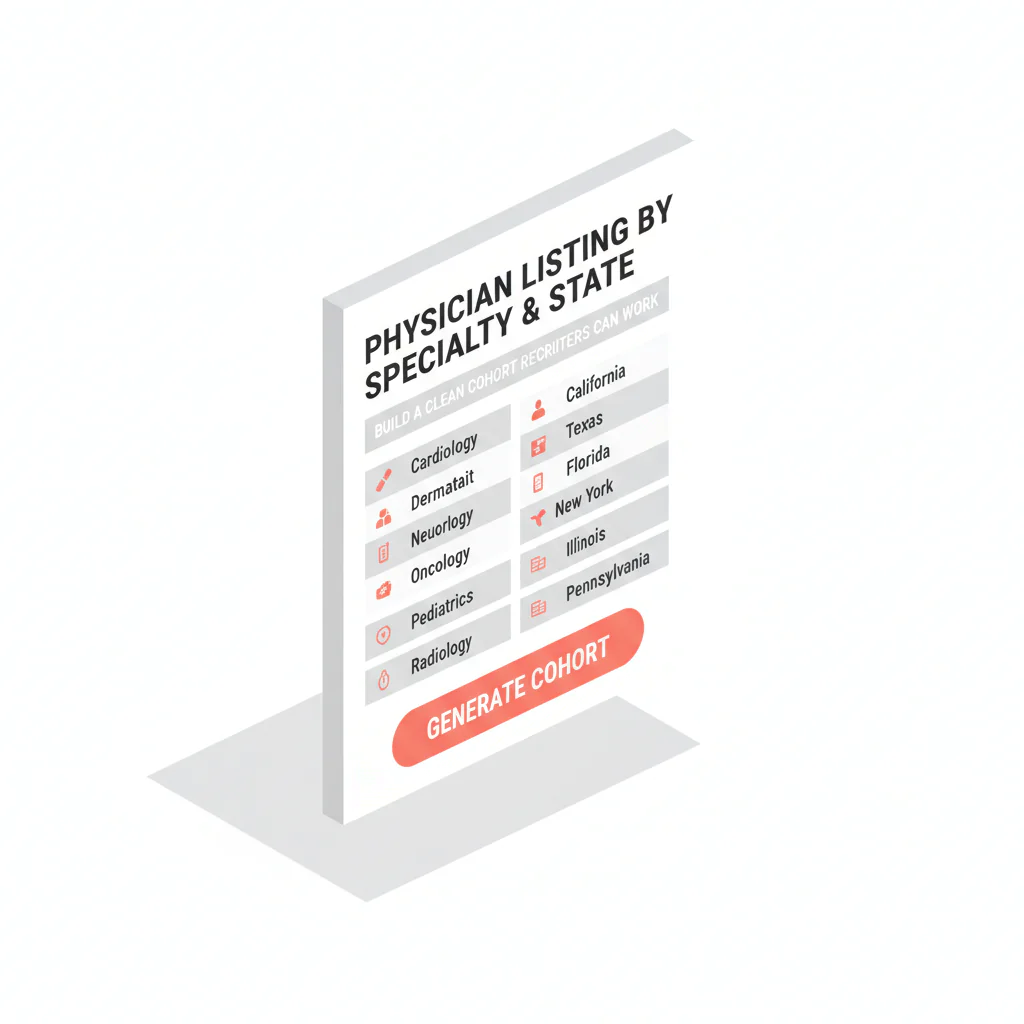
- Build a physician list by specialty and state by filtering on specialty taxonomy and state license, anchoring each record to NPI, then refreshing phone and email before outreach.
- Key Insight
- Specialty, state license, and NPI stay stable over time. Phone and email decay quickly, which is why refresh and suppression need to be a recurring workflow, not a one-time export.
- Best For
- Recruiters building a market map and outreach list by specialty and state.
Compliance & Safety
This method is for legitimate recruiting outreach only. Always respect candidate privacy, opt-out requests, and local data laws. Heartbeat does not provide medical advice or legal counsel.
start free search & preview data to sanity-check your cohort definition before you spend time on enrichment and outreach.
Why targeting beats volume
A workable list starts with a cohort definition your team can explain, rerun, and improve. If you can’t describe who belongs in the cohort in one sentence, the list may be too loosely defined to work consistently.
- Targeting: specialty and state rules that match the req.
- Identity anchor: NPI for dedupe and change tracking.
- Reachability: phone and email treated as volatile fields that need regular refresh and suppression.
- Workflow fit: a cohort sized to your team’s outreach capacity and follow-up cadence.
The trade-off is real: you spend more time defining the cohort up front. In exchange, you stop losing days to duplicates, wrong specialties, and stale routing later.
Step-by-step method
Step 0: One-screen recipe
- Inputs: specialty taxonomy, state meaning (licensed vs. practicing), and eligibility rules.
- Filters: specialty, then state license, then NPI as the stable anchor.
- Output fields: NPI, name, specialty, state(s), license status, practice setting, routing fields, refresh and suppression fields.
- Refresh: update phone and email close to outreach; suppress bounces, opt-outs, and wrong numbers.
- Work order: prioritize the segment that matches req constraints and has the fastest path to submittal.
Step 1: Write the cohort definition in one sentence
Use this format and be explicit:
- Specialty taxonomy: what you mean by the specialty, and which subspecialties count.
- State meaning: choose one — licensed in state or practicing in state. Don’t mix them.
- Eligibility rules: include or exclude practice settings, trainees, non-clinical roles.
- Decision-maker flag (optional): if you’re targeting a sole proprietor practice owner, say so. This isn’t tax or legal advice.
Decision rule for “state” (pick one):
- If credentialing eligibility is the gate, define state as licensed in state.
- If local coverage is the gate, define state as practicing in state (practice location).
- If you only have a mailing address, treat it as a routing hint, not proof of practice or licensure.
Examples:
- “Specialty: Psychiatry (exclude child-only). State: licensed in NY. Setting: outpatient or community clinic.”
- “Specialty: Emergency Medicine. State: practicing in AZ (facility address). Setting: hospital-employed only.”
- “Specialty: Dermatology. State: licensed in FL. Setting: private practice; flag sole proprietor owners for decision-maker outreach.”
- “Specialty: Family Medicine. State: licensed in TX. Setting: FQHC and community health; exclude residents/fellows.”
- “Specialty: Anesthesiology. State: practicing in WA (practice location). Setting: group practice; prioritize multi-site coverage.”
Step 2: Build with stable filters first, then handle contact fields
Use specialty, state, and NPI to define and identify the cohort. Phone and email can change, so refresh and validate them rather than treating them as permanent.
| Field / filter | Stable or volatile? | How to use it | Recruiting note |
|---|---|---|---|
| Specialty taxonomy | Stable | Primary cohort filter | Be explicit about subspecialties; broad buckets create wrong-fit outreach |
| State license (state + status) | Stable | Filter for credentialing eligibility | Decide whether “state” means licensed vs practicing; label the cohort |
| NPI | Stable | Identity anchor for dedupe + matching | Use NPI to prevent duplicate outreach and to track updates over time |
| Phone | Volatile | Refresh close to outreach; suppress bad numbers | Main lines waste dials; prioritize direct/mobile when compliant |
| Volatile | Validate before send; suppress bounces and opt-outs | Domains change with employment; treat email as perishable |
Build the cohort using specialty, state, and NPI—not phone or email. Then enrich contact details and apply suppression rules close to outreach.
Step 3: Anchor every record to NPI
The NPI is a unique identification number for covered health care providers. It’s a 10-position, intelligence-free numeric identifier, meaning the numbers themselves don’t carry information like state or specialty. That makes it a clean backbone for identity resolution rather than a data point that changes with someone’s job. Use it to:
- Dedupe: one physician, multiple addresses and affiliations.
- Match: connect specialty taxonomy and license records consistently.
- Update: refresh contact fields without creating “new” people in your CRM.
Dedupe rules:
- Primary key: NPI.
- One row per physician: choose a primary practice record for routing; keep other locations as secondary context.
- When NPI is missing: hold the record out of outreach until it’s matched to an NPI. This avoids duplicate outreach and misrouting.
If you’re doing this at scale, document your join logic and keep it consistent. Related workflow: NPI-to-license matching workflow.
Step 4: Segment for outreach reality, not just reporting
Segmentation should change what your team does next. If a segment doesn’t change script, channel, or prioritization, it’s noise.
- Practice setting: hospital-employed vs. private practice vs. group.
- Owner/decision-maker: flag sole proprietor owners where relevant — owner outreach is a different conversation than candidate outreach.
- Geography nuance: border metros, multi-state licensure, telehealth-heavy patterns.
- Subspecialty granularity: don’t mix subspecialties unless the req truly allows it.
Step 5: Size the cohort to your outreach capacity
Size the cohort to support your recruiting funnel without over-contacting candidates. Use this structure:
- Start with placements needed (P).
- Use your historical attempts per placement (A). If you don’t track it yet, start tracking it by cohort slice.
- Set a max attempts per physician (M) before suppression.
- Compute required unique physicians: U = (P × A) ÷ M.
Step 6: Refresh contact fields right before outreach, and suppress aggressively
Contact data can become stale, so treat list management as an ongoing process: maintain access to rerun the cohort, refresh and validate contact fields, and apply suppression rules.
- Access: you can re-run the cohort definition anytime.
- Refresh: update phone and email close to send time.
- Validation: check emails and classify phone types where possible.
- Suppression: remove bounced emails, opt-outs, wrong numbers, and do-not-contact flags.
Suppression hygiene, minimum:
- Opt-out: suppress across all channels.
- Bounce: suppress that email address; don’t keep sending to it.
- Wrong number: suppress that phone number; don’t recycle it into future sequences.
- Do-not-contact: suppress at the person level when required by your policy or a specific request.
On the phone side, Heartbeat.ai supports workflows that include ranked mobile numbers by answer probability. That’s prioritization, not a guarantee of contact.
Step 7: Export in a CRM-ready shape
Export what your workflow can use and what you can govern.
| Export field | CRM field | Why it exists |
|---|---|---|
| NPI | External ID / Unique ID | Dedupe, matching, and long-term change tracking |
| Full name | Contact name | Human-readable identity |
| Specialty taxonomy | Specialty | Targeting and segmentation |
| State license (state + status) | License state/status | Eligibility and routing by credentialing constraints |
| Practice setting | Segment | Changes script/channel and prioritization |
| Phone(s) | Phone fields | Call routing; refreshable contact field |
| Email(s) | Email fields | Email routing; refreshable contact field |
| Refresh date | Last verified | Governance: tells you when contact fields may be stale |
| Suppression flags | Do not contact / Opt-out | Compliance and deliverability protection |
Diagnostic table
Use this to figure out whether your cohort definition is the problem (targeting) or your contact fields are the problem (reachability).
| Symptom | What it usually means | Fast fix |
|---|---|---|
| “Wrong specialty” pushback | Taxonomy too broad or subspecialties mixed | Split into req-eligible vs not; create separate cohorts per subspecialty |
| Duplicate outreach | No stable anchor; address-level rows | Dedupe on NPI; keep one primary practice record per physician |
| State mismatch complaints | “State” definition drift (licensed vs practicing) | Choose one definition; label it in the cohort name and export |
| Low call productivity | Main lines, gatekeepers, stale routing | Refresh phone fields; suppress wrong numbers; prioritize direct/mobile when compliant |
| Email bounces increase over time | Volatile emails + no validation/suppression loop | Validate before send; suppress bounces; refresh domains after job changes |
| Owner outreach stalls | You’re not actually reaching the decision-maker | Segment sole proprietor owners; change CTA to a decision-maker ask |
Weighted checklist
Score your cohort definition before you export. Total 100 points. If you’re under 80, fix the cohort before you scale outreach.
- 25 pts — Specialty precision: taxonomy matches the req; subspecialties handled explicitly.
- 20 pts — State definition: you chose licensed vs. practicing and can explain why.
- 20 pts — Identity anchor: every row has NPI; dedupe rules documented.
- 15 pts — Segmentation: at least two segments that change outreach (setting, owner flag, geography nuance).
- 10 pts — Refresh plan: refresh window defined; suppression rules exist.
- 10 pts — Compliance hygiene: opt-out capture, do-not-contact suppression, and an audit trail (source/refresh dates).
Outreach templates
Short templates built for specialty and state cohorts. The goal each time is permission, routing, and a next step — nothing more.
Template 1 — Call opener (candidate)
- Opener: “Hi Dr. [Last], this is [Name]. I recruit [specialty] physicians in [state]. Did I catch you at an okay time for 20 seconds?”
- Reason: “I’m mapping [specialty] coverage in [state] and I have a role matching [1–2 constraints].”
- Close: “If it’s not you, who’s best to speak with — or is there a better number for you?”
Template 2 — Email (candidate)
Subject: “[Specialty] in [State] — quick question”
Body: “Dr. [Last] — I’m recruiting [specialty] physicians in [state]. Are you open to a brief call this week, or should I close the loop? If you’re not the right person, who should I contact?”
Footer: “If you prefer I don’t reach out again, reply ‘opt out’ and I’ll suppress your info.”
Template 3 — Owner/decision-maker (sole proprietor) outreach
Subject: “Coverage help for your [specialty] practice in [state]”
Body: “Dr. [Last] — I’m reaching out because you appear to be the practice decision-maker. Are you open to a quick conversation about [coverage gap / schedule / growth], or should I contact someone else on your team?”
Common pitfalls
State drift, in practice: if your req requires in-state licensure but your cohort is built on practice location, you’ll spend cycles on physicians who can’t clear credentialing. Flip the cohort to “licensed in state,” then segment by practice location for routing.
- Building around phone/email instead of identity: without NPI anchoring, you’ll duplicate people and lose change history.
- Letting “state” drift: licensed vs. practicing vs. mailing address are different things. Pick one and label it.
- Over-broad specialty buckets: wrong-fit outreach burns time and reputation.
- No suppression loop: bounces and opt-outs must be suppressed across channels.
- Mixing owner outreach with candidate outreach: a sole proprietor decision-maker needs a different ask than an employed physician.
How to improve results
Fix targeting first, then reachability, then messaging. Do it in the opposite order and you’ll end up rewriting scripts indefinitely without ever solving the underlying problem.
Terms your team should agree on
- Cohort definition — the exact written filter rules that determine who’s included (specialty taxonomy, state rule, eligibility rules) and that can be re-run later.
- Target market definition — the subset of the cohort you’ll work first, prioritized by req fit, geography, and outreach capacity.
Measurement
Track outcomes per cohort slice, not just per campaign, and use consistent denominators so week-to-week comparisons actually mean something.
- Connect Rate = connected calls / total dials (per 100 dials).
- Answer Rate = human answers / connected calls (per 100 connected calls).
- Deliverability Rate = delivered emails / sent emails (per 100 sent emails).
- Bounce Rate = bounced emails / sent emails (per 100 sent emails).
- Reply Rate = replies / delivered emails (per 100 delivered emails).
In a weekly review: if one specialty-and-state segment underperforms, adjust the cohort filters before you touch the script. If every segment underperforms at once, reachability — refresh and suppression — is the more likely bottleneck.
Cohort size worksheet
Copy this into a spreadsheet. It forces you to size the cohort to your funnel instead of guessing.
| Input | What to enter | Output / rule |
|---|---|---|
| Placements needed (P) | Your target placements for the req(s) | Start of the funnel math |
| Attempts per placement (A) | Your historical average (track it by cohort slice) | Use your data, not guesses |
| Max attempts per physician (M) | Your cap before suppression | Protects reputation and prevents over-contacting |
| Required unique physicians (U) | Calculated | U = (P × A) ÷ M |
| Segment plan | List your top segments in order | Defines your target market definition |
Legal and ethical use
- Legitimate recruiting outreach only: tie outreach to real roles and real market mapping.
- Respect opt-outs: if someone asks you to stop, suppress them across channels.
- Minimize data: keep what you need for the recruiting workflow; don’t hoard fields.
- Sole proprietor note: treat ownership as a hypothesis and be transparent about why you’re reaching out. This is not tax or legal advice.
Evidence and trust notes
The NPI is a unique identification number for covered health care providers, and covered providers, health plans, and clearinghouses must use it in HIPAA-adopted administrative and financial transactions. That standardization is exactly what makes it useful for deduping and matching physician records across systems. Primary sources:
How Heartbeat approaches data quality, suppression, and responsible use: Heartbeat trust methodology.
Related workflow reading: state license lookup workflows and NPI-to-license matching.
For more in this cluster, see: provider contact data resources.
FAQs
What’s the fastest way to build a physician list by specialty and state that recruiters can actually work?
Define the cohort in one sentence, filter on specialty taxonomy + state rule, anchor to NPI for dedupe, then refresh phone/email right before outreach with suppression for bounces and opt-outs.
Should “state” mean licensed in the state or practicing in the state?
Pick one based on your req and credentialing constraints. If you need eligibility, use license state. If you need local coverage, use practice location. Label the cohort so your team doesn’t drift.
What fields are stable vs. volatile when building this cohort?
Stable: specialty taxonomy, state license, NPI. Volatile: phone and email. Treat volatile fields as refreshable and governed by suppression rules.
How do I prevent duplicate outreach when physicians have multiple addresses?
Anchor identity to NPI and dedupe on NPI before exporting. Keep one primary practice record for routing, but retain secondary locations as context if needed.
How do I know if my problem is targeting or reachability?
If you get wrong-specialty responses, your taxonomy/filters are off. If you get gatekeepers, wrong numbers, or bounces, your contact fields need refresh + suppression. Use the Diagnostic Table above to triage.
What fields are stable vs volatile when building this cohort?
Stable: specialty taxonomy, state license, NPI. Volatile: phone and email. Treat volatile fields as refreshable and governed by suppression rules.
Next steps
- start free search & preview data to validate your specialty + state cohort size.
- Set up your identity backbone: NPI-to-license matching workflow.
- If your cohort depends on licensure rules, use: state license lookup workflows.
Once your cohort definition is written and scored, go build my list and operationalize it with refresh and suppression from day one.
About the Author
Ben Argeband is the Founder and CEO of Swordfish.ai and Heartbeat.ai. With deep expertise in data and SaaS, he has built two successful platforms trusted by over 50,000 sales and recruitment professionals. Ben’s mission is to help teams find direct contact information for hard-to-reach professionals and decision-makers, providing the shortest route to their next win. Connect with Ben on LinkedIn.

