


What’s on this page:
Key takeaways
- Use the official Illinois IDFPR License Lookup tool to verify a physician license record.
- Copy the name, license number, status, and any displayed dates exactly as shown; do not paraphrase the status.
- Record the exact search input, source, lookup timestamp with time zone, and verifier in the ATS.
- If several records match, confirm the correct person using at least two identifiers rather than guessing.
- Treat an NPI as a matching identifier, and confirm the physician license record directly in the IDFPR portal.
Last updated: August 31, 2026
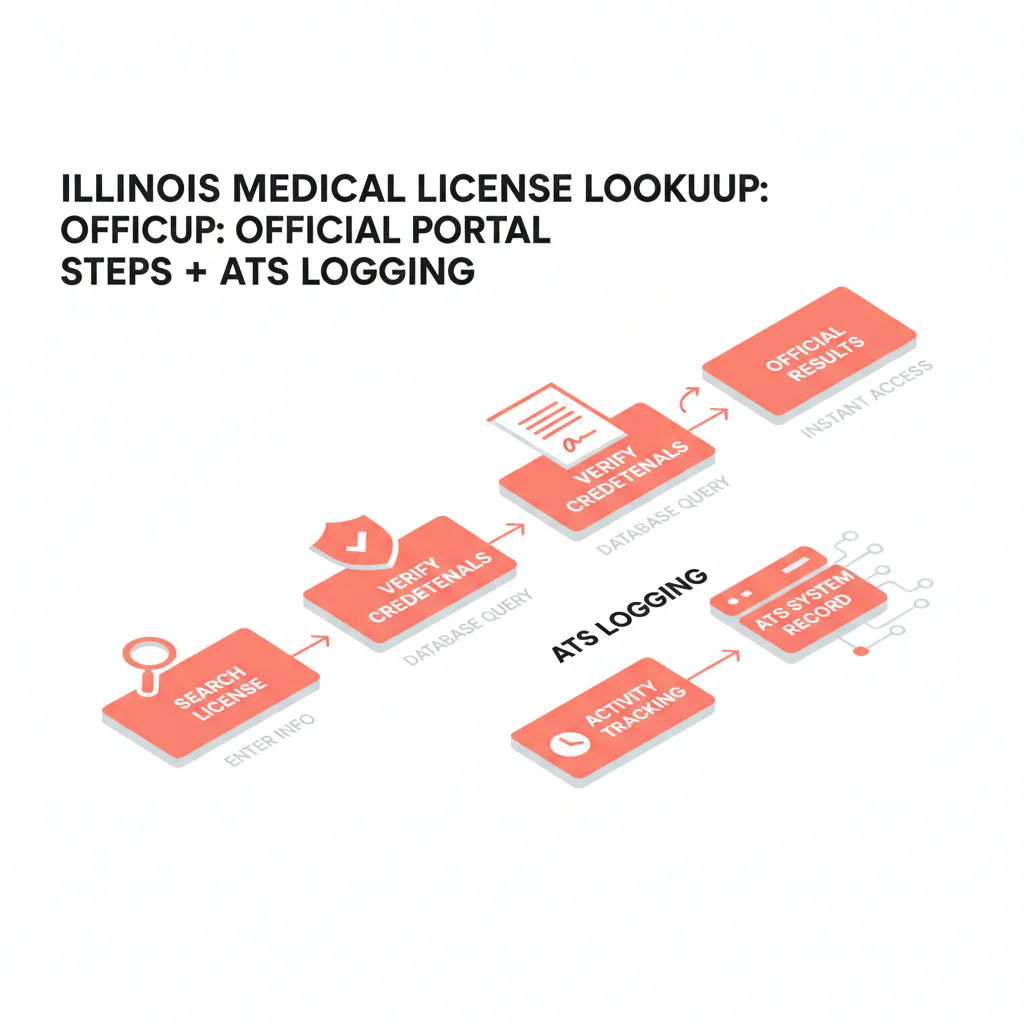
Ben Argeband, Founder & CEO of Heartbeat.ai — a practical workflow for verifying Illinois physician licenses without losing the paper trail.
To verify an Illinois physician license, use the official IDFPR License Lookup, copy the record’s exact values, and log the search input and timestamp in your ATS. This makes the lookup easier for credentialing to reproduce and helps avoid errors from common names, inconsistently entered license numbers, or paraphrased status text.
Who this is for
Recruiters verifying physicians in Illinois who need a fast, defensible way to document a physician license record — including status and identifiers like NPI — without interpreting what that record means.
Quick answer
- Core answer
- Use the official Illinois IDFPR license search, open the physician license record, and copy the exact name, license number, status text, and dates into your ATS along with a timestamp.
- Key insight
- Reproducibility beats memory. Log the exact search input you used and when you ran it, so a teammate can pull the same record later without guessing.
- Best for
- Recruiters verifying physicians in Illinois.
Compliance & safety
This method is for legitimate recruiting outreach only. Respect candidate privacy, opt-out requests, and local data laws. Heartbeat does not provide medical advice or legal counsel.
Where to look: two different IDFPR tools
IDFPR maintains more than one lookup surface, so use the official License Lookup tool for physician license verification. The article notes that older physician profile data may not be current and points readers toward License Lookup or the Federation of State Medical Boards’ DocInfo site. Check current IDFPR guidance before relying on an older profile page.
The “copy exact values” rule
Recruiting needs speed. Credentialing needs traceability. The bridge between the two is simple: copy what the portal shows, exactly, and log how you got it.
- Copy exact values — including punctuation and spacing — into dedicated ATS fields.
- Log the lookup context — source, search input used, timestamp, and who verified it.
- Don’t interpret anything beyond what’s displayed on screen.
The trade-off is a small documentation step now, versus a bigger rework loop later when credentialing asks you to reproduce a record you didn’t fully log the first time.
Step-by-step method
- Start at the official source. Use the IDFPR License Lookup tool as your source of record for verification.
- Pick the strongest search input available.
- License number (best) — lowest ambiguity.
- Name (common) — expect multiple matches; you’ll need additional identifiers to confirm.
- NPI (matching identifier) — useful for linking systems, but still confirm the license record directly in the IDFPR portal.
- Open the correct physician license record. If multiple results look similar, don’t guess. Confirm with at least two identifiers — for example, full name plus city or practice address — and confirm with the candidate directly if needed.
- Copy exact values into ATS fields, without paraphrasing. Capture the physician’s name as formatted, license number, license type as displayed, status (exact text), issue and expiration/renewal dates if shown, and any address fields shown.
- Log the lookup context for auditability. Store the source (Illinois IDFPR), the exact search input used, a timestamp with time zone, who verified it, and the NPI if provided plus a short note on how it was matched.
Minimum viable log
- Source = Illinois IDFPR
- Physician license number (exact)
- Status (exact text)
- Search input used (exact string or license number)
- Lookup timestamp (with time zone) plus verifier
Illinois portal quirks worth logging
To make an Illinois lookup reproducible, capture the exact search input and the field labels displayed by the portal.
- Log the exact search string you used, including middle initial, hyphenation, or suffix. “John Smith” and “John A Smith” can return different result sets.
- Log the search mode — license number versus name — rather than writing a vague note like “looked up in IDFPR.”
- Capture the portal’s field labels as displayed the first time you build your ATS mapping, then map them consistently.
- When multiple results appear, log how you disambiguated — address match, candidate confirmation, or license number confirmation.
Workflow note: Keep verification separate from outreach. Once you’ve confirmed the correct physician license record, you can start free search & preview data for contact workflows.
Diagnostic table
| Recruiting situation | What to do in the Illinois IDFPR portal | What to log (ATS fields) | Outcome you want |
|---|---|---|---|
| Multiple matches for the same last name | Open each candidate record and confirm with at least two identifiers before selecting. | Search input used; selected physician license number; disambiguation note (which identifiers matched). | Right-person verification. |
| No results on first try | Re-run using a tighter name string (add middle initial if known) or switch to license number if the candidate can provide it. | Original search string; revised search string; candidate-confirmed identifier (if obtained). | Recover quickly without guessing. |
| Too many results | Narrow using additional identifiers available to you (city/practice address) and confirm with the candidate if still ambiguous. | Disambiguation method; which record you selected and why. | Avoid wrong-person errors. |
| Name changed (maiden/married) or uses a different professional name | Ask the candidate for the name that appears on their Illinois record and their physician license number if possible, then re-run using that identifier. | Both name variants searched; candidate-confirmed name on record; physician license number (exact). | Correct match without assumptions. |
| Status label is unfamiliar | Copy the status text exactly as displayed; do not translate it into your own words. | Status (exact); lookup timestamp; source. | Credentialing can evaluate without rework. |
| NPI provided, but you’re verifying licensure | Use NPI as a matching identifier in your system, then confirm the physician license record in the portal by name/license number. | NPI; matched name; matched physician license number; match method note. | Clean record linkage across systems. |
Weighted checklist
Illinois lookup logging checklist
- (5) Confirm you are using the official IDFPR License Lookup tool as your source of record.
- (5) Log search input used exactly — paste the exact license number or exact name string typed.
- (4) Log lookup timestamp (with time zone) and verifier (initials or name).
- (5) Confirm right person: match at least two identifiers before copying anything.
- (5) Copy physician license number exactly.
- (4) Copy status text exactly as displayed.
- (3) Copy issue date and expiration/renewal date if shown.
- (3) One-time setup: record the portal’s exact field labels for status, license type, and expiration/renewal, then map them to your ATS fields consistently.
- (2) If multiple results appeared, log your disambiguation method.
- (2) Log NPI (if available) plus a “how matched” note.
- (2) If additional notes appear on the record, log “notes present” and copy labels only — don’t interpret them.
Pass threshold: 30+ before marking the physician license as “checked.”
Outreach templates
Template 1 — Candidate confirmation (email)
Subject: Quick confirmation for your Illinois file
Hi Dr. [Last Name] — I’m updating your Illinois file for a role we’re moving on. I pulled the following from the IDFPR portal:
- Name: [exact]
- Physician license #: [exact]
- Status: “[exact status text]”
Can you confirm this matches your current Illinois record? If anything differs — name formatting, address, etc. — reply with the correct details and I’ll update the file.
— [Your Name]
Template 2 — Credentialing handoff (internal note)
Subject: Illinois license record logged — [Candidate Name]
- Source: Illinois IDFPR
- Search input used: [license # / exact name string]
- Lookup timestamp: [date/time + TZ]
- Physician license #: [exact]
- Status (exact): [exact]
- NPI (if available): [NPI] (match method: [short note])
Notes: portal values copied exactly; no interpretation.
Template 3 — Candidate SMS (short)
Hi Dr. [Last] — quick confirm for your Illinois file: I have physician license # [####] with status “[status text]” from Illinois IDFPR. Is that current? — [Name]
Common pitfalls
- Writing “checked” without logging inputs. “Looked up in IDFPR” isn’t reproducible. Log the exact search string and timestamp.
- Wrong-person verification on common names. If you can’t match confidently, confirm the physician license number with the candidate.
- Paraphrasing status. Copy the status label exactly as displayed.
- Mixing facts and interpretation. Portal values belong in structured fields; interpretation belongs with credentialing or compliance, not with the recruiter.
- Relying on outdated profile pages. IDFPR has noted that some older physician profile data was not current; use the primary-source License Lookup tool instead.
How to improve results
Required definition: license status. In this workflow, status means the exact status label shown on the IDFPR physician license record at the time of lookup. It is not a recruiter judgment and should not be converted into “eligible/ineligible.”
Track two workflow metrics inside your ATS for Illinois submissions:
- Credentialing kickback rate (per 100 Illinois files): number of Illinois physician files returned for missing or mismatched license fields, divided by 100 Illinois physician files submitted.
- Lookup reproducibility rate (per 100 files): number of Illinois files where a second team member can reproduce the same record using your logged source, search input, and timestamp, divided by 100 Illinois files audited.
Operational steps that may help reduce kickbacks:
- Make ATS fields required before submittal: source, search input used, lookup timestamp, physician license number, status (exact), and verifier.
- Standardize NPI matching notes when you merge contact data with licensing data. If you’re doing this at scale, review NPI-to-license matching for cleaner provider records.
- Audit a small sample weekly to enforce exact-value copying and disambiguation logging.
Legal and ethical use
This page provides recruiting operations guidance only, not legal advice. Use the official IDFPR portal for legitimate recruiting verification, respect opt-out requests, and follow applicable privacy and data laws. Do not interpret disciplinary information or offer guidance about what it means.
Evidence and trust notes
Official source for Illinois physician license records: Illinois IDFPR license search portal.
How we handle accuracy, decay, and responsible use across Heartbeat resources: Heartbeat trust methodology.
Browse the full hub for state workflows: state license lookup guides.
FAQs
What should I log in my ATS after an Illinois lookup?
At minimum: Source (Illinois IDFPR), Search Input Used (exact), Lookup Timestamp (with time zone), verifier, physician license number, status (exact), and any dates shown. Add NPI if you have it and note how you matched it.
What if I can’t confidently match the record to the candidate?
Don’t mark it as checked. Ask the candidate to confirm their physician license number (or confirm identifying details) and then re-run the lookup using the stronger identifier.
Should I store screenshots of the portal result?
Follow your internal policy. Operationally, reproducibility matters most: log the exact values plus Source, Search Input Used, and Lookup Timestamp so another team member can re-run the lookup.
How often should I re-check an Illinois physician license record?
Re-check at submittal and again if the start date shifts materially. Always log the timestamp so the team knows how current the record is.
Where does an Illinois medical license lookup fit in the recruiting workflow?
It’s a verification step before you finalize a submittal packet. Keep verification fields separate from outreach notes so your audit trail stays clean.
Where does “il medical license lookup” fit in the recruiting workflow?
It’s a verification step before you finalize a submittal packet. Keep verification fields separate from outreach notes so your audit trail stays clean.
Next steps
- Implement the ATS fields from the checklist and require them before submittal.
- Use the hub if you recruit across multiple states: state license lookup guides.
- If you’re cleaning provider records at scale, review: NPI-to-license matching.
- When you’re ready to pair verification with outreach workflows, start free search & preview data.
Reminder: Use the official lookup. Log identifiers; don’t interpret.
About the Author
Ben Argeband is the Founder and CEO of Swordfish.ai and Heartbeat.ai. With deep expertise in data and SaaS, he has built two successful platforms trusted by over 50,000 sales and recruitment professionals. Ben’s mission is to help teams find direct contact information for hard-to-reach professionals and decision-makers, providing the shortest route to their next win. Connect with Ben on LinkedIn.

