


What’s on this page:
Key takeaways
- Start with a direct dial when your goal is a clinician conversation during the current call block.
- Use an office line for administrative routing, such as finding the staffing decision-maker or confirming the preferred contact process.
- Treat a mobile number as a higher-sensitivity channel: be clear about who you are, use permission-first language, and honor opt-outs.
- If a direct dial repeatedly reaches voicemail or an office line routes to an IVR, change tactics rather than repeatedly redialing.
- Compare connect and answer rates separately by line type, using a consistent recruiter and time window where possible.
Last updated: August 27, 2026
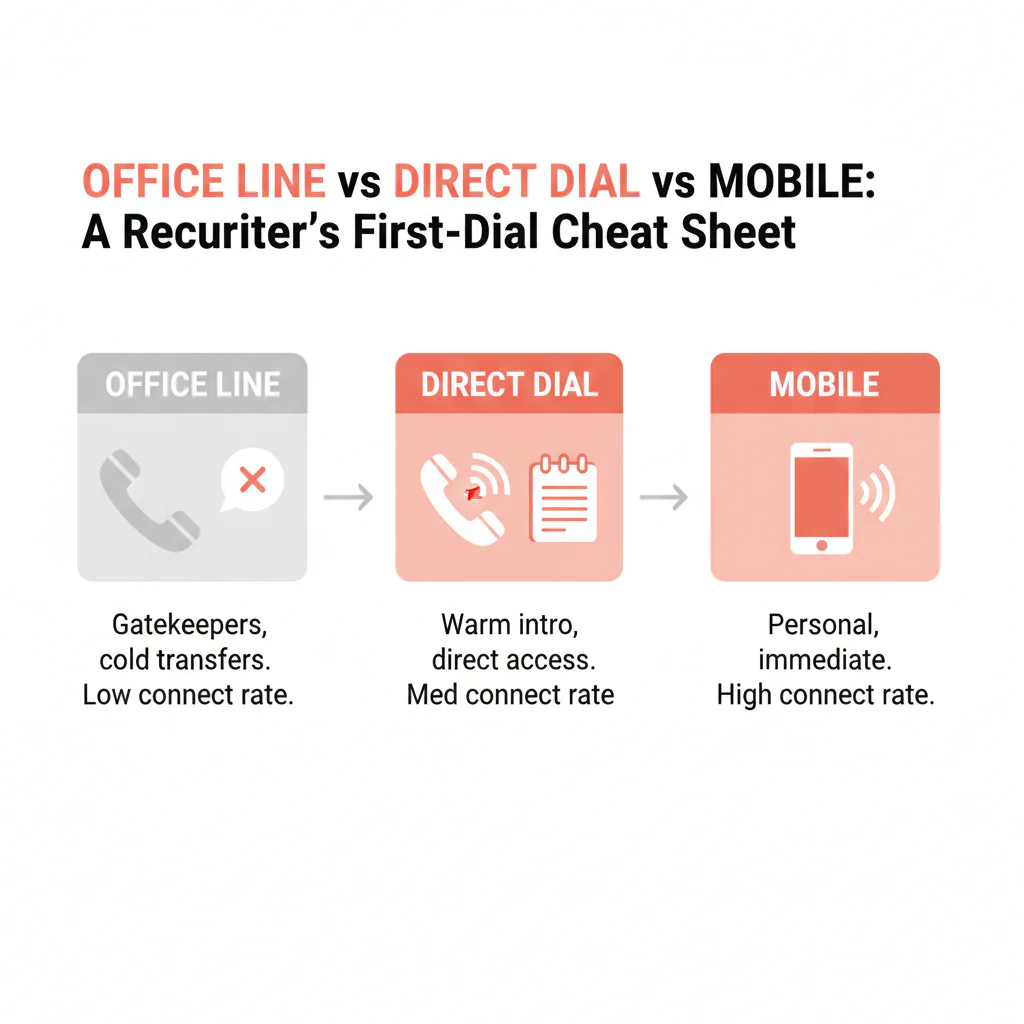
Ben Argeband, Founder & CEO of Heartbeat.ai — a cheat sheet to keep open before call blocks.
Who this is for
Recruiters choosing among two or three phone numbers for the same provider can use this guide to decide which number to dial first and avoid unnecessary phone-tree friction.
Quick answer
- Core answer
- Use office lines for staff-led routing, direct dials to reach a specific person faster, and mobile numbers only when urgency and permission-first outreach make sense.
- Key insight
- Office lines route to staff; direct dials cut phone-tree friction; mobiles can be fastest but demand tact, channel policy awareness, and immediate opt-out suppression.
Compliance & Safety
This method is for legitimate recruiting outreach only. Always respect candidate privacy, opt-out requests, and local data laws. Heartbeat does not provide medical advice or legal counsel.
If you only have one number, match your opener to the routing you’ll hit: staff-first for an office line, clinician-first for a direct dial, permission-first for a mobile.
The “don’t waste the first dial” rule
Your first dial can lead to a clinician conversation or a longer routing process. Choose the line type that matches the goal of the touch, not the channel you personally prefer.
- Goal: a clinician conversation this call block — start with the direct dial.
- Goal: operational routing (who handles staffing, best time or number, credentialing contact) — start with the office line.
- Goal: urgent coverage — consider the mobile number, with permission-first language and clean opt-out handling.
The trade-off: the fastest path to a person may not be the best choice for the relationship, compliance, or your brand. Aim for speed without generating complaints or blocks.
Definitions, so your team stops arguing about labels
Office line
A practice or facility’s main number, generally set up to route calls to staff, departments, or an IVR (phone tree).
Best use: confirming the decision-maker, asking for the best time or number for recruiting calls, finding credentialing or scheduling contacts. Worst use: demanding an immediate clinician transfer with no context.
Direct dial
A number intended to reach a specific person, or their voicemail, with fewer routing steps. Depending on the phone system, it may still forward or reach a shared mailbox.
Best use: fast clinician access during call blocks. Worst use: repeated redials when you keep hitting voicemail — switch tactics instead.
Mobile number
A personal device number that often reaches the individual directly. It may connect quickly, but irrelevant, repetitive, or unexpected outreach can trigger a negative reaction.
Best use: time-sensitive outreach with clear identity, relevance, and an easy opt-out. Worst use: spray-and-pray calling or texting.
Routing and VoIP
Routing is what happens after you dial: IVR, ring group, forwarding, voicemail. It determines whether you reach staff, a clinician, or a dead end. Many practices run VoIP systems whose forwarding rules change who actually answers — which is why a correct number can behave like a wrong one.
Diagnostic table: goal → number type → first action
| Goal | Best number type | Best first action | What you’re avoiding |
|---|---|---|---|
| Talk to the clinician today | Direct dial | Call during likely between-patient windows; if voicemail, leave a short message with a callback window | Phone trees and switchboards |
| Find the staffing decision-maker | Office line | Ask for the office manager or practice administrator; request the best number and time for recruiting calls | Interrupting clinicians for admin questions |
| Urgent, time-sensitive coverage | Mobile number | Send a permission-first text; if no reply, call once and stop if asked | Repeated cold calls that create complaints |
| Written follow-up after voicemail | Direct dial, then email | Leave a short voicemail, then send a concise email that mirrors it and offers two callback windows | Long voicemails and vague “just checking in” emails |
| Reduce gatekeeper friction | Direct dial, then office line | Dial direct first; if blocked, use the office line to ask for the preferred contact method | Wasting the first dial on routing |
| Validate whether you have the right number | Office line | Ask staff: “Is this the best number for recruiting calls for Dr. X?” and accept a no gracefully | Assuming line type from the area code |
| Protect a relationship in a small market | Office line, then direct dial | Get permission on timing and number, then call direct at that time | Surprising someone on a personal device |
For channel order details, see phone vs email: which to use first for provider outreach.
Step-by-step method
Step 1: Write the goal in one line
- “I need a clinician conversation.”
- “I need the right admin contact.”
- “I need to validate routing and preferred channel.”
If you can’t write the goal, you may default to whichever number looks easiest and use the call block less effectively.
Step 2: Pick the line type that matches the goal
- Clinician conversation: direct dial first.
- Admin or process question: office line first.
- Urgent and respectful: mobile with permission-first language.
Step 3: Use a line-type-specific opener
- Office line (staff-first): “Hi, I’m calling about a clinician opportunity. Who’s the best person to speak with about recruiting calls for Dr. ___?”
- Direct dial (clinician-first): “Dr. ___, quick one — are you open to hearing about a role that fits ___? If not, I’ll get out of your way.”
- Mobile (permission-first): “Hi Dr. ___ — recruiting question. Is it okay to call you for 60 seconds about ___? If not, what’s the best number?”
Step 4: Handle routing outcomes with an if/then flow
- IVR: stop redialing. Ask for the office manager or administrator and request the best number and time for recruiting calls.
- Staff screens you: give a one-sentence reason (schedule, call, location) and ask for the preferred contact method. Don’t argue.
- Call center answers: ask for the best number and time for recruiting calls and whether there’s a preferred channel for clinician outreach.
- Answering service (after hours): ask their preferred process for recruiting messages and whether they can take a next-business-day callback request.
- Voicemail on direct dial: leave a short message with a callback window, then switch channels instead of looping.
- Mobile reached: stay permission-based. On any opt-out, log it and suppress immediately.
Step 5: Log outcomes by line type, not just “calls made”
To improve, you need to know which line type produces real conversations versus routing noise. The measurement section below shows how.
Weighted checklist
Score each line type for the specific search, multiply by weight, total it, and start with the highest score.
| Decision factor | Weight | Office line | Direct dial | Mobile number |
|---|---|---|---|---|
| Need clinician conversation within this call block | 3 | 0 | 3 | 3 |
| Gatekeeper/IVR friction expected | 2 | 0 | 2 | 2 |
| Known clinic hours or limited call windows | 2 | 0 | 2 | 2 |
| Relationship sensitivity is high | 2 | 2 | 1 | 0 |
| Internal policy confidence for this channel (and ability to honor opt-out) | 3 | 3 | 2 | 1 |
| After-hours outreach required | 1 | 0 | 1 | 1 |
| Need admin workflow info | 2 | 2 | 0 | 0 |
Interpretation: if mobile wins, you still open permission-first and stop on opt-out. If the office line wins, you’re optimizing for routing and relationship, not speed.
Common pitfalls
1) Treating an office line like a clinician line
Office lines often route through staff. Asking for the clinician immediately, without context, may result in screening or a generic inbox. Ask for the best number and time for recruiting calls, and follow the process.
2) Saying the wrong thing to staff
Staff can help route your call. Be clear about why you’re calling and avoid sounding evasive or demanding.
- Avoid: “I need to speak to the doctor right now.” or “It’s personal.”
- Use instead: “It’s a recruiting question about schedule and call. What’s the best number or time to reach them?”
3) Assuming direct dial means they’ll answer
Direct dial reduces routing steps; it doesn’t guarantee pickup. If you keep hitting voicemail, change approach — office-line validation or email — instead of looping.
4) Overusing mobiles because they feel fast
Mobiles may be a fast way to reach someone, but careless outreach can prompt a complaint. Use permission-first language, follow your channel policy, and stop or switch channels as appropriate.
5) Failing opt-out hygiene
When someone opts out, log the request and suppress future outreach according to its scope and your applicable policy; don’t "try again later."
6) Blaming “bad data” when the real issue is routing
IVRs, ring groups, and forwarding can make a correct number behave like a wrong one. Treat routing as a signal and pivot to staff-first questions instead of redialing.
How to measure whether your first-dial choice works
Metric definitions
- Connect Rate = connected calls / total dials.
- Answer Rate = human answers / connected calls.
- Deliverability Rate = delivered emails / sent emails.
- Bounce Rate = bounced emails / sent emails.
- Reply Rate = replies / delivered emails.
Measurement instructions
Split your next call block into three labeled buckets — office line, direct dial, mobile — and log outcomes separately.
- Create dispositions in your ATS, CRM, or dialer: IVR reached, staff answered, call center answered, answering service, clinician answered, voicemail, wrong number, opt-out.
- Run a controlled block: same recruiter, same specialty, same time window; only the line type changes.
- Compare Connect Rate and Answer Rate by line type.
- Adjust one variable per block — time window, opener, voicemail, or line-type order — so you can attribute the improvement.
What to log
| Disposition | Definition | Next action |
|---|---|---|
| IVR reached | Call routed to a phone tree before a human | Switch to staff-first routing questions; avoid repeated redials |
| Staff answered | Front desk or reception answered | Ask for the best number/time for recruiting calls; request preferred channel |
| Call center answered | Centralized scheduling or service center answered | Ask for the preferred clinician outreach process and best routing contact |
| Answering service | After-hours service took the call | Ask the preferred process for recruiting messages and next-day callback routing |
| Clinician answered | You reached the clinician live | Confirm interest quickly; ask preferred channel/time for follow-up |
| Voicemail | Call connected to voicemail (staff or clinician) | Leave a short message with a callback window; switch channels next attempt |
| Opt-out | Explicit request to stop contact on a channel or entirely | Suppress immediately across tools; confirm preference only if offered |
Workflow fit: where Heartbeat.ai helps
Recruiters lose time when numbers aren’t labeled by line type, routing outcomes aren’t tracked, and opt-outs aren’t consistently suppressed across tools. Heartbeat.ai is built to make contact data usable inside real recruiting workflows so your first dial is intentional and your suppression stays clean.
If you want to see how it looks in your market, start free search & preview data.
Outreach templates
Office line (staff-first, routing-aware)
Call script: “Hi, this is ___ with ___. I’m calling about a clinician opportunity. Who’s the best person to speak with about recruiting calls for Dr. ___, and what’s the best number/time to reach them?”
If screened: “Totally understand. It’s a schedule/call question. I’m happy to follow your preferred process — what do you recommend?”
Direct dial (clinician-first, short voicemail)
Voicemail: “Dr. ___, this is ___ with ___. I’m calling about a role with ___ schedule and ___ call. If you’re open, call me at ___ today between ___ and ___. If not, no worries.”
Mobile (permission-first text)
Text: “Hi Dr. ___ — ___ here (recruiting). Is it okay to call you for 60 seconds about a ___ opportunity? If not, what’s the best number/channel?”
If opt-out: “Understood. I’ll mark you as do-not-contact. Thank you.”
Legal and ethical use
Use this approach for legitimate recruiting outreach only. Identify yourself, be relevant, keep frequency reasonable, and honor opt-out requests according to their scope and applicable requirements.
Consent requirements vary by jurisdiction and channel, especially for texting. If you’re unsure, get guidance from your counsel and default to the least intrusive path.
Compliance baseline reference: FCC overview of the Telephone Consumer Protection Act (TCPA).
Evidence and trust notes
This page separates "what a number is" (line type) from "what happens when you dial it" (routing). That distinction can help recruiters identify when an IVR, ring group, or clinic workflow—not necessarily incorrect contact data—is affecting the call.
- How we think about accuracy, sourcing, and suppression: Heartbeat trust methodology.
- Related channel-order guide: phone vs email: which to use first for provider outreach.
FAQs
What’s the difference between an office line, a direct dial, and a mobile number?
An office line routes to staff or an IVR, a direct dial is intended to reach a specific person with fewer routing steps, and a mobile number typically reaches the individual directly.
When should I start with the office line?
Start with the office line when you need operational routing (decision-maker, best time/number, credentialing/scheduling contacts) or when relationship sensitivity is high and you want permission-based access.
When is direct dial the best first call?
Use direct dial when your goal is a clinician conversation in the current call block and you want to reduce phone-tree friction. If you repeatedly hit voicemail, switch tactics instead of looping.
When should I use a mobile number for recruiting outreach?
Use a mobile number when urgency is real and you can be permission-first. Keep it short, identify yourself, and stop immediately on opt-out.
How do I measure whether my first-dial choice is working?
Track Connect Rate (connected calls / total dials) and Answer Rate (human answers / connected calls) separately for office line, direct dial, and mobile number during the same recruiter/time window.
Next steps
- Use the diagnostic table during your next call block and log outcomes by line type.
- Align channel order with your search: phone vs email: which to use first.
- To operationalize this in your workflow, start free search & preview data.
About the Author
Ben Argeband is the Founder and CEO of Swordfish.ai and Heartbeat.ai. With deep expertise in data and SaaS, he has built two successful platforms trusted by over 50,000 sales and recruitment professionals. Ben’s mission is to help teams find direct contact information for hard-to-reach professionals and decision-makers, providing the shortest route to their next win. Connect with Ben on LinkedIn.

