


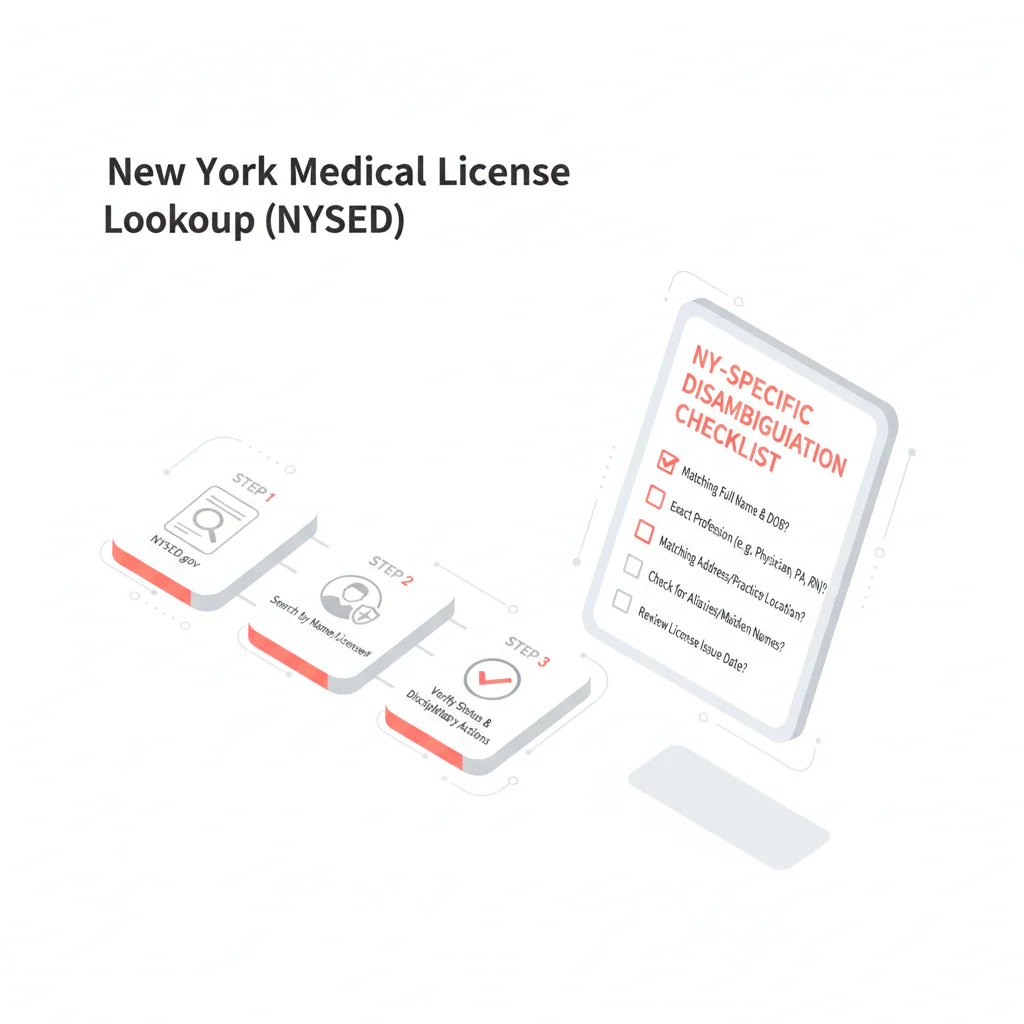
New York medical license lookup
Ben Argeband, Founder & CEO of Heartbeat.ai — Prevent wrong-person verification.
What’s on this page:
Who this is for
This is for recruiters verifying physicians in NY who need a fast, defensible way to confirm a physician license record without mixing up same-name clinicians. New York is a high-collision state: common surnames + dense metro areas means name-only matching creates rework and credibility risk.
Quick Answer
- Core Answer
- Use the NYSED Office of the Professions verification search, then confirm identity with NPI and city before recording the license status in your ATS.
- Key Insight
- NYSED results can show multiple same-name entries with limited context; treat name-only matches as unverified until you tie them to NPI + location.
- Best For
- Recruiters verifying physicians in NY.
Compliance & Safety
This method is for legitimate recruiting outreach only. Always respect candidate privacy, opt-out requests, and local data laws. Heartbeat does not provide medical advice or legal counsel.
Framework: The “Name Collision” Fix: Use NPI + location
When you run a New York medical license lookup, you’re doing two separate tasks:
- Find the official record in the NYSED Office of the Professions verification search.
- Prove it’s the right person using NPI plus location (city) before you mark anything “verified” internally.
The trade-off is… moving fast with name-only matching feels efficient, but it creates rework and credibility risk when you attach the wrong record to a candidate.
Definitions (use these consistently):
- License status definition: the standing shown on the NYSED Office of the Professions record at the time you checked (record the exact status text shown on NYSED, for example, a “Registration Status” line if displayed). Record it exactly as displayed, with the date/time checked.
- Disambiguation definition: the process of confirming the license record belongs to your candidate by matching at least two independent identifiers (recommended: NPI + city), not name alone.
Step-by-step method
1) Start at the official NY source (NYSED)
Go to the NYSED Office of the Professions verification search here: NYSED verification search. Then run your ny medical license lookup using the candidate’s last name (add first name if needed). Use NYSED as your anchor record for documentation.
- Capture the candidate name as listed, profession, license number (if shown), and the exact status text shown on NYSED (for example, a “Registration Status” line if displayed).
- Log the date/time checked in your ATS/CRM.
2) NYSED-specific quirks recruiters should know (so you don’t mis-log)
- Status wording matters. NYSED may display a “Registration Status”/status line. Copy/paste the exact text into your notes rather than paraphrasing.
- Profession/category can be a trap. Same-name results can appear across different licensed professions. Confirm the NYSED result is for the physician license/profession you’re recruiting for (not another licensed profession with the same name).
- Limited context is normal. The verification view may not give you enough to distinguish two same-name clinicians. That’s why you need NPI + city as your tie-breaker.
- Document what you used. If you searched “Smith, John” and picked a record, write down the disambiguation fields that made it the right one (NPI + city), so a teammate can reproduce it.
3) Disambiguate: match NPI + city before you mark “verified”
Do this every time you see a common name, multiple results, or any mismatch between what the candidate told you and what you see on NYSED.
- Pull the candidate’s NPI from your intake form, CV, credentialing packet, or internal record.
- Confirm location (city) from the candidate’s current/prior practice, facility roster, or the candidate directly.
- Only then attach the NYSED record to the candidate profile and record the status text exactly as shown.
If you need a tighter workflow for tying identifiers together across systems, use: NPI-to-license matching for recruiter verification.
4) If you get multiple matches
- Run the Weighted Checklist below against each candidate record.
- If NPI is missing, ask for the candidate’s NY license number first. It’s the fastest tie-breaker.
- If two records score similarly, do not guess. Ask the candidate for their NY license number and preferred practice city.
- Log “Ambiguous: same-name collision” in the ATS so it doesn’t get treated as a completed verification.
5) If you get zero matches
- Try alternate spellings, hyphenations, and middle initials.
- Confirm whether the candidate uses a different last name professionally (for example, a prior name).
- Ask the candidate for their NY license number and the exact name as it appears on the license record.
6) Record it so it survives handoffs
In your ATS/CRM, log these fields in a consistent format:
- Source: NYSED Office of the Professions verification search
- Date/time checked: [timestamp]
- Status (exact text): [copy/paste from NYSED]
- Disambiguation method: NPI + city (and any additional fields used)
- Notes: “Same-name collision resolved via NPI match” or “Ambiguous; awaiting license #”
Diagnostic Table:
| What you see in NYSED results | Recruiting risk | Fast next action |
|---|---|---|
| Multiple identical names appear | Wrong-person verification | Run NPI + city disambiguation; if still unclear, request NY license number from candidate |
| Name matches but profession/category doesn’t | You’re in the wrong license type | Confirm you’re viewing the physician license/profession you’re recruiting for; refine search inputs and re-check |
| Status text differs from what the candidate reported | Either identity mismatch or a status mismatch that requires internal escalation per your policy | Re-check identity first (NPI + city). Then document the status text exactly and escalate internally if needed |
| Zero results | Missed match due to spelling/name variation | Try alternate spellings/hyphenation/middle initial; ask candidate for license number and exact license name |
Weighted Checklist:
NY Disambiguation Checklist (CHECKLIST) — use this before you mark a record “verified.” Score each item; proceed only when you hit 8+ points.
- +5 NPI matches your candidate record (exact 10-digit match)
- +3 City matches current or recent practice location (from CV, facility roster, or candidate confirmation)
- +2 Name format matches (middle initial, suffix, hyphenation) between candidate materials and NYSED listing
- +2 Profession/category aligns with the physician license/profession you’re recruiting for (avoid cross-profession same-name matches)
- +1 Candidate-provided NY license number matches the NYSED record
Stop conditions (do not verify yet):
- Two or more NYSED entries score 6+ points each
- NPI is missing and the candidate has a common name
- City conflicts and you can’t reconcile it with a prior location
ATS note snippet (copy/paste):
NYSED checked: [date/time]. Status (exact): “[paste status text]”. Disambiguation: NPI [##########] + city [City]. Collision handling: [none / multiple matches; awaiting license #].
Outreach Templates:
Template 1 — Candidate confirmation (email)
Subject: Quick NY license confirmation (avoiding same-name mix-ups)
Hi [Dr. Lastname] — I’m confirming your New York license record in NYSED for our file. To avoid a same-name mix-up, can you reply with:
- Your NY license number (as listed), and
- Your current or most recent NY practice city
Thanks — this keeps the submission clean and prevents delays.
Template 2 — Internal handoff note (ATS/Slack)
NYSED lookup done [date/time]. Logged status text exactly as displayed. Identity confirmed via NPI [##########] + city [City]. If re-check needed: rerun NYSED search with last + first; do not verify on name-only.
Template 3 — Candidate SMS (short)
Hi Dr. [Last] — quick NYSED check to avoid same-name errors: what’s your NY license # and your current/prior NY practice city?
Common pitfalls
- Verifying on name-only. In NY, that’s the fastest way to attach the wrong record. Use NPI + city as your default.
- Paraphrasing the status. Copy/paste the NYSED status text exactly as displayed, with a timestamp.
- Cross-profession mix-ups. Same-name results can appear across professions; confirm the physician license/profession you’re recruiting for before logging.
- Speculating about meaning. Document what NYSED shows and escalate internally. Do not interpret disciplinary implications.
How to improve results
At volume, your goal is fewer re-checks without slowing submissions. Measure this by… rework rate = (license verifications that required a second check) / (total license verifications) per week. Track it with a simple ATS tag like “NY-RECHECK.”
Measurement instructions (simple and auditable):
- Add two ATS fields: NYSED_checked_date and NY_disambiguation_method (values: “NPI+city”, “license#”, “other”).
- When a record is ambiguous or corrected later, tag it NY-RECHECK and add a reason (same-name collision, missing NPI, city mismatch, name variation).
- Weekly, export counts: total NYSED checks vs NY-RECHECK, and break down NY-RECHECK reasons to target the biggest failure mode.
| ATS field | What to store (and allowed values) |
|---|---|
| NYSED_checked_date | Date/time you ran the NYSED verification search |
| NYSED_status_text | Exact status text shown on NYSED (copy/paste) |
| NY_disambiguation_method | NPI+city | license# | other |
| NY_RECHECK_reason (tag or field) | same-name collision | missing NPI | city mismatch | name variation | other |
Add one more habit that prevents audit pain: store the NYSED source URL and timestamp in the ATS note so anyone can reproduce the check later.
Process changes that reduce rework fast:
- Collect NPI at intake. Make NPI required for NY pipelines so disambiguation is immediate.
- Standardize the note format. Use the ATS snippet in the checklist so handoffs don’t degrade.
- Escalate ambiguity early. If two records look plausible, ask for license number right away instead of guessing.
Legal and ethical use
This page provides operational guidance for recruiter verification. It is not legal advice and does not interpret disciplinary actions or outcomes. Use official sources, document what you see, and follow your organization’s compliance process for escalation.
Data minimization (what to store):
- Store: NY license number (if provided), NPI, city, timestamp, and the exact NYSED status text.
- Avoid storing: SSN, DOB, or any unnecessary sensitive identifiers in recruiting notes.
For outreach, keep it minimal and respectful: request only what you need to disambiguate (license number and city), honor opt-outs, and avoid sharing license details outside your internal need-to-know workflow.
Evidence and trust notes
Official New York verification source: NYSED Office of the Professions verification search.
How we evaluate sources and handle corrections: Heartbeat trust methodology.
Related workflow: NPI and license matching for recruiter verification.
More states: State license lookups hub.
FAQs
What’s the official site for a New York medical license lookup?
Use the NYSED Office of the Professions verification search. It’s the source you should cite in ATS notes and audits.
What should I do if NYSED shows multiple physicians with the same name?
Do not guess. Disambiguate using NPI + city, and if it’s still ambiguous, request the candidate’s NY license number and the exact name as it appears on the record.
What should I record after I find the right NYSED record?
Record the date/time checked, the exact status text shown on NYSED, and the disambiguation method used (recommended: NPI + city). This prevents rework during submission and credentialing handoffs.
What if NYSED returns no results for the candidate?
Try alternate spellings, hyphenation, and middle initials, then confirm whether the candidate uses a different last name professionally. If needed, ask for the NY license number and exact license name.
Next steps
- Run the NYSED search, then use the NY checklist to confirm identity before you mark verified.
- For a repeatable identifier workflow across systems, use: NPI-to-license matching.
- If you want to start free search & preview data for recruiting workflows, create an account here: Heartbeat signup.
About the Author
Ben Argeband is the Founder and CEO of Swordfish.ai and Heartbeat.ai. With deep expertise in data and SaaS, he has built two successful platforms trusted by over 50,000 sales and recruitment professionals. Ben’s mission is to help teams find direct contact information for hard-to-reach professionals and decision-makers, providing the shortest route to their next win. Connect with Ben on LinkedIn.

