


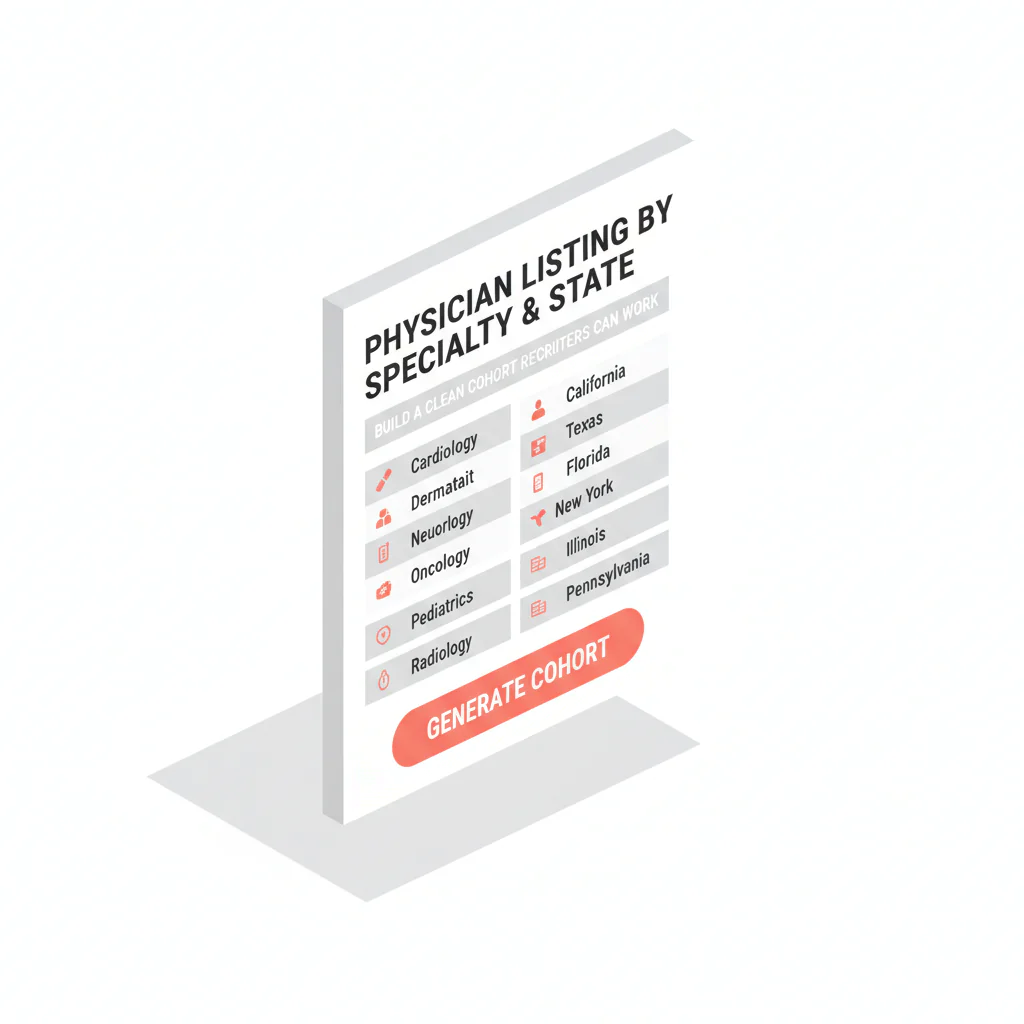
Physician list by specialty and state
Ben Argeband, Founder & CEO of Heartbeat.ai — Make cohort-building idiot-proof.
What’s on this page:
Who this is for
Recruiters building a market map and outreach list by specialty + state who need a cohort they can actually work: deduped, segmented, refreshable, and sized to outreach capacity.
Quick Answer
- Core Answer
- Build a physician list by specialty and state by filtering on specialty taxonomy and state license, anchoring each record to NPI, then refreshing phone/email before outreach.
- Key Insight
- Stable identifiers (specialty, state license, NPI) make the cohort reproducible; contact fields decay, so refresh + suppression is the workflow, not a one-time export.
- Best For
- Recruiters building a market map and outreach list by specialty + state.
Compliance & Safety
This method is for legitimate recruiting outreach only. Always respect candidate privacy, opt-out requests, and local data laws. Heartbeat does not provide medical advice or legal counsel.
start free search & preview data to sanity-check your cohort definition before you spend time on enrichment and outreach.
Framework: The “Good List” Formula: Targeting beats volume
A good list is a cohort definition you can re-run, explain, and improve. If your team can’t describe the cohort in one sentence, you don’t have a list—you have a pile.
- Targeting: specialty + state rules that match the req.
- Identity anchor: NPI for dedupe and change tracking.
- Reachability: phone/email treated as volatile fields that must be refreshed and suppressed.
- Workflow fit: cohort sized to your outreach capacity and follow-up cadence.
The trade-off is… you spend more time defining the cohort up front, but you stop wasting days on duplicates, wrong specialties, and stale routing.
Step-by-step method
Step 0: One-screen recipe (inputs → output)
- Inputs: specialty taxonomy + state meaning (licensed vs practicing) + eligibility rules.
- Filters: specialty + state license + NPI (stable first).
- Output fields: NPI, name, specialty, state(s), license status, practice setting, routing fields, refresh/suppression fields.
- Refresh: update phone/email close to outreach; suppress bounces, opt-outs, wrong numbers.
- Work order: prioritize the segment that matches req constraints and fastest submittal path.
Step 1: Write the cohort definition (one sentence)
Use this format and keep it explicit:
- Specialty taxonomy: what you mean by the specialty (and which subspecialties count).
- State meaning: choose one: licensed in state or practicing in state. Don’t mix them.
- Eligibility rules: include/exclude practice settings, trainees, non-clinical roles, etc.
- Decision-maker flag (optional): if you’re targeting a sole proprietor practice owner/decision-maker, state it. (Not tax/legal advice.)
Decision tree for “state” (use one):
- If credentialing eligibility is the gate, define state as licensed in state.
- If local coverage is the gate, define state as practicing in state (practice location).
- If you only have mailing address, treat it as a routing hint, not proof of practice or licensure.
Examples (copy/paste):
- “Specialty: Psychiatry (exclude child-only). State: licensed in NY. Setting: outpatient or community clinic.”
- “Specialty: Emergency Medicine. State: practicing in AZ (facility address). Setting: hospital-employed only.”
- “Specialty: Dermatology. State: licensed in FL. Setting: private practice; flag sole proprietor owners for decision-maker outreach.”
- “Specialty: Family Medicine. State: licensed in TX. Setting: FQHC + community health; exclude residents/fellows.”
- “Specialty: Anesthesiology. State: practicing in WA (practice location). Setting: group practice; prioritize those with multi-site coverage.”
Step 2: Build with stable filters first (then handle contact fields)
Stable filters keep your cohort consistent over time. Volatile fields are what break deliverability and call productivity if you treat them as permanent.
| Field / filter | Stable or volatile? | How to use it | Recruiting note |
|---|---|---|---|
| Specialty taxonomy | Stable | Primary cohort filter | Be explicit about subspecialties; broad buckets create wrong-fit outreach |
| State license (state + status) | Stable | Filter for credentialing eligibility | Decide whether “state” means licensed vs practicing; label the cohort |
| NPI | Stable | Identity anchor for dedupe + matching | Use NPI to prevent duplicate outreach and to track updates over time |
| Phone | Volatile | Refresh close to outreach; suppress bad numbers | Main lines waste dials; prioritize direct/mobile when compliant |
| Volatile | Validate before send; suppress bounces and opt-outs | Domains change with employment; treat email as perishable |
Do not build the cohort from phone/email first. Build the cohort on specialty + state + NPI, then apply contact enrichment and suppression right before outreach.
Step 3: Anchor every record to NPI (dedupe + match)
NPI is your backbone for identity resolution. Use it to:
- Dedupe: one physician, multiple addresses and affiliations.
- Match: connect specialty taxonomy and license records consistently.
- Update: refresh contact fields without creating “new” people in your CRM.
Dedupe rules (simple and enforceable):
- Primary key: NPI.
- One row per physician: choose a primary practice record for routing; keep other locations as secondary context.
- When NPI is missing: hold the record out of outreach until it can be matched to an NPI (avoid duplicate outreach and misrouting).
If you’re doing this at scale, document your join logic and keep it consistent. Related workflow: NPI-to-license matching workflow.
Step 4: Segment for outreach reality (not just reporting)
Segmentation should change what your team does next. If a segment doesn’t change script, channel, or prioritization, it’s noise.
- Practice setting: hospital-employed vs private practice vs group.
- Owner/decision-maker: flag sole proprietor where relevant (owner outreach is different from candidate outreach).
- Geography nuance: border metros, multi-state licensure, and telehealth-heavy patterns.
- Subspecialty granularity: don’t mix subspecialties unless the req truly allows it.
Step 5: Size the cohort using outreach capacity (no guessing)
You don’t need “more names.” You need enough reachable physicians to support your funnel without burning your team or over-contacting candidates.
Use this structure:
- Start with placements needed (P).
- Use your historical attempts per placement (A). If you don’t track it yet, start tracking it now by cohort slice.
- Set a max attempts per physician (M) before suppression.
- Compute required unique physicians: U = (P × A) ÷ M.
Step 6: Refresh contact fields right before outreach (and suppress aggressively)
Buying static lists is risky because of decay. The modern standard is Access + Refresh + Validation + Suppression.
- Access: you can re-run the cohort definition anytime.
- Refresh: update phone/email close to send time.
- Validation: check emails and classify phone types where possible.
- Suppression: remove bounced emails, opt-outs, wrong numbers, and do-not-contact flags.
Suppression hygiene (minimum):
- Opt-out: suppress across all channels.
- Bounce: suppress that email address; do not keep sending to it.
- Wrong number: suppress that phone number; don’t recycle it into future sequences.
- Do-not-contact: suppress at the person level when required by your policy or request.
On the phone side, Heartbeat.ai supports workflows that include ranked mobile numbers by answer probability. This is prioritization, not a guarantee of contact.
Step 7: Export in a CRM-ready shape (field mapping)
Export what your workflow can use and what you can govern.
| Export field | CRM field | Why it exists |
|---|---|---|
| NPI | External ID / Unique ID | Dedupe, matching, and long-term change tracking |
| Full name | Contact name | Human-readable identity |
| Specialty taxonomy | Specialty | Targeting and segmentation |
| State license (state + status) | License state/status | Eligibility and routing by credentialing constraints |
| Practice setting | Segment | Changes script/channel and prioritization |
| Phone(s) | Phone fields | Call routing; refreshable contact field |
| Email(s) | Email fields | Email routing; refreshable contact field |
| Refresh date | Last verified | Governance: tells you when contact fields may be stale |
| Suppression flags | Do not contact / Opt-out | Compliance and deliverability protection |
Diagnostic Table:
Use this to diagnose whether your cohort definition is the problem (targeting) or your contact fields are the problem (reachability).
| Symptom | What it usually means | Fast fix |
|---|---|---|
| “Wrong specialty” pushback | Taxonomy too broad or subspecialties mixed | Split into req-eligible vs not; create separate cohorts per subspecialty |
| Duplicate outreach | No stable anchor; address-level rows | Dedupe on NPI; keep one primary practice record per physician |
| State mismatch complaints | “State” definition drift (licensed vs practicing) | Choose one definition; label it in the cohort name and export |
| Low call productivity | Main lines, gatekeepers, stale routing | Refresh phone fields; suppress wrong numbers; prioritize direct/mobile when compliant |
| Email bounces increase over time | Volatile emails + no validation/suppression loop | Validate before send; suppress bounces; refresh domains after job changes |
| Owner outreach stalls | You’re not actually reaching the decision-maker | Segment sole proprietor owners; change CTA to a decision-maker ask |
Visual note: Add a “filters screenshot” note in design showing where specialty taxonomy, state license, and NPI appear in the filter panel.
Weighted Checklist:
Score your cohort definition before you export. Total 100 points. If you’re under 80, fix the cohort before you scale outreach.
- 25 pts — Specialty precision: taxonomy matches the req; subspecialties handled explicitly.
- 20 pts — State definition: you chose licensed vs practicing and can explain why.
- 20 pts — Identity anchor: every row has NPI; dedupe rules documented.
- 15 pts — Segmentation: at least two segments that change outreach (setting, owner flag, geography nuance).
- 10 pts — Refresh plan: refresh window defined; suppression rules exist.
- 10 pts — Compliance hygiene: opt-out capture, do-not-contact suppression, and audit trail (source/refresh dates).
Outreach Templates:
Short templates built for specialty + state cohorts. Your goal is permission + routing + next step.
Template 1 — Call opener (candidate)
- Opener: “Hi Dr. [Last], this is [Name]. I recruit [specialty] physicians in [state]. Did I catch you at an okay time for 20 seconds?”
- Reason: “I’m mapping [specialty] coverage in [state] and I have a role matching [1–2 constraints].”
- Close: “If it’s not you, who’s best to speak with—or is there a better number for you?”
Template 2 — Email (candidate)
Subject: “[Specialty] in [State] — quick question”
Body: “Dr. [Last] — I’m recruiting [specialty] physicians in [state]. Are you open to a brief call this week, or should I close the loop? If you’re not the right person, who should I contact?”
Footer: “If you prefer I don’t reach out again, reply ‘opt out’ and I’ll suppress your info.”
Template 3 — Owner/decision-maker (sole proprietor) outreach
Subject: “Coverage help for your [specialty] practice in [state]”
Body: “Dr. [Last] — I’m reaching out because you appear to be the practice decision-maker. Are you open to a quick conversation about [coverage gap / schedule / growth], or should I contact someone else on your team?”
Common pitfalls
Mini-case (state drift): If your req requires in-state licensure, but your cohort is built on practice location, you’ll spend cycles on physicians who can’t clear credentialing. Flip the cohort to “licensed in state,” then segment by practice location for routing.
- Building around phone/email instead of identity: without NPI anchoring, you’ll duplicate people and lose change history.
- Letting “state” drift: licensed vs practicing vs mailing address are different. Pick one and label it.
- Over-broad specialty buckets: wrong-fit outreach burns time and reputation.
- No suppression loop: bounces and opt-outs must be suppressed across channels.
- Mixing owner outreach with candidate outreach: a sole proprietor decision-maker needs a different ask than an employed physician.
How to improve results
Improve targeting first, then improve reachability, then improve messaging. If you do it in the opposite order, you’ll rewrite scripts forever.
Define the required terms (so your team measures the same thing)
- Cohort definition = the exact written filter rules that determine who is included (specialty taxonomy + state rule + eligibility rules) and can be re-run later.
- Target market definition = the subset of the cohort you will work first (prioritized segments based on req fit, geography, and outreach capacity).
Measurement instructions
Measure this by… tracking outcomes per cohort slice (not just per campaign). Use denominators so you can compare week to week.
- Connect Rate = connected calls / total dials (per 100 dials).
- Answer Rate = human answers / connected calls (per 100 connected calls).
- Deliverability Rate = delivered emails / sent emails (per 100 sent emails).
- Bounce Rate = bounced emails / sent emails (per 100 sent emails).
- Reply Rate = replies / delivered emails (per 100 delivered emails).
Weekly review: if one specialty+state segment underperforms, adjust the cohort definition (filters) before you change scripts. If all segments underperform, your reachability (refresh/suppression) is likely the bottleneck.
Uniqueness hook: COHORT_WORKSHEET (cohort size calculator worksheet)
Copy this worksheet into a spreadsheet. It forces you to size the cohort to your funnel instead of guessing.
| Input | What to enter | Output / rule |
|---|---|---|
| Placements needed (P) | Your target placements for the req(s) | Start of the funnel math |
| Attempts per placement (A) | Your historical average (track it by cohort slice) | Use your data, not guesses |
| Max attempts per physician (M) | Your cap before suppression | Protects reputation and prevents over-contacting |
| Required unique physicians (U) | Calculated | U = (P × A) ÷ M |
| Segment plan | List your top segments in order | Defines your target market definition |
Legal and ethical use
- Legitimate recruiting outreach only: tie outreach to real roles and real market mapping.
- Respect opt-outs: if someone asks you to stop, suppress them across channels.
- Minimize data: keep what you need for recruiting workflow; don’t hoard fields.
- Sole proprietor note: treat ownership as a hypothesis and be transparent about why you’re reaching out. This is not tax or legal advice.
Evidence and trust notes
NPI is a standardized identifier that helps you dedupe and match records across systems. Primary sources:
How Heartbeat approaches data quality, suppression, and responsible use: Heartbeat trust methodology.
Related workflow reading: state license lookup workflows and NPI-to-license matching.
For more in this cluster, see: provider contact data resources.
FAQs
What’s the fastest way to build a physician list by specialty and state that recruiters can actually work?
Define the cohort in one sentence, filter on specialty taxonomy + state rule, anchor to NPI for dedupe, then refresh phone/email right before outreach with suppression for bounces and opt-outs.
Should “state” mean licensed in the state or practicing in the state?
Pick one based on your req and credentialing constraints. If you need eligibility, use license state. If you need local coverage, use practice location. Label the cohort so your team doesn’t drift.
What fields are stable vs volatile when building this cohort?
Stable: specialty taxonomy, state license, NPI. Volatile: phone and email. Treat volatile fields as refreshable and governed by suppression rules.
How do I prevent duplicate outreach when physicians have multiple addresses?
Anchor identity to NPI and dedupe on NPI before exporting. Keep one primary practice record for routing, but retain secondary locations as context if needed.
How do I know if my problem is targeting or reachability?
If you get wrong-specialty responses, your taxonomy/filters are off. If you get gatekeepers, wrong numbers, or bounces, your contact fields need refresh + suppression. Use the Diagnostic Table above to triage.
Next steps
- start free search & preview data to validate your specialty + state cohort size.
- Set up your identity backbone: NPI-to-license matching workflow.
- If your cohort depends on licensure rules, use: state license lookup workflows.
When your cohort definition is written and scored, go build my list and operationalize it with refresh + suppression from day one.
About the Author
Ben Argeband is the Founder and CEO of Swordfish.ai and Heartbeat.ai. With deep expertise in data and SaaS, he has built two successful platforms trusted by over 50,000 sales and recruitment professionals. Ben’s mission is to help teams find direct contact information for hard-to-reach professionals and decision-makers, providing the shortest route to their next win. Connect with Ben on LinkedIn.

