


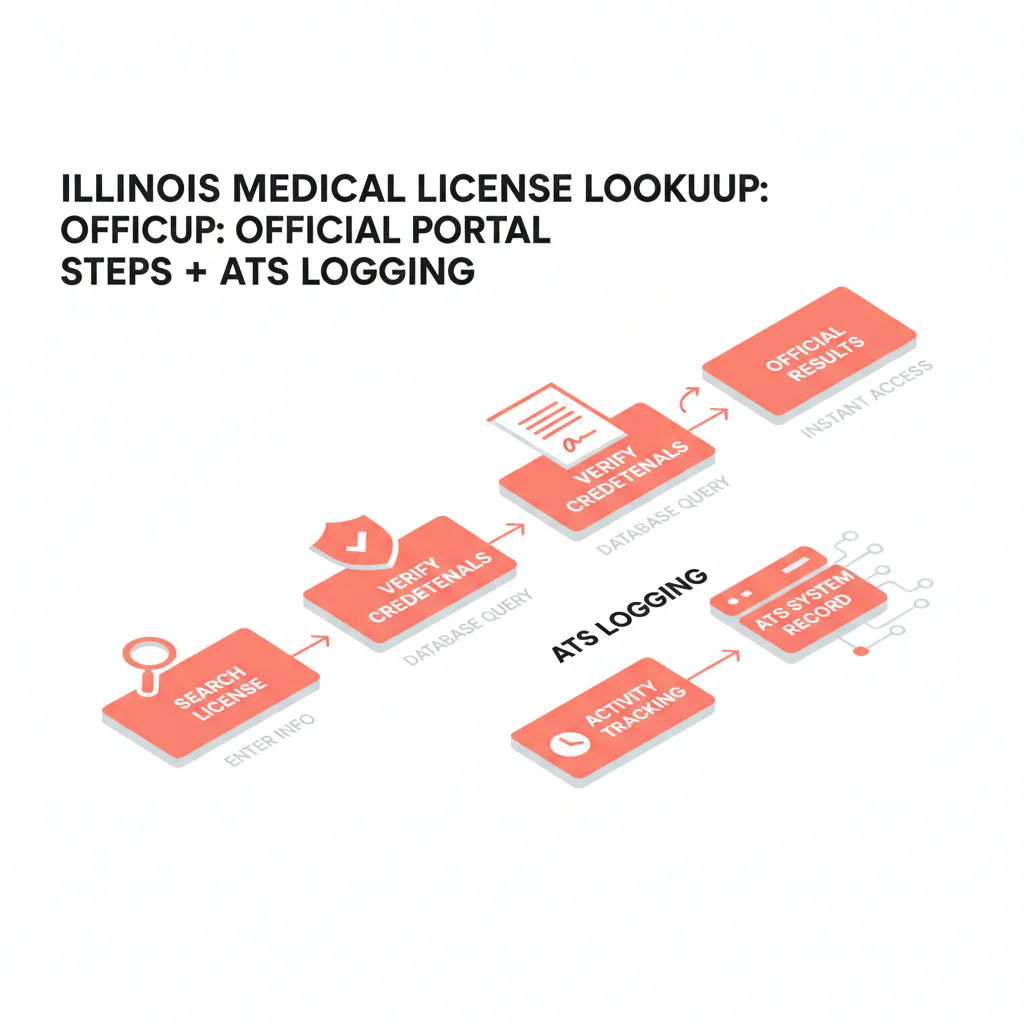
Illinois medical license lookup
Ben Argeband, Founder & CEO of Heartbeat.ai — Simple step-by-step + checklist.
Illinois physician recruiting gets slowed down when a “verified” record can’t be reproduced later: common-name collisions, missing license numbers, or a status label rewritten in your ATS. This page is a recruiter workflow to use the official Illinois IDFPR license search portal, copy exact values, and log the lookup context so credentialing can re-run the same search without starting over.
What’s on this page:
Who this is for
Recruiters verifying physicians in Illinois who need a fast, defensible way to document a physician license record (including status and identifiers like NPI) without interpreting what the record means.
Quick Answer
- Core Answer
- Use the official Illinois IDFPR online search, open the physician license record, and copy exact name, license number, status text, and dates into your ATS with a timestamp.
- Key Insight
- Reproducibility beats memory: log the exact search input used and the lookup timestamp so another teammate can pull the same record later.
- Best For
- Recruiters verifying physicians in Illinois.
Compliance & Safety
This method is for legitimate recruiting outreach only. Always respect candidate privacy, opt-out requests, and local data laws. Heartbeat does not provide medical advice or legal counsel.
Framework: The “Copy Exact Values” Rule: reduces downstream credentialing churn
Recruiting needs speed; credentialing needs traceability. The bridge is simple: copy what the portal shows, exactly, and log how you got it.
- Copy exact values (including punctuation and spacing) into dedicated ATS fields.
- Log the lookup context (source, search input used, timestamp, verifier).
- Don’t interpret anything beyond what is displayed.
The trade-off is… you add a small documentation step now to avoid a bigger rework loop later when credentialing asks you to reproduce the record.
Step-by-step method
- Start at the official source. Use the Illinois IDFPR license search portal as your source of record.
- Pick the strongest search input you have.
- License number (best): lowest ambiguity.
- Name (common): expect multiple matches; you’ll need to confirm with additional identifiers.
- NPI (matching identifier): keep it in your ATS for matching, but still confirm the physician license record in the Illinois IDFPR portal.
- Open the correct physician license record. If multiple results look similar, do not guess. Confirm with at least two identifiers (example: full name + city/practice address) and, when needed, confirm with the candidate.
- Copy exact values into ATS fields (no paraphrasing). Capture:
- Physician name (exact formatting)
- Physician license number
- License type (as displayed)
- Status (exact text)
- Issue date and expiration/renewal date (if shown)
- Any address fields shown (as displayed)
- Log the lookup context for auditability. In your ATS/CRM, store:
- Source: Illinois IDFPR
- Search Input Used: license number or the exact name string you typed
- Lookup Timestamp: date/time with time zone
- Verifier: recruiter initials/name
- NPI: if provided, plus a short “how matched” note
Minimum viable log (what you need to mark “checked”)
- Source = Illinois IDFPR
- Physician license number (exact)
- Status (exact text)
- Search Input Used (exact string or license number)
- Lookup Timestamp (with time zone) + Verifier
Illinois portal quirks (what credentialing will ask you to reproduce)
This is where Illinois files usually get messy: the portal experience is reproducible only if you capture the exact inputs and the portal’s exact labels.
- Log the exact search string you used (including middle initial, hyphenation, or suffix). “John Smith” and “John A Smith” can produce different result sets.
- Log the search mode you used (license number vs name). Don’t just write “looked up in Illinois IDFPR.”
- Capture the portal’s field labels as displayed in your notes the first time you build your ATS mapping (example: whatever the portal calls the status field, license type field, and expiration/renewal field). Then map those labels to your ATS fields consistently.
- When multiple results appear, log how you disambiguated (city/address match, candidate confirmation, or license number confirmation).
Workflow note: Keep verification separate from outreach. Once you’ve confirmed you have the right physician license record, you can start free search & preview data for contact workflows.
Diagnostic Table:
| Recruiting situation | What to do in the Illinois IDFPR portal | What to log (ATS fields) | Outcome you want |
|---|---|---|---|
| Multiple matches for the same last name | Open each candidate record and confirm with at least two identifiers before selecting. | Search Input Used; selected physician license number; disambiguation note (which identifiers matched). | Right-person verification. |
| No results on first try | Re-run using a tighter name string (add middle initial if known) or switch to license number if the candidate can provide it. | Original search string; revised search string; candidate-confirmed identifier (if obtained). | Recover quickly without guessing. |
| Too many results | Narrow using additional identifiers available to you (city/practice address) and confirm with the candidate if still ambiguous. | Disambiguation method; which record you selected and why. | Avoid wrong-person errors. |
| Name changed (maiden/married) or uses a different professional name | Ask the candidate for the name that appears on their Illinois record and their physician license number if possible, then re-run using that identifier. | Both name variants searched; candidate-confirmed name on record; physician license number (exact). | Correct match without assumptions. |
| Status label is unfamiliar | Copy the status text exactly as displayed; do not translate it into your own words. | Status (exact); Lookup Timestamp; Source. | Credentialing can evaluate without rework. |
| NPI provided, but you’re verifying licensure | Use NPI as a matching identifier in your system, then confirm the physician license record in the portal by name/license number. | NPI; matched name; matched physician license number; match method note. | Clean record linkage across systems. |
Weighted Checklist:
Illinois lookup logging checklist (CHECKLIST uniqueness hook + Illinois portal quirks + ATS fields)
- (5) Confirm you are using the official Illinois IDFPR portal (source of record).
- (5) Log Search Input Used exactly (paste the exact license number or exact name string typed).
- (4) Log Lookup Timestamp (include time zone) and Verifier (initials/name).
- (5) Confirm right person: match at least two identifiers before copying (example: full name + city/practice address).
- (5) Copy physician license number exactly.
- (4) Copy status text exactly as displayed.
- (3) Copy issue date and expiration/renewal date if shown.
- (3) Illinois portal mapping note (one-time setup): record the portal’s exact field labels for status, license type, and expiration/renewal as displayed, then map them to your ATS fields consistently.
- (2) If multiple results appeared, log your disambiguation method (address match, candidate confirmation, or license number confirmation).
- (2) Log NPI (if available) + “how matched” note.
- (2) If additional notes appear on the record, log “notes present” and copy labels only; do not interpret.
Pass threshold: 30+ before marking the physician license as “checked.”
Outreach Templates:
Template 1 — Candidate confirmation (email)
Subject: Quick confirmation for your Illinois file
Hi Dr. [Last Name] — I’m updating your Illinois file for a role we’re moving on. I pulled the following from the Illinois IDFPR portal:
- Name: [exact]
- Physician license #: [exact]
- Status: “[exact status text]”
Can you confirm this matches your current Illinois record? If anything differs (name formatting, address, etc.), reply with the correct details and I’ll update the file.
— [Your Name]
Template 2 — Credentialing handoff (internal note)
Subject: Illinois license record logged — [Candidate Name]
- Source: Illinois IDFPR
- Search Input Used: [license # / exact name string]
- Lookup Timestamp: [date/time + TZ]
- Physician license #: [exact]
- Status (exact): [exact]
- NPI (if available): [NPI] (match method: [short note])
Notes: Portal values copied exactly; no interpretation.
Template 3 — Candidate SMS (short)
Hi Dr. [Last] — quick confirm for your Illinois file: I have physician license # [####] with status “[status text]” from Illinois IDFPR. Is that current? — [Name]
Common pitfalls
- Writing “checked” without logging inputs. “Looked up in Illinois IDFPR” isn’t reproducible. Log the exact search string and timestamp.
- Wrong-person verification on common names. If you can’t match confidently, confirm the physician license number with the candidate.
- Paraphrasing status. Copy the status label exactly as displayed.
- Mixing facts and interpretation. Portal values belong in structured fields; interpretation belongs with credentialing/compliance (or not at all).
How to improve results
Required definition: license status. In this workflow, status means the exact status label shown on the Illinois IDFPR physician license record at the time of lookup. It is not a recruiter judgment and should not be converted into “eligible/ineligible.”
Measure this by… tracking two workflow metrics inside your ATS for Illinois submissions:
- Credentialing Kickback Rate (per 100 Illinois files): number of Illinois physician files returned for missing/mismatched license fields / 100 Illinois physician files submitted.
- Lookup Reproducibility Rate (per 100 files): number of Illinois files where a second team member can reproduce the same record using your logged Source + Search Input Used + Timestamp / 100 Illinois files audited.
Operational changes that usually reduce kickbacks:
- Make ATS fields required before submittal: Source, Search Input Used, Lookup Timestamp, physician license number, status (exact), verifier.
- Standardize NPI matching notes when you merge contact data with licensing data. If you’re doing this at scale, use NPI-to-license matching for cleaner provider records.
- Audit a small sample weekly to enforce “copy exact values” and disambiguation logging.
Legal and ethical use
This page provides recruiting operations guidance only. It is not legal advice. Use the official Illinois IDFPR portal for legitimate recruiting verification, respect opt-out requests, and follow applicable privacy and data laws. Do not interpret disciplinary information or provide guidance about what it means.
Evidence and trust notes
Official source for Illinois physician license records: Illinois IDFPR license search portal.
How we handle accuracy, decay, and responsible use across Heartbeat resources: Heartbeat trust methodology.
Browse the full hub for state workflows: state license lookup guides.
FAQs
What should I log in my ATS after an Illinois lookup?
At minimum: Source (Illinois IDFPR), Search Input Used (exact), Lookup Timestamp (with time zone), verifier, physician license number, status (exact), and any dates shown. Add NPI if you have it and note how you matched it.
What if I can’t confidently match the record to the candidate?
Don’t mark it as checked. Ask the candidate to confirm their physician license number (or confirm identifying details) and then re-run the lookup using the stronger identifier.
Should I store screenshots of the portal result?
Follow your internal policy. Operationally, reproducibility matters most: log the exact values plus Source, Search Input Used, and Lookup Timestamp so another team member can re-run the lookup.
How often should I re-check an Illinois physician license record?
Re-check at submittal and again if the start date shifts materially. Always log the timestamp so the team knows how current the record is.
Where does “il medical license lookup” fit in the recruiting workflow?
It’s a verification step before you finalize a submittal packet. Keep verification fields separate from outreach notes so your audit trail stays clean.
Next steps
- Implement the ATS fields from the checklist and require them before submittal.
- Use the hub if you recruit across multiple states: state license lookup guides.
- If you’re cleaning provider records at scale, review: NPI-to-license matching.
- When you’re ready to pair verification with outreach workflows, start free search & preview data.
Reminder: Use official lookup. Log identifiers; don’t interpret.
About the Author
Ben Argeband is the Founder and CEO of Swordfish.ai and Heartbeat.ai. With deep expertise in data and SaaS, he has built two successful platforms trusted by over 50,000 sales and recruitment professionals. Ben’s mission is to help teams find direct contact information for hard-to-reach professionals and decision-makers, providing the shortest route to their next win. Connect with Ben on LinkedIn.

