


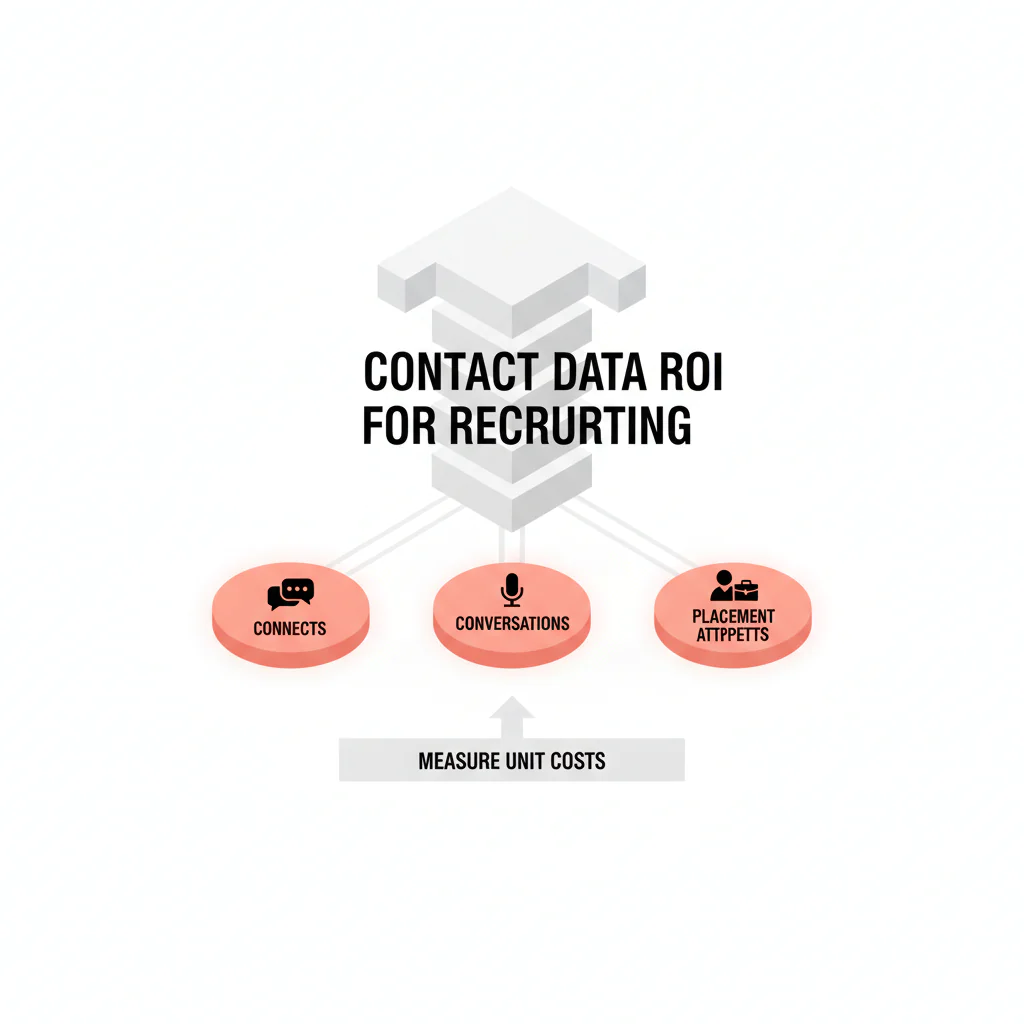
Contact data ROI for recruiting
By Ben Argeband, Founder & CEO of Heartbeat.ai — Make it spreadsheet-like. Recruiters should be able to compute ROI in 5 minutes.
What’s on this page:
Who this is for
You lead recruiting or recruiting ops and you’re being asked to justify spend on provider contact data. This is a measurement workflow you can run monthly to show unit economics (not activity) and to compare sources fairly.
Outcome focus: connects, qualified conversations, and placement attempts—plus the admin time you burn when contact records are stale or duplicated.
Quick Answer
- Core Answer
- Measure ROI by calculating cost per connect, cost per conversation, and cost per placement attempt, including admin time caused by bad data and rework.
- Key Insight
- Contact data ROI improves fastest when you price wasted attempts and admin rework into unit costs, then compare sources on the same 30-day window.
- Best For
- Recruiting leaders justifying spend on provider contact data.
Compliance & Safety
This method is for legitimate recruiting outreach only. Always respect candidate privacy, opt-out requests, and local data laws. Heartbeat does not provide medical advice or legal counsel.
TL;DR workflow:
- Track: dials, connected calls, human answers, emails sent/delivered/bounced, replies, conversations, placement attempts, admin hours.
- Compute: cost per connect, cost per conversation, cost per placement attempt (each includes data cost + labor).
- Change: refresh cadence, suppression/dedupe, call blocks, and sequencing—then re-measure next month.
Framework: The “Stop Guessing” ROI Model: Inputs → Outputs → Levers
Inputs (what you pay for and what you control)
- Data cost: subscription + per-record fees + enrichment + seats.
- Labor cost: recruiter time spent sourcing, verifying, deduping, and re-sourcing due to contact issues.
- Workflow: call blocks, sequencing, and how you log outcomes.
- Data quality controls: refresh, verification, and suppression.
Seat utilization note (how leaders actually budget this): if you pay per seat, compute data cost per active seat = monthly data cost / number of recruiters who used the tool that month. Then compare unit costs (cost per connect/conversation/placement attempt) for active seats only.
Outputs (what you can count)
- Connects (phone)
- Conversations (qualified two-way exchanges)
- Placement attempts (your defined milestone, consistently tracked)
Levers (what moves ROI fast)
- Reduce wasted attempts (bad numbers, bounced emails, duplicates, wrong person).
- Reduce admin time (less cleanup, fewer alternates hunts, fewer re-verification loops).
- Increase conversion (better targeting, timing, and sequencing).
The trade-off is… you can argue about “data quality” forever, or you can price it in dollars per outcome and let the math decide.
Step-by-step method
Step 1) Lock definitions (so your ROI doesn’t change by presenter)
Connect Rate = connected calls / total dials (e.g., per 100 dials).
Answer Rate = human answers / connected calls (e.g., per 100 connected calls).
Deliverability Rate = delivered emails / sent emails (e.g., per 100 sent emails).
Bounce Rate = bounced emails / sent emails (e.g., per 100 sent emails).
Reply Rate = replies / delivered emails (e.g., per 100 delivered emails).
Outreach attempts per placement attempt (placement-per-attempt definition) = total outreach attempts / placement attempts in the same window. Define “placement attempt” as the earliest milestone you can count reliably (often a submittal or presentation) and keep it consistent.
ROI definition = (value created − total cost) / total cost. If you can’t attribute revenue cleanly, use ROI as a comparative measure across sources using unit costs and time saved.
What counts as a conversation (example): a two-way exchange that confirms interest and a next step (e.g., “send details,” “open to talk Tuesday,” “not interested”). Voicemails and one-way emails don’t count.
Step 2) Collect the minimum dataset (per source, per month)
- Total dials
- Connected calls
- Human answers
- Emails sent
- Emails delivered
- Emails bounced
- Replies
- Conversations (qualified)
- Total outreach attempts (calls + emails + SMS + other logged attempts)
- Placement attempts (your defined milestone)
- Monthly data cost for the source
- Admin hours spent on verification/cleanup/re-sourcing caused by contact issues
Step 3) Allocate labor cost (pick one method and stick to it)
- Method A (Fully loaded hourly): fully loaded hourly cost × hours spent on outreach + verification + cleanup.
- Method B (Blended team rate): one blended hourly rate for the pod × total pod hours spent on outreach + verification + cleanup.
- Method C (% allocation): if you can’t track hours yet, allocate a fixed % of recruiter time to “contact work” for 30 days, then replace with tracked hours next month.
Step 4) Compute the three unit costs that make decisions easy
- Cost per connect = (data cost + outreach labor cost) / connected calls
- Cost per conversation = (data cost + outreach labor cost) / conversations
- Cost per placement attempt = (data cost + outreach labor cost) / placement attempts
Then compute waste so you can see where ROI is leaking:
- Wasted dials = total dials − connected calls
- Wasted emails = sent emails − delivered emails
- Wasted admin hours = hours spent fixing contact records and hunting alternates
Step 5) Compare sources using the same funnel
- Phone funnel: dials → connects → human answers → conversations → placement attempts
- Email funnel: sent → delivered → replies → conversations → placement attempts
Micro-Asset: ROI Calculator
Visual note: Add ROI calculator table + “copy/paste into Sheets” formulas. Add “calculator block” visual note.
This is the CALCULATOR uniqueness hook: it uses a fixed input block (cells B2–B14) so formulas don’t break when you paste, and it standardizes what counts as an attempt and a placement attempt. Paste the table into Sheets, then enter values only in the Value column.
| Cell | Input / Output | Value | Formula (paste into Value cell) |
|---|---|---|---|
| B2 | Monthly data cost ($) | ||
| B3 | Recruiter hourly cost ($/hr) | ||
| B4 | Hours on outreach + verification + cleanup (hrs) | ||
| B5 | Total dials | ||
| B6 | Connected calls | ||
| B7 | Human answers | ||
| B8 | Conversations (qualified) | ||
| B9 | Emails sent | ||
| B10 | Emails delivered | ||
| B11 | Emails bounced | ||
| B12 | Replies | ||
| B13 | Total outreach attempts (calls+emails+SMS) | ||
| B14 | Placement attempts (your defined milestone) | ||
| B15 | Labor cost ($) | =B3*B4 | |
| B16 | Total cost ($) | =B2+B15 | |
| B17 | Connect Rate (connected calls / total dials) | =IFERROR(B6/B5,0) | |
| B18 | Answer Rate (human answers / connected calls) | =IFERROR(B7/B6,0) | |
| B19 | Deliverability Rate (delivered emails / sent emails) | =IFERROR(B10/B9,0) | |
| B20 | Bounce Rate (bounced emails / sent emails) | =IFERROR(B11/B9,0) | |
| B21 | Reply Rate (replies / delivered emails) | =IFERROR(B12/B10,0) | |
| B22 | Outreach attempts per placement attempt | =IFERROR(B13/B14,0) | |
| B23 | Cost per connect ($) | =IFERROR(B16/B6,0) | |
| B24 | Cost per conversation ($) | =IFERROR(B16/B8,0) | |
| B25 | Cost per placement attempt ($) | =IFERROR(B16/B14,0) |
Source comparison (what to look at): for each source, compare B23–B25 (unit costs) and B17–B22 (funnel health). Don’t compare different funnels (e.g., Source A phone connects vs Source B email replies) and call it ROI.
Diagnostic Table:
Use this to diagnose whether your ROI problem is data quality, workflow, or targeting. Fill it out per source (or per campaign).
| Symptom | What it usually means | What to check next | Fix that moves ROI |
|---|---|---|---|
| Low Connect Rate (connected calls / total dials) | Bad numbers, stale records, duplicates, or caller ID patterns getting filtered | Line-type mix, dedupe rate, refresh cadence, disposition hygiene | Refresh + suppression + dedupe; prioritize mobile where appropriate |
| High Connect Rate but low Answer Rate (human answers / connected calls) | You’re connecting to systems, gatekeepers, or non-target contacts | Call windows, role/title accuracy, clinic vs personal numbers | Adjust call blocks; tighten persona filters; improve number labeling |
| Good phone metrics but low conversations | Offer/messaging mismatch or weak sequencing | Opener, follow-up timing, whether email/SMS supports the call | Rewrite opener; add a short follow-up message after missed calls |
| Low Deliverability Rate (delivered emails / sent emails) | Bad emails or poor suppression/verification | Bounce Rate (bounced/sent), suppression list, verification process | Verify + suppress; stop sending to known bad addresses |
| High activity, low placement attempts | Targeting or intake is off; you’re spending attempts on non-movers | Role submittability (comp/schedule/location), licensure constraints, must-haves | Fix intake; tighten targeting; stop burning attempts on non-submittable roles |
Heartbeat.ai is built around connectability and deliverability signals, including ranked mobile numbers by answer probability. Use that kind of signal to reduce wasted attempts, then confirm the impact in your unit costs.
Weighted Checklist:
Use this when you’re deciding whether to renew a data source, add a second source, or consolidate. Score each item 1–5, multiply by weight, and compare totals.
| Category | Item | Weight | Score (1–5) | Weighted score |
|---|---|---|---|---|
| Connectability | Improves Connect Rate (connected calls / total dials) vs your baseline | 5 | ||
| Conversation yield | Improves conversations per 100 dials (your definition) | 5 | ||
| Email quality | Improves Deliverability Rate (delivered emails / sent emails) and reduces Bounce Rate (bounced / sent) | 3 | ||
| Workflow fit | Supports CRM/ATS logging, dedupe, suppression, and source tagging | 4 | ||
| Freshness | Lets you refresh/re-check contacts right before outreach | 4 | ||
| Admin time | Reduces verification/cleanup hours (tracked) | 5 | ||
| Cost control | Predictable pricing + high seat utilization | 3 |
Scoring tip: Don’t score based on promises. Score based on your last 30 days of logged outcomes and the calculator outputs.
Common pitfalls
Pitfall 1: Measuring activity instead of outcomes
If your model stops at “we sent emails” or “we made calls,” you’ll lose the budget conversation. Tie spend to connects, conversations, and placement attempts.
Pitfall 2: Mixing definitions across recruiters
One recruiter counts a voicemail as a conversation. Another counts only a live exchange. Your ROI will swing and nobody will trust it. Write definitions into your scorecard and enforce them.
Pitfall 3: Not tagging the source in your CRM/ATS
If you blend multiple data sources in one campaign without tagging, you can’t attribute outcomes. Fix: add a required “contact source” field and make it part of the outreach task template.
Pitfall 4: Ignoring admin time (the hidden cost)
Bad data creates rework: deduping, hunting alternates, re-verifying, and re-sourcing. If you don’t price that time, you understate the true cost of low-quality data.
Pitfall 5: Treating static lists as a long-term solution
Buying static lists is risky because of decay. The modern standard is Access + Refresh + Verification + Suppression. If you can’t re-check contacts right before outreach, your cost per outcome will drift upward over time.
How to improve results
1) Reduce wasted attempts (fastest ROI lever)
- Deduplicate before outreach so you don’t pay twice in labor for the same person.
- Suppress known bad contacts (bounces, wrong numbers, opt-outs) so they stop consuming attempts.
- Refresh before you dial for high-value targets and hard-to-reach segments.
2) Reduce admin time (the budget-friendly lever)
- Track “verification/cleanup minutes” as a task category.
- Separate “sourcing time” from “contact cleanup time.”
- Stop letting recruiters do detective work when a system can refresh and suppress.
3) Increase placement attempts per outreach attempt (workflow lever)
- Use a consistent sequence (call → short email → call → message where appropriate) and measure conversion at each step.
- Fix intake: if the role is not submittable (comp, schedule, location), don’t burn attempts.
Measurement instructions
Measure this by… running the same 30-day scorecard for each data source and each recruiter pod, then comparing cost per connect, cost per conversation, and cost per placement attempt side-by-side.
- Step A: Pick a fixed window (e.g., last 30 days) and freeze it.
- Step B: Export activity counts (dials, connected calls, human answers, emails sent/delivered/bounced, replies) and outcomes (conversations, placement attempts).
- Step C: Allocate costs using one labor method (A, B, or C above) and the data cost for that source.
- Step D: Compute unit costs using the calculator and track month-over-month trends.
- Step E: Change one lever at a time (refresh cadence, suppression rules, call blocks, sequencing) so you can attribute improvements.
Legal and ethical use
Use contact data for legitimate recruiting outreach with clear professional intent. Respect opt-outs immediately, avoid sensitive inferences, and follow applicable privacy and communications laws in your jurisdiction.
- Maintain suppression lists (bounces, opt-outs, wrong person).
- Document your process for honoring opt-outs and correcting records.
- Train recruiters on respectful cadence and stop rules.
Evidence and trust notes
How we think about measurement and data quality at Heartbeat.ai is documented here: trust methodology for data quality and verification. Our methodology explains how we define verification, refresh, and suppression in practice so teams can audit what “quality” means operationally.
Spreadsheet formula reference for teams implementing the calculator in Google Sheets: Google Sheets function reference.
FAQs
What’s the fastest way to prove ROI on provider contact data?
Show unit economics: cost per connect, cost per conversation, and cost per placement attempt—each including data cost plus the admin time caused by bad data and rework.
What’s the difference between connect rate and answer rate?
Connect Rate = connected calls / total dials. Answer Rate = human answers / connected calls. Connect tells you if the number works; answer tells you if a human picked up.
How should I define “placement attempt” for this model?
Pick the earliest milestone you can count reliably (often a submittal or presentation) and keep it consistent across teams and months. The goal is comparable measurement, not perfection.
Should I include email metrics if my team is phone-first?
Yes, if you send email at all. Deliverability Rate = delivered emails / sent emails and Bounce Rate = bounced emails / sent emails quantify wasted attempts. Reply Rate = replies / delivered emails helps you compare messaging and list quality.
How do I improve ROI without adding recruiter headcount?
Reduce wasted attempts (refresh + suppression + dedupe) and reduce admin time spent fixing contact records. Then tighten sequencing so more attempts convert into conversations and placement attempts.
Next steps
- Run the ROI Calculator for the last 30 days for each contact data source you use.
- Pick one lever to change next month (refresh cadence, suppression rules, call blocks, or sequencing) and re-run the same scorecard.
- For metric hygiene, read: connect rate vs answer rate (and how to use both).
- For call productivity, use: call block math for physician recruiting.
- To reduce decay-driven waste, align on: provider data refresh cadence.
- If you want to operationalize this with Heartbeat.ai, start free search & preview data.
About the Author
Ben Argeband is the Founder and CEO of Swordfish.ai and Heartbeat.ai. With deep expertise in data and SaaS, he has built two successful platforms trusted by over 50,000 sales and recruitment professionals. Ben’s mission is to help teams find direct contact information for hard-to-reach professionals and decision-makers, providing the shortest route to their next win. Connect with Ben on LinkedIn.

