


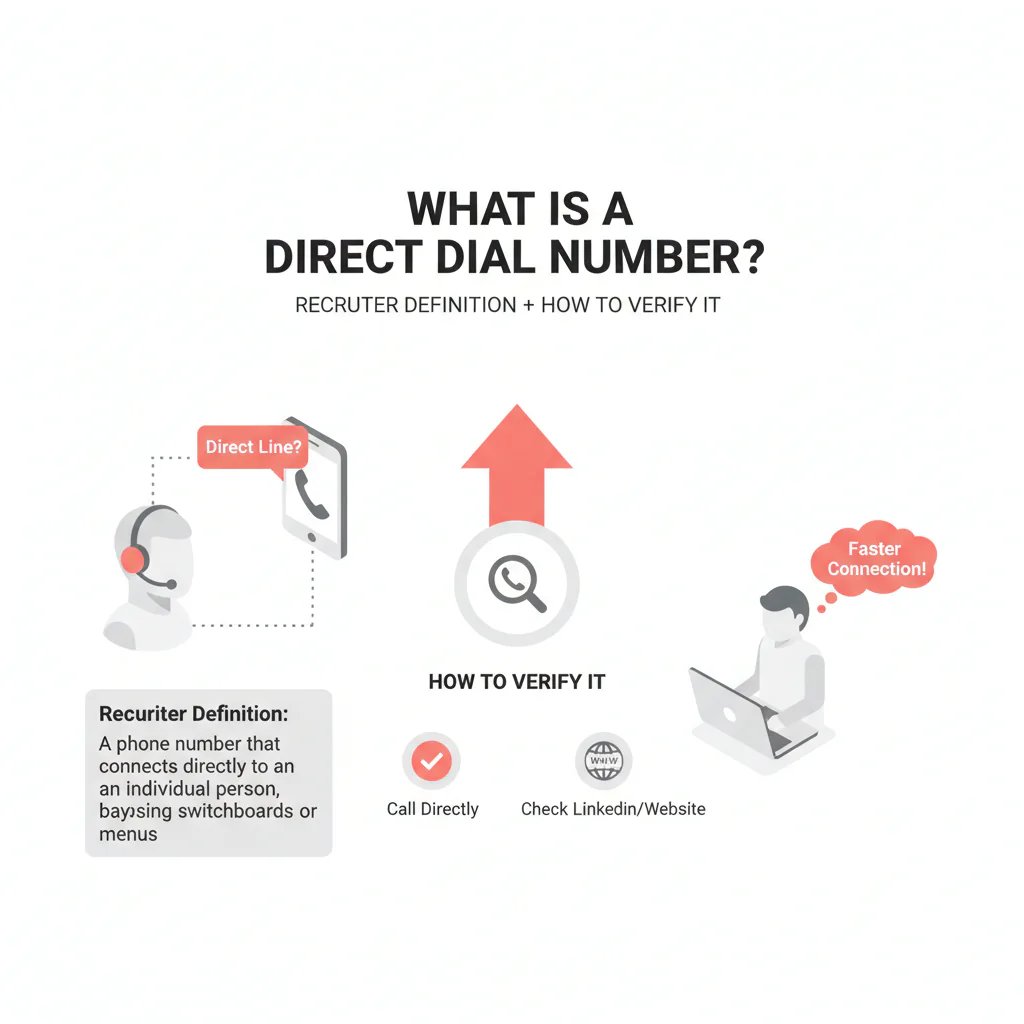
What is a direct dial number
By Ben Argeband, Founder & CEO of Heartbeat.ai — Simple, calming, actionable.
What’s on this page:
Who this is for
Recruiters stuck in phone trees who want a faster way to reach clinicians—without burning dials on the wrong route. If you’re losing hours to a switchboard, this page gives you a clean definition of direct dial, plus a verification and routing workflow you can run without guessing.
Quick Answer
- Core Answer
- A direct dial number routes to a specific person or desk line without going through a switchboard, main menu, or extension.
- Key Insight
- Direct dial describes routing, not device type. It may be an office line or VoIP endpoint, so validate line type and recency before scaling outreach.
- Best For
- Recruiters stuck in phone trees who want a faster way to reach clinicians.
Compliance & Safety
This method is for legitimate recruiting outreach only. Always respect candidate privacy, opt-out requests, and local data laws. Heartbeat does not provide medical advice or legal counsel.
Framework: The “First Touch” Rule: Match the channel to number type
When teams miss clinicians, it’s usually not because they lack effort—it’s because they’re using the wrong channel for the number they have. The “First Touch” Rule is simple: match the channel to the number type you actually have, then document what happened so the next attempt is smarter.
A direct dial is your best shot at bypassing routing friction, but it’s only valuable if it still reaches the right endpoint and you treat it appropriately for its line type (office line vs VoIP vs mobile number).
Diagnostic Table:
| Number type | What it usually routes to | How to recognize it in 1 call | Best first action | What to log in your CRM/ATS |
|---|---|---|---|---|
| Direct dial | A specific person or desk phone (not a general queue) | Rings straight through; no menu; voicemail greeting often identifies the person/office | Call during likely answer windows; leave a tight voicemail; follow with a short email | Outcome (answered/voicemail/no answer), party confirmation, line type, last verified date |
| Switchboard / IVR | Operator or automated menu | “Press 1 for…” or operator pickup | Only call if you have a name/department or an extension; otherwise switch channels | IVR path tried, best menu option, whether transfers are blocked |
| Extension-based | Internal endpoint behind a main number | Menu prompts for an extension or directory | Call main number + extension; save the successful path | Extension, IVR path, best time to reach |
| Office line | Front desk / scheduling / shared line | Front desk answers; may screen calls | Ask for best routing method (backline, extension, message protocol) | Gatekeeper notes, hours, routing instructions |
| VoIP | Softphone, forwarded line, ring group, or call center seat | May ring multiple times then route to a shared voicemail or queue behavior | Call once to observe behavior; if shared/queue-like, treat as office line | Observed behavior (direct vs shared), any transfer limitations |
| Mobile number | Personal device (varies) | Often answers outside clinic hours; voicemail may be personal | Use only with appropriate consent posture; include clear opt-out handling | Consent basis (per your policy), opt-out status, last verified date |
Definitions (for consistency): Direct dial means the call routes to a specific person/desk without a switchboard or extension. Line type means the underlying service classification (e.g., office line/landline, mobile number, or VoIP), which affects routing behavior and how you should use the number.
Step-by-step method
-
Confirm it’s direct by behavior, not by label. Call once. If you hit a menu, operator, or directory prompt, it’s not functioning as a direct dial for recruiting purposes.
Quick contrast: see the “Direct dial vs switchboard vs extension” block below, then classify the number before you build a sequence.
Direct dial vs switchboard vs extension (in one minute)
- Direct dial: rings straight through to a person/desk. Example: you call and it either answers or goes to a voicemail that identifies the intended office/person.
- Switchboard/IVR: you’re asked to press options or speak to an operator. Example: “Press 1 for appointments” before you can reach anyone.
- Extension-based: the system expects an extension or directory selection. Example: “If you know your party’s extension, dial it now.”
-
Classify the line type. Direct dial does not mean mobile. It can be a desk line or VoIP endpoint. The trade-off is… direct routing can save time, but stale assignment can waste time fast if you don’t track recency.
-
Run a two-touch test before you scale.
- Touch 1 (call): one attempt during a realistic clinic answer window; note whether you reached a person, voicemail, or routing.
- Touch 2 (email): short follow-up referencing the call and offering two time options.
-
Log four fields every time. This is what turns “random dialing” into a repeatable workflow:
- Routing outcome: direct ring, voicemail, IVR, operator, queue behavior
- Party confirmation: did the greeting/answer match the intended person or office?
- Line type: office line vs VoIP vs mobile number (best known)
- Last verified: date + outcome (e.g., “voicemail matched name”)
-
Route the next attempt based on what happened.
- If it behaved like direct: keep it as your primary call path; use voicemail + email follow-up.
- If it behaved like switchboard/IVR: stop treating it as direct; only call when you have an extension or a clear directory path.
- If it behaved like a shared/queue line (common with VoIP): treat it like an office line and ask for the best backline or routing method.
- If it was wrong party: apologize, confirm you have the wrong number, suppress the number, and re-verify before any retry.
-
Apply suppression immediately. If someone requests opt-out, suppress that number across sequences and channels. Don’t “try again later.”
Weighted Checklist:
Use this to decide whether a number should be treated as a first-touch direct dial. Score each item 0–2 (0 = no, 1 = unsure, 2 = yes). Total possible: 12.
- Direct routing confirmed: no switchboard/IVR (0–2)
- Correct party confirmed: live answer or voicemail greeting matches intended person/office (0–2)
- Line type known: office line vs VoIP vs mobile number (0–2)
- Recency known: you have a last verified date/outcome (0–2)
- Compliance handling ready: you can honor consent/opt-out requests reliably (0–2)
- Routing notes captured: your system stores IVR paths, best times, and gatekeeper notes (0–2)
Interpretation: 10–12 = safe to use as primary first-touch call path. 7–9 = use, but re-verify quickly and pair with email. ≤6 = don’t build sequences around it; find a better route.
Outreach Templates:
Template 1: Direct dial voicemail (15–20 seconds)
Hi Dr. [Last Name], this is [Your Name]. I’m calling about a [role type] opportunity that matches your [setting/subspecialty]. If you’re open to a quick call, reply to my email or call me back at [your number]. If you’d rather not be contacted, tell me and I’ll opt you out.
Template 2: Switchboard/operator request (routing ask)
Hi, I’m trying to reach Dr. [Last Name] for a professional opportunity. What’s the best way to route a message or reach their office directly? If there’s an extension or department line I should use, I’m happy to note it.
Template 3: Follow-up email after a call attempt
Subject: Quick question, Dr. [Last Name]
Body: I tried calling and may have caught you between patients. I’m recruiting for a [role] with [one-line reason it fits]. Are you open to a 7-minute call this week? If not, reply “opt out” and I’ll stop.
Common pitfalls
-
Assuming direct dial means mobile. It doesn’t. Direct dial is routing. A direct dial can be an office line or a VoIP endpoint, and treating it like a mobile channel can create compliance and candidate-experience issues.
-
Not tracking recency. Numbers get reassigned when clinicians change groups or clinics update phone systems. If you don’t store “last verified,” you can’t tell whether you’re dialing a current endpoint or a recycled line.
-
Calling the same failed route repeatedly. If you hit an IVR twice, stop. Switch to a routing ask (operator/front desk) or email to request the best path.
-
Not documenting the successful path. When you do get through, capture the extension, IVR path, and best time window. That’s how you reduce wasted dials across the team.
-
Opt-out leakage. If someone asks you to stop, suppress the number and channel. Don’t let another sequence hit them next week.
How to improve results
Improvement comes from routing discipline: fewer dials into phone trees, more attempts on verified endpoints, and better documentation. Measure this by… tracking outcomes by number type and last-verified status, then shifting volume toward the paths that produce real conversations.
What counts as “verified” (so your team is consistent)
- Verified direct routing: the call rings straight through with no IVR, and you reach the intended office/person or their voicemail identifies them.
- Verified via transfer: an operator/front desk transfers you to the intended office/person and you confirm the endpoint.
- Not verified: you only reached an IVR, a generic voicemail, or a wrong party.
Measurement instructions (required)
- Connect Rate = connected calls / total dials (e.g., per 100 dials).
- Answer Rate = human answers / connected calls (e.g., per 100 connected calls).
- Deliverability Rate = delivered emails / sent emails (e.g., per 100 sent emails).
- Bounce Rate = bounced emails / sent emails (e.g., per 100 sent emails).
- Reply Rate = replies / delivered emails (e.g., per 100 delivered emails).
Uniqueness hook: DECISION_TREE worksheet (number type → best first action)
Use this worksheet to decide the first touch and the next touch without guessing:
- If the call rings straight through (no IVR): treat as direct dial → call first → voicemail → email follow-up.
- If the call hits an IVR/switchboard: treat as switchboard → only call when you have an extension or directory path → otherwise email first and ask for the best routing method.
- If the call behaves like a shared line/queue (often VoIP): treat as office line → ask for backline/extension → document the path for reuse.
- If the number is confirmed mobile and your policy supports it: call first; if you text, include opt-out language and suppress on request.
- If line type is unknown: one call attempt + one email → classify based on observed routing → then decide whether to scale.
Operational tip: create a weekly review where you filter outreach lists by “Last Verified” and “Number Type.” Re-verify any high-priority targets before you scale attempts.
Legal and ethical use
Recruiting outreach should be professional, respectful, and compliant:
- Be transparent. Say who you are and why you’re reaching out.
- Honor opt-out. If someone says stop, stop and suppress the number.
- Texting is higher sensitivity. If you text, ensure you have an appropriate consent basis per your policy and always include opt-out instructions.
- Minimize stored data. Keep routing notes and verification outcomes; avoid collecting unnecessary personal details.
Evidence and trust notes
This page separates two ideas that often get mixed up: (1) direct dial as routing to a specific person/desk, and (2) line type (office line vs VoIP vs mobile number) as the underlying service. That separation is what keeps your workflow accurate and reduces wrong-party contact.
- Heartbeat data quality and verification methodology
- FCC overview: Telephone Consumer Protection Act (TCPA)
FAQs
Is a direct dial number always a mobile number?
No. Direct dial is about routing to a specific person/desk without a switchboard. It can be an office line or a VoIP endpoint. Do not assume it’s mobile.
How can I confirm a number is direct dial without wasting a full sequence?
Make one call and log the routing outcome. If there’s no IVR and it rings straight through (or the voicemail greeting matches the intended person/office), treat it as direct. Then follow with a short email.
What should I do if a “direct” number hits a switchboard?
Reclassify it as switchboard/IVR in your system, stop treating it as a direct dial, and switch to a routing ask (operator/front desk) or email to request the best path.
What fields should my team track to keep direct dials usable?
At minimum: number type, last verified date + outcome, routing notes (IVR path/extension), and opt-out status.
Does VoIP change how “direct” behaves?
Yes. Some VoIP setups forward, ring multiple endpoints, or behave like a shared line. If it acts like a queue or shared voicemail, treat it like an office line and ask for the best routing method.
Next steps
- Implement the worksheet: add Number Type + Last Verified fields and require them before sequences go out.
- Standardize suppression: ensure opt-out requests are honored across channels and sequences.
- See related verification resources: use the data quality & verification hub to standardize how your team labels and verifies contact routes.
- Start free search & preview data: start free search & preview data and build a call list that prioritizes verified routing paths.
About the Author
Ben Argeband is the Founder and CEO of Swordfish.ai and Heartbeat.ai. With deep expertise in data and SaaS, he has built two successful platforms trusted by over 50,000 sales and recruitment professionals. Ben’s mission is to help teams find direct contact information for hard-to-reach professionals and decision-makers, providing the shortest route to their next win. Connect with Ben on LinkedIn.

