


CAN-SPAM for healthcare recruiting
Ben Argeband, Founder & CEO of Heartbeat.ai — Dead simple; paste-ready templates.
What’s on this page:
Who this is for
Recruiters emailing physicians who need a fast, practical checklist and footer language that won’t slow down submittals. This is written for real outbound: sequences, multiple recruiters touching the same market, and the constant risk of re-emailing someone who already opted out.
Quick Answer
- Core Answer
- CAN-SPAM for healthcare recruiting means honest sender/subject info, clear identification, a simple opt-out in every email, and fast suppression when someone opts out.
- Key Insight
- Most problems come from broken suppression: opt-outs captured in one tool but ignored in another, so physicians get re-emailed.
- Best For
- Recruiters emailing physicians needing quick checklist + footer language.
Compliance & Safety
This method is for legitimate recruiting outreach only. Always respect candidate privacy, opt-out requests, and local data laws. Heartbeat does not provide medical advice or legal counsel.
Framework: The Recruiter Email Compliance Checklist: Identify → Offer Opt-out → Honor Fast
In physician recruiting, compliance isn’t a memo. It’s a template + a suppression workflow that survives handoffs between recruiters and tools.
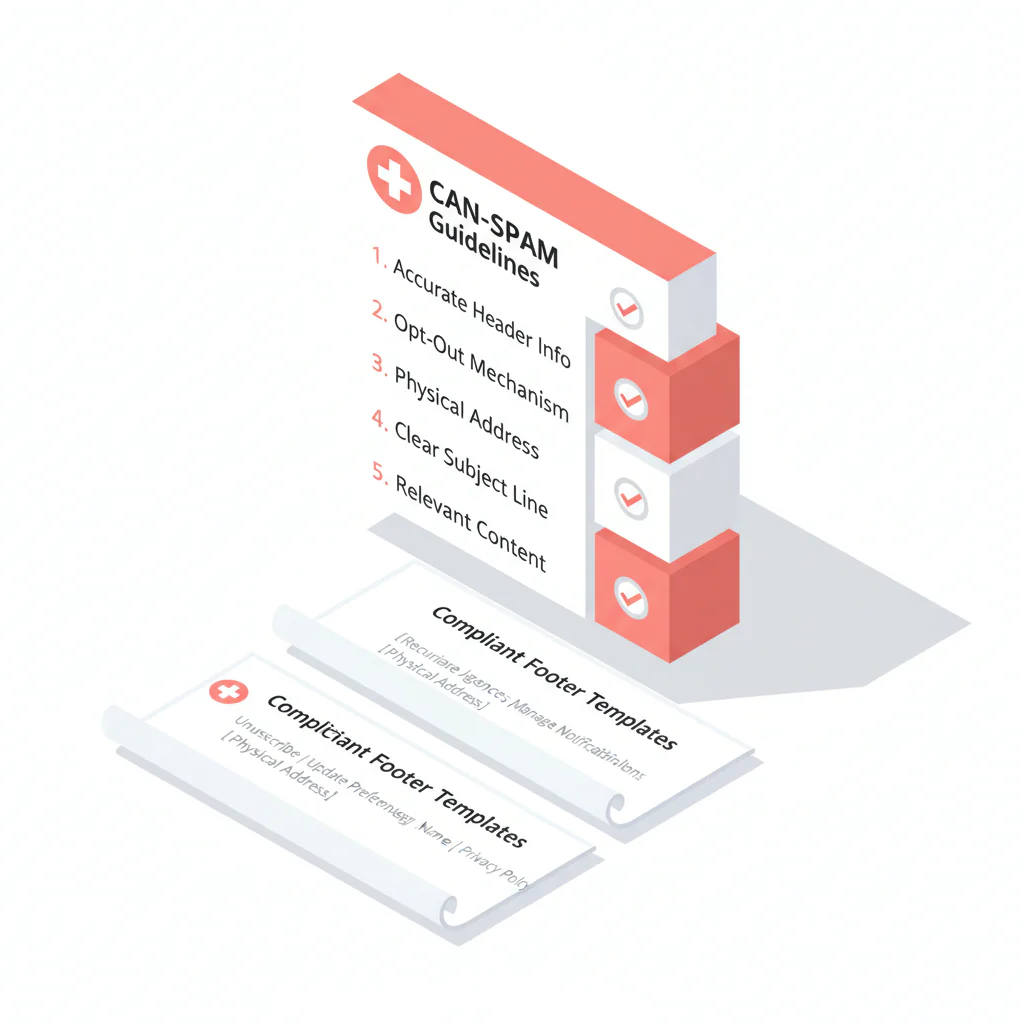
CAN-SPAM requirements (recruiter version)
- Truthful headers: Your “From,” “To,” and routing information can’t mislead.
- Truthful subject line: The subject must reflect what the email is actually about.
- Clear identification: Don’t disguise who you are or why you’re reaching out.
- Physical address: Include a valid postal address for your business.
- Opt-out mechanism: Provide a clear, easy way to stop future emails.
- Honor opt-outs: When someone opts out, suppress them so they don’t get emailed again.
What CAN-SPAM is not (recruiter version)
Operationally: even if you can send a first email, irrelevant blasts drive opt-outs and complaints fast. Treat CAN-SPAM as the minimum structure, then win with relevance and respectful follow-up.
Definitions (use these consistently)
CAN-SPAM definition: A U.S. law that sets rules for commercial email, including truthful header/subject information, identification, a clear opt-out mechanism, and honoring opt-out requests.
Opt-out definition: A recipient’s request to stop receiving your emails. Operationally, it means you suppress that address from future sends (including sequences and future campaigns).
Step-by-step method
Step 1: Treat recruiting outreach as commercial email (and standardize one rule set)
Most physician recruiting emails promote an opportunity and your recruiting services. Don’t build separate “maybe compliant” rules for different campaigns. Build one standard template and apply it to all outbound recruiting email.
Step 2: Commercial vs transactional (recruiter version)
If the email is primarily about a recruiting opportunity, it should follow CAN-SPAM requirements. Even if you’re sending something “helpful” (like a schedule detail), if the purpose is to recruit, use the same compliant structure: clear identity, honest subject, opt-out, and suppression.
Step 3: “Identify” standards (sender, subject, and first line)
- From name: Use a real person + your company (example: “Ben at Heartbeat.ai” or “Ava Chen, Recruiting”). Avoid implying you are a hospital HR department if you are not.
- Reply-to: Use a monitored inbox. If a physician replies “stop,” treat it as an opt-out and suppress.
- Subject lines: Keep them accurate (role + location/schedule). Don’t imply an existing relationship if you don’t have one.
- First line: State why you’re reaching out in one sentence (specialty + location + schedule type). This reduces complaints because it matches expectations.
Subject line examples
- Example: “Hospitalist — Nights — Phoenix”
- Example: “Psychiatry — Outpatient — 4-day week — Tampa”
- Example: “CRNA — 1099 — No call — Dallas”
The trade-off is… vague “pattern break” subjects might get curiosity opens, but they also increase complaints and internal escalations. In recruiting, complaints cost more than a slightly lower open rate.
Step 4: “Offer opt-out” (make it one step)
Your opt-out must be easy to find and easy to use in every email, including follow-ups.
- Preferred: One-click unsubscribe link that confirms removal.
- Acceptable: “Reply with unsubscribe” (only if your team reliably processes replies and suppresses quickly).
Decision rule: If you can support one-click unsubscribe, use it. If you rely on reply-to opt-out, you need a monitored inbox and same-day suppression so requests don’t get missed.
Don’t hide opt-out behind logins, surveys, or multiple steps.
Step 5: Include a valid physical address (and keep it consistent)
Include your current physical postal address in the footer. If you’re remote, use a legitimate business mailing address. Keep it consistent across sequences so recipients recognize you.
Step 6: “Honor fast” (suppression workflow that survives multiple tools)
Most recruiting teams fail here: opt-outs live in one sequencer, but the CRM/ATS or another recruiter keeps emailing. Fix it with a simple operating procedure:
- Single source of truth: Maintain one suppression list (email addresses, plus optional domains for group practices) that all outbound tools reference.
- Same-day capture: Any unsubscribe click, “stop” reply, or manual request is logged and suppressed the same day.
- Sync everywhere you send: Push suppression into your sequencer and your CRM/ATS notes so a different recruiter doesn’t re-add the same person later.
- Sequence kill switch: When someone opts out, stop all active sequences to that address (not just the current campaign).
- Re-import prevention: Apply suppression before any export, enrichment, or list upload so opted-out contacts never re-enter a campaign.
- Weekly audit: Sample recent opt-outs and confirm they are suppressed across every sending surface.
How to process “stop” replies (simple SOP)
- Tag it: Mark the reply as an opt-out request (even if they didn’t use the word “unsubscribe”).
- Suppress it: Add the email address to your central suppression list and stop any active sequences.
- Propagate it: Sync suppression to every tool you send from so another recruiter can’t re-email them.
Step 7: Keep list hygiene tight (deliverability is operational risk)
CAN-SPAM is about transparency and opt-out, but poor list hygiene creates the same business outcome: messages don’t land and you burn sending reputation. If you’re sourcing physician emails, use a workflow that prioritizes verification and suppression before sequencing.
Related: How to find physicians’ personal email (and use it responsibly)
Diagnostic Table:
Use this to diagnose where your outreach is most likely to create complaints, blocks, or internal escalations.
| Area | What “good” looks like | Red flag | Fast fix |
|---|---|---|---|
| Identification | Real recruiter name + company; clear reason for outreach | Misleading sender identity or vague opener | Standardize From/Reply-to; add one-sentence purpose line |
| Subject line | Accurate: role + location/schedule | Bait subject that doesn’t match the email | Create approved subject list; ban misleading patterns |
| Opt-out | One-step unsubscribe in every email | Hidden link or multi-step process | Move opt-out above address line; one-click preferred |
| Opt-out honoring | Shared suppression list across tools | Opt-outs only in one sequencer; other recruiters re-email | Central suppression + weekly audit sample |
| Physical address | Valid business mailing address in every email | Missing or inconsistent address | Lock a footer block in templates |
| Reply handling | Monitored reply-to; “stop” replies suppressed same day | Replies routed to unmonitored inbox | Monitored inbox + rule-based suppression |
| Shared inboxes / aliases | One monitored reply-to; opt-outs routed to a single queue | Replies split across personal inboxes; opt-outs missed | Route replies to one monitored inbox + suppression intake rule |
Weighted Checklist:
Score your current setup. Anything under 12/16 is a fix-this-week issue if you care about placement speed and inboxing.
- (4 pts) Every email clearly identifies you/your firm and the recruiting purpose in the first 2 lines.
- (4 pts) Opt-out is one step (one click or one reply) and appears in every email, including follow-ups.
- (3 pts) Opt-outs are honored via a shared suppression list across all sending tools and teammates.
- (2 pts) Subject lines are accurate and not misleading.
- (2 pts) A valid physical mailing address is present and consistent.
- (1 pt) Reply-to inbox is monitored; “stop” replies are processed same day.
Ownership model (so it actually works)
- Owner: One person owns the suppression list (often ops or a lead recruiter).
- Intake: Unsubscribes + “stop” replies route to one queue.
- SLA: Same-day suppression is the internal standard.
- Change control: Templates and footer blocks are versioned; recruiters don’t freestyle compliance elements.
Outreach Templates:
Paste-ready templates with a minimal footer and three footer options (TEMPLATE_LIBRARY). Use one standard across your team.
Template: First-touch physician recruiting email (clear + compliant)
Subject: [Specialty] role — [City/Region] — [Schedule type]
Hi Dr. [Last Name] — I’m [Name], a recruiter with [Company]. I’m reaching out because we’re hiring a [Specialty] for [Facility/Group type] in [City/Region] with [key schedule detail].
If you’re open to a quick call, what does your week look like? If not, tell me and I’ll stop emailing you.
— [Name] ([Title], [Company]) — [Phone]
Minimum viable footer (shortest compliant)
Unsubscribe. [Company Legal Name], [Street Address], [City], [State] [ZIP]
TEMPLATE_LIBRARY — Footer option A (one-click unsubscribe + context)
You’re receiving this because we’re reaching out about physician opportunities that may match your specialty and location preferences. Unsubscribe at any time. [Company Legal Name], [Street Address], [City], [State] [ZIP]
TEMPLATE_LIBRARY — Footer option B (reply-to opt-out)
If you’d like me to stop emailing you, reply with “unsubscribe” and I’ll remove you from future messages. [Company Legal Name], [Street Address], [City], [State] [ZIP]
TEMPLATE_LIBRARY — Footer option C (preference + opt-out)
Not relevant? Reply with “unsubscribe” to stop all emails, or reply with your preferred specialty/location and I’ll only send matches. [Company Legal Name], [Street Address], [City], [State] [ZIP]
Common pitfalls
Common mistake: opt-outs captured in one tool, ignored in another
This is the fastest way to get a complaint from a physician: they opt out, then a different recruiter emails them again because the suppression list wasn’t shared.
- Pitfall: Opt-outs only live inside one sequencer.
- Fix: Central suppression list + sync to every sending surface (sequencer, CRM/ATS, and any enrichment/export workflow).
Misleading identity signals
- Pitfall: “From” name implies you’re the hospital or medical group when you’re not.
- Fix: Use recruiter name + your actual company. If you represent a client, say you’re a recruiting partner without impersonation.
Subject lines that don’t match the email
- Pitfall: “Quick question” then a long job pitch.
- Fix: Subject should match the first sentence: role + location/schedule.
Opt-out missing on follow-ups
- Pitfall: Follow-up emails drop the footer or remove the opt-out link.
- Fix: Ensure every step in the sequence includes the same opt-out and address block.
Opt-out buried or complicated
- Pitfall: Tiny opt-out link, multiple steps, or “email us to unsubscribe.”
- Fix: Put opt-out in plain text and/or one-click link in every email.
How to improve results
Compliance is the floor. The business goal is simple: keep inbox placement and replies strong while staying respectful and easy to opt out.
Measurement instructions (required)
Measure this by… tracking these weekly per sending domain and per recruiter, then fixing the worst performer first:
- Deliverability Rate = delivered emails / sent emails (per 100 sent emails).
- Bounce Rate = bounced emails / sent emails (per 100 sent emails).
- Reply Rate = replies / delivered emails (per 100 delivered emails).
Also track opt-out rate = opt-outs / delivered emails (per 100 delivered emails) and complaint rate = complaints / delivered emails (per 100 delivered emails) if your email provider reports it. When opt-outs spike, review the last 50 sends for misleading subjects, unclear identity, or poor targeting.
Where to log opt-outs (so they don’t get lost)
- Suppression list: Add the email address to your central suppression list first.
- CRM/ATS note: Add a short note like “Opted out of email outreach on [date]” so other recruiters see it before they source again.
Operational upgrades that don’t slow down recruiting
- Lock templates: Approved subjects + footers reduce risk and keep messaging consistent across recruiters.
- Segment by relevance: Physicians tolerate outreach that’s specific (specialty, schedule, location). They opt out of generic blasts.
- Suppression-first sourcing: Apply suppression before export and before sequencing so opted-out contacts never enter a campaign.
If you need a sourcing workflow that supports fast outreach without messy exports, you can start free search & preview data and build suppression into your process from day one.
Legal and ethical use
This page is practical guidance, not legal advice. For healthcare recruiting, the ethical bar is straightforward: be honest about who you are, why you’re contacting them, and make it easy to stop.
- Only contact physicians for legitimate recruiting opportunities.
- Respect opt-out requests quickly and across all tools.
- Don’t misrepresent your identity, affiliation, or the nature of the message.
- Keep internal records of opt-outs and suppression actions for accountability.
For official guidance, review the FTC resource: FTC CAN-SPAM guide.
Evidence and trust notes
We write these resources for recruiters who need workflows that hold up under scrutiny. For how we evaluate data quality, sourcing methods, and claims, see our methodology: trust methodology for Heartbeat resources.
Primary reference for CAN-SPAM requirements: FTC CAN-SPAM guide.
More compliance resources: recruiting compliance guides.
FAQs
Does CAN-SPAM apply to physician recruiting emails?
In practice, yes. If you’re emailing to promote an opportunity or your recruiting services, follow CAN-SPAM standards: truthful identification, clear opt-out, and honoring opt-outs.
What has to be in the footer for CAN-SPAM for healthcare recruiting?
Include a clear opt-out method and a valid physical mailing address. Keep it consistent across every email in the sequence.
How fast should I honor opt-out requests?
Honor them quickly and consistently across all tools. Operationally, same-day suppression prevents accidental re-contact when multiple recruiters and tools are involved.
What is the simplest compliant opt-out wording?
A one-click unsubscribe link is the cleanest. If you can’t do that, “Reply with \”unsubscribe\” and I’ll remove you” works if your team reliably processes replies and suppresses the address.
Can I email a physician’s personal email address for recruiting?
You can, but be careful about relevance, transparency, and opt-out handling. Use targeted outreach and avoid blasting. See: how to find physicians’ personal email (and use it responsibly).
Next steps
- Pick one footer option and standardize it across your team today.
- Implement the suppression workflow (single source of truth + sync + re-import prevention + weekly audit).
- If you need fresh physician contact data with a workflow built for recruiting, start free search & preview data.
About the Author
Ben Argeband is the Founder and CEO of Swordfish.ai and Heartbeat.ai. With deep expertise in data and SaaS, he has built two successful platforms trusted by over 50,000 sales and recruitment professionals. Ben’s mission is to help teams find direct contact information for hard-to-reach professionals and decision-makers, providing the shortest route to their next win. Connect with Ben on LinkedIn.

