


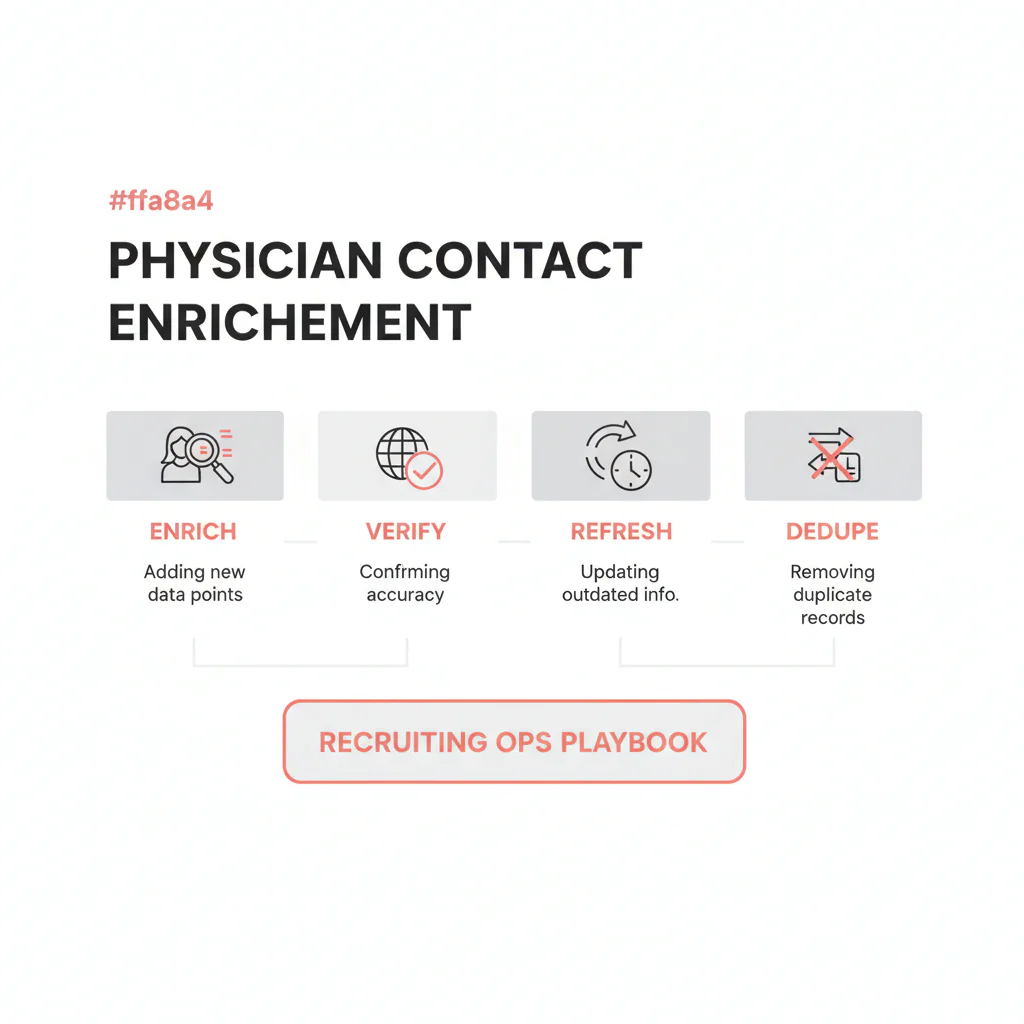
Physician contact enrichment
Ben Argeband, Founder & CEO of Heartbeat.ai — Simple and operational. Reduce confusion between enrichment vs verification vs refresh.
TL;DR: Match on NPI/license, enrich missing channels, validate and suppress risk, route the first-touch channel, then refresh when outcomes degrade and dedupe to prevent repeat touches.
What’s on this page:
Who this is for
This is for recruiting ops teams enriching ATS physician records with accurate mobiles/emails—without burning recruiter time, deliverability, or compliance posture.
- You have physician records in an ATS/CRM with missing or stale phone/email.
- You need stable matching (NPI/license) so you don’t merge the wrong people.
- You need a workflow that prevents repeat touches (dedupe + suppression) and keeps outreach usable over time (refresh triggers).
Quick Answer
- Core Answer
- Physician contact enrichment appends and standardizes phone/email to existing physician records using stable identifiers (NPI/license), then validates and routes the best channel for outreach.
- Key Statistic
- Heartbeat observed typicals (internal): mobile accuracy 82%; email accuracy 95%.
- Best For
- Recruiting ops teams enriching ATS physician records with accurate mobiles/emails.
Compliance & Safety
This method is for legitimate recruiting outreach only. Always respect candidate privacy, opt-out requests, and local data laws. Heartbeat does not provide medical advice or legal counsel.
Framework: The Enrichment Decision Loop: Enrich → Validate → Route → Refresh
In physician recruiting, enrichment only helps if it’s a loop. Physicians have clinic-hour windows, gatekeepers, and multiple practice locations—so stale or misrouted contact data wastes dials fast.
- Enrich: append missing contact points and normalize fields.
- Validate: phone validation + email verification + suppression so you don’t scale bad channels.
- Route: choose the first-touch channel and sequence based on confidence and workflow fit.
- Refresh: re-check when outcomes degrade, not just on a calendar.
The trade-off is… enrichment increases reach, but skipping validation, routing, and refresh shows up as bounces, low connects, and recruiter time loss.
Step-by-step method
1) Get your match keys right (before you append anything)
Enrichment works best with stable identifiers. For physicians, that usually means NPI and/or license matching. Names alone are not a safe primary key.
- Preferred match keys: NPI; license number + state.
- Helpful supporting fields: full name (split), specialty, city/state, organization/affiliation.
If you need the mechanics, start here: NPI and license matching for provider records.
2) Minimum viable input columns (so enrichment runs don’t stall)
| Column | Required? | Why it matters |
|---|---|---|
| NPI | Preferred | Best match key for physician identity |
| License number + state | Preferred | Backup match key when NPI is missing |
| First name / last name | Yes | Fallback matching and human review |
| Specialty | Recommended | Routing and recruiter assignment |
| City/state | Recommended | Disambiguation and routing |
| Existing phone(s) / email(s) | Recommended | Prevents overwriting good data; improves dedupe |
| ATS internal provider ID | Recommended | Stable internal join and audit trail |
3) Normalize your ATS fields (so enrichment doesn’t create chaos)
Before enrichment, normalize what you already have so you can dedupe and avoid overwriting good data with worse data.
- Split names into first/middle/last/suffix.
- Normalize phones to E.164 and separate by type (mobile vs office vs other).
- Normalize emails (lowercase, trim whitespace) and store provenance.
- Add timestamps: last phone validation date, last email verification date.
4) Clarify the four operations (enrich vs verify vs refresh vs dedupe)
| Operation | What it does | When to run it | What it prevents |
|---|---|---|---|
| Enrichment | Appends missing phone/email and standardizes fields | When records are missing channels or poorly formatted | Recruiters hunting for contact info manually |
| Verification | Checks usability (phone validation, email verification) and suppresses risky contacts | Before scaling outreach volume or after importing new contacts | High bounce rate, wasted dials, compliance risk |
| Refresh | Re-checks and updates contact fields when performance degrades | When outcomes degrade (bounces up, connects down, replies down) | Stale data dragging down speed-to-submittal |
| Dedupe | Merges duplicate physician profiles and unifies suppression/opt-out | Before outreach and after imports/migrations | Repeat touches and internal ownership confusion |
5) Enrich with deterministic overwrite rules
Decide what can overwrite and what can only append. This is where ops protects recruiter trust in the ATS.
- Overwrite allowed: formatting fixes, country code, missing fields.
- Append only: additional phones/emails, alternate locations, alternate names.
- Never overwrite without evidence: recruiter-confirmed mobile, recently verified email, consented preferred channel.
What not to overwrite (practical rule): if a recruiter confirmed a mobile in a call disposition or notes, keep it as the primary number and append any new numbers as alternates with source + date.
If you’re using Heartbeat.ai, the goal is not “more numbers.” The goal is ranked mobile numbers by answer probability so recruiters start with the most likely-to-connect option.
6) Validate + suppress before you route
Validation is where you protect deliverability and recruiter time.
- Phone validation: confirm the number is callable and classify it (mobile vs office vs other) when possible.
- Email verification: confirm the mailbox is deliverable enough to send without spiking bounces.
- Suppression: enforce consent/opt-out and internal do-not-contact across ATS, CRM, and recruiter tools.
Write-back fields to your ATS (so the work sticks):
- Source (e.g., Heartbeat.ai) for each phone/email.
- Phone type (mobile/office/other) and primary vs alternate ordering.
- Last phone validation date and last email verification date.
- Consent notes (if captured) and a global opt-out flag + timestamp.
- Suppression reason (opt-out, internal DNC, invalid channel) so recruiters understand why a record is blocked.
7) Route to the right outreach workflow (channel + sequence)
Routing is where enrichment turns into placements. Use the enriched + validated fields to choose a sequence that fits physician reality.
| What you have | Route to | Ops note |
|---|---|---|
| Validated mobile | Call-first + short voicemail + optional compliant text | Best for speed-to-submittal; log dispositions |
| Verified email only | Email-first + scheduled call window | Protect deliverability; keep copy short |
| Office line only | Gatekeeper script + request preferred channel | Capture preferred contact method in ATS |
| Multiple channels | Hybrid sequence (email + same-day call) | Use suppression to prevent multi-recruiter overlap |
Use cases (when this workflow pays off fast):
- New req launch: enrich + validate + route so recruiters start with the best channel on day one.
- Reactivation: refresh validation/verification first, then re-run routing to avoid stale outreach.
- ATS migration cleanup: normalize fields, dedupe on NPI/license, then enrich missing channels.
- Multi-site physician records: append alternates, store phone type, and route by confidence to avoid gatekeeper loops.
Time math (no invented numbers): every non-connecting dial and every bounced email consumes recruiter minutes that could have been candidate conversations. Routing reduces wasted attempts by prioritizing the best channel first, which protects gross margin because recruiter hours are your most expensive input.
8) Refresh when outcomes degrade (not just on a calendar)
Refresh should be triggered by performance signals, then prioritized by last validation/verification date. Use this guide: provider data refresh cadence.
9) Dedupe before outreach to prevent repeat touches
Dedupe is how you avoid the fastest way to lose trust with physicians: multiple recruiters contacting the same person from duplicate ATS profiles.
- Dedupe on NPI/license first.
- Then dedupe on combinations (email, phone, name + specialty + city/state).
- Keep a merge log: what merged, when, and why.
Diagnostic Table:
| Symptom | Likely root cause | Fix | What to track |
|---|---|---|---|
| Email bounces spike after outreach | Emails appended but not verified; stale domains; risky inbox types | Run email verification, suppress risky addresses, store last verification date | Bounce Rate = bounced emails / sent emails (per 100 sent) |
| Lots of dials, few connections | Office lines/gatekeepers; wrong number type; stale phones | Phone validation, prioritize mobile, route to call windows | Connect Rate = connected calls / total dials (per 100 dials) |
| Connected calls but no physician answers | Front desk answers; shared lines; wrong extension | Reclassify numbers, adjust routing, capture preferred channel | Answer Rate = human answers / connected calls (per 100 connected calls) |
| Deliverability looks fine but replies are low | Wrong channel for that physician; timing; message mismatch | Route by channel confidence; tighten copy; test sequences | Reply Rate = replies / delivered emails (per 100 delivered emails) |
| Deliverability drops over time | Stale emails; missing suppression; verification dates not tracked | Refresh verification on older segments; enforce suppression | Deliverability Rate = delivered emails / sent emails (per 100 sent emails) |
ATS field map mini-table (store these so enrichment stays usable)
| ATS field | Populate with | Why it matters |
|---|---|---|
| NPI | 10-digit NPI | Primary match key for physician identity and joins |
| License | License number + state | Backup match key when NPI is missing |
| Mobile phone | E.164 formatted mobile (if available) | Fastest path to conversations |
| Phone type | mobile / office / other | Routing and recruiter expectations |
| Best available email + type (personal/work) | Deliverability and reply performance | |
| Last phone validation date | Date | Refresh prioritization and auditability |
| Last email verification date | Date | Refresh prioritization and auditability |
| Consent / opt-out | Flag + timestamp + notes | Compliance and suppression across teams |
| Source | Vendor/system name | Debugging and trust scoring |
Weighted Checklist:
Score each item 0–2 (0 = no, 1 = partial, 2 = yes). Higher total means you’re ready to enrich at scale without breaking your ATS.
- (2x) Match keys present: NPI and/or license matching fields exist and are populated for most records.
- (2x) Normalized fields: phones separated by type; emails cleaned; names split.
- (2x) Overwrite rules: written rules for overwrite vs append, plus a merge log.
- (2x) Suppression enforced: opt-out and do-not-contact are centralized and applied everywhere.
- (1x) Validation built-in: phone validation and email verification are part of the workflow.
- (1x) Routing rules exist: channel + sequence rules are documented and used.
- (1x) Refresh triggers defined: refresh is triggered by outcome degradation.
- (1x) Dedupe logic: dedupe on NPI/license first, then fallbacks.
Decision Tree worksheet (uniqueness hook: DECISION_TREE)
- If NPI/license coverage is low, then fix match keys first (capture NPI, run license matching) before enrichment.
- If bounce rate rises, then prioritize email verification + suppression before adding more emails.
- If connect rate falls, then refresh phone validation and re-route to mobile-first sequences.
- If repeat touches show up, then dedupe and unify suppression before any new enrichment run.
- If you have strong match keys but missing mobiles, then enrich mobiles and route call windows immediately.
Outreach Templates:
Short, physician-friendly templates. Always respect consent and opt-out.
Call opener (mobile-first)
“Hi Dr. [Last], this is [Name] with [Org]. I’m calling about a [specialty] role in [market]. Do you have 30 seconds?”
If busy: “Understood. What’s the best time window today or tomorrow for a quick call?”
Voicemail: “Dr. [Last], [Name] with [Org]. Quick question about a [role] in [market]. Call or text me at [number]. If you prefer no outreach, tell me and I’ll stop.”
Email (verified email)
Subject: “[Market] [Role] — quick fit check”
“Dr. [Last] — I’m recruiting for a [role] in [market]. Two questions: (1) Are you open to details? (2) If not, what’s the best contact method for you? If you prefer no outreach, reply ‘opt out’ and I’ll suppress.”
Gatekeeper-friendly office line script
“Hi, I’m trying to reach Dr. [Last] for a brief professional opportunity. Is there a preferred way to send details—email or a direct line? I’m happy to follow your process.”
Text (only where appropriate and permitted)
“Dr. [Last], this is [Name] with [Org]. Quick fit check for a [role] in [market]. OK to send details here? Reply STOP to opt out.”
Common pitfalls
Confusing enrichment with verification
Appending contact fields is not the same as making them usable. If you skip phone validation and email verification, you’ll see it in bounce rate and wasted dials.
Weak matching that creates false merges
Matching on name-only is how you attach the wrong phone/email to the wrong physician. Use NPI and license matching as your backbone.
Not deduping before outreach
Duplicate profiles create duplicate touches. That drives opt-outs and damages your brand in a small physician community.
Overwriting recruiter-confirmed contact info
Store multiple phones/emails with source + dates. Don’t overwrite a recruiter-confirmed mobile with an appended number without evidence.
Refreshing on a calendar instead of outcomes
Refresh when outcomes degrade, then prioritize by last validation/verification date.
How to improve results
Use consistent metric definitions (with denominators)
- Connect Rate = connected calls / total dials (per 100 dials).
- Answer Rate = human answers / connected calls (per 100 connected calls).
- Deliverability Rate = delivered emails / sent emails (per 100 sent emails).
- Bounce Rate = bounced emails / sent emails (per 100 sent emails).
- Reply Rate = replies / delivered emails (per 100 delivered emails).
Define accuracy metrics so ops and recruiters agree
- Mobile accuracy definition: per 100 phone numbers dialed from your enriched “mobile” field, how many reached the intended physician (based on recruiter disposition and notes over a defined reporting window (e.g., weekly), reported per 100 dials).
- Email accuracy definition: per 100 emails sent to enriched addresses, how many were deliverable and belonged to the intended physician (based on verification results, bounces, and recruiter feedback).
- Match key definition: a stable identifier used to join records across systems with low ambiguity (e.g., NPI or license number + state), not name-only matching.
Measurement instructions (required)
Measure this by… running a weekly ops dashboard that ties outcomes back to the specific phone/email used and its last validation/verification date.
- Tag each outreach with channel (call/email/text), contact source (e.g., Heartbeat.ai), and the exact phone/email used.
- Require call dispositions: wrong person, front desk, voicemail, physician answered, disconnected, no answer.
- Capture email events: delivered, bounced, replied, unsubscribed/opt-out.
- Segment by age: group records by days since last phone validation and days since last email verification.
- Trigger refresh: when older segments show worse bounce rate, deliverability rate, connect rate, or reply rate, refresh those records first.
- Close the loop: feed “wrong person/front desk” outcomes back into phone type classification and routing rules.
Workflow fit options (UI, upload, API)
- Recruiter workflow: start free search & preview data for fast lookups on a short list (with ops governance on suppression and logging).
- Ops file workflow: upload a file for enrichment when you’re cleaning an ATS export and want controlled overwrite rules.
- System workflow: use the Heartbeat API to embed enrichment, validation, and refresh triggers into your stack.
Legal and ethical use
Build your enrichment workflow so it’s easy to do the right thing:
- Consent and opt-out: store consent notes when provided; honor opt-out immediately across all systems.
- Purpose limitation: use enriched contact data for legitimate recruiting communications only.
- Minimize exposure: restrict exports of raw contact fields; log access where possible.
- Suppression: maintain a global suppression list across teams and tools.
Suppression hierarchy (ops rule): opt-out overrides everything, then internal do-not-contact, then channel risk suppression (invalid/unverified) before any routing rules.
Heartbeat.ai does not provide legal counsel. If you operate across jurisdictions, align with your compliance team on outreach rules, retention, and suppression handling.
Evidence and trust notes
NPI is a common anchor for physician identity and matching workflows. Reference: NPPES NPI Registry (CMS).
For how Heartbeat approaches data quality, sourcing, and verification practices, see our trust methodology and data quality approach.
Reminder: we do not claim guaranteed matches. Your match rate depends on the match keys you provide (NPI/license), record cleanliness, and suppression rules.
FAQs
What inputs do I need for physician contact enrichment to work well?
At minimum: NPI and/or license number + state, full name (split if possible), specialty, and location. Existing phones/emails help prevent overwriting good data and improve dedupe.
When should I enrich vs verify vs refresh vs dedupe?
Enrich when you’re missing channels. Verify before scaling outreach. Refresh when outcomes degrade (bounces up, connects down, replies down). Dedupe before outreach and after imports/migrations.
How do I prevent repeat touches after enrichment?
Dedupe on NPI/license first, unify suppression and opt-out across ATS/CRM and recruiter tools, and log merges so ownership is clear.
How should we route outreach for physicians with gatekeepers?
If you only have an office line, route to a gatekeeper script and capture the physician’s preferred channel. If you have a validated mobile, route to call-first with tight call windows.
Can we run this via API instead of spreadsheets?
Yes. Many teams enrich and validate via API so new/updated ATS records trigger enrichment, routing, and refresh automatically. Start with a controlled file run, then move to API once overwrite rules and suppression are stable.
Next steps
- Validate the workflow on a short list: start free search & preview data.
- Run a controlled ops pass with overwrite rules: upload a file for enrichment.
- Embed enrichment + validation + refresh triggers in your stack: use the Heartbeat API.
If you want one ops rule to enforce: enrich only when you can match confidently (NPI/license), and refresh based on outcomes—not hope.
About the Author
Ben Argeband is the Founder and CEO of Swordfish.ai and Heartbeat.ai. With deep expertise in data and SaaS, he has built two successful platforms trusted by over 50,000 sales and recruitment professionals. Ben’s mission is to help teams find direct contact information for hard-to-reach professionals and decision-makers, providing the shortest route to their next win. Connect with Ben on LinkedIn.

