


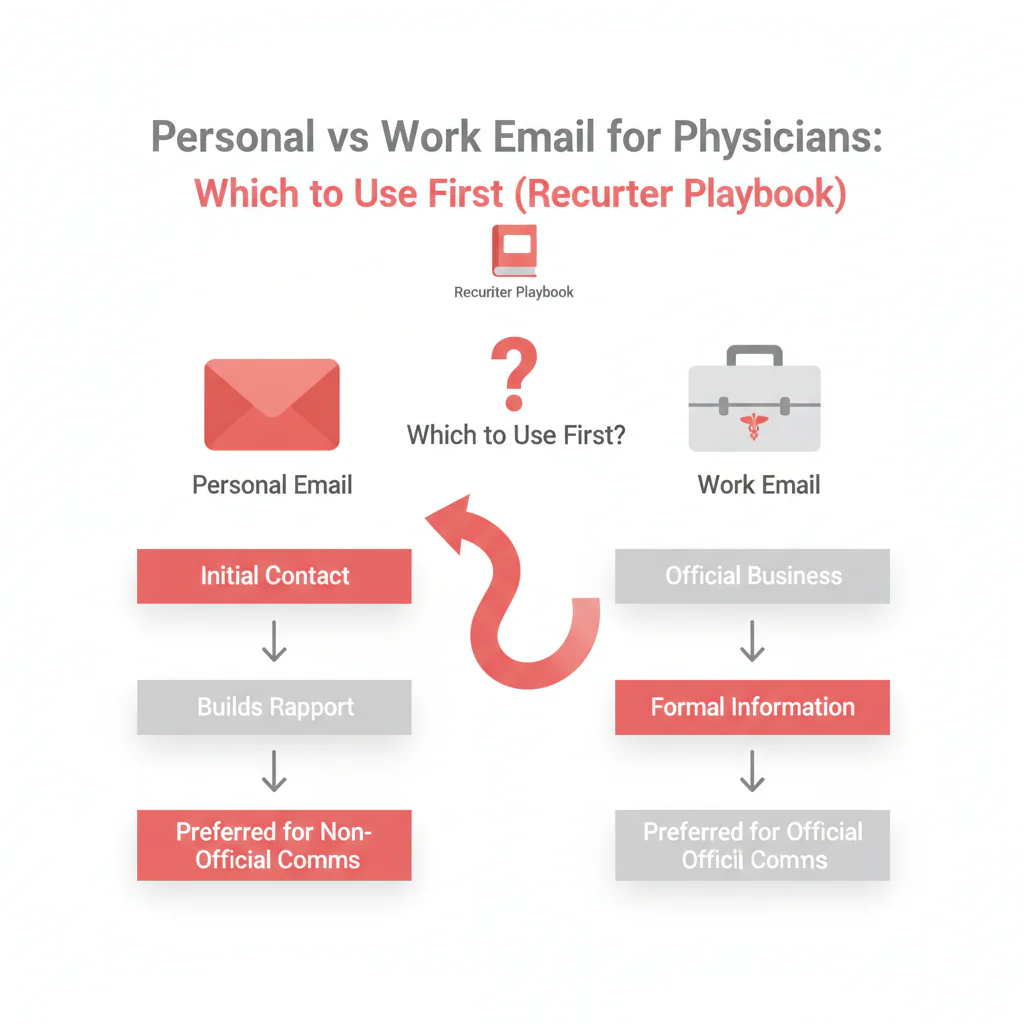
Personal vs work email for physicians
By Ben Argeband, Founder & CEO of Heartbeat.ai — Calm, template-heavy, recruiter-focused.
What’s on this page:
Who this is for
This is for recruiters deciding which email to use first when reaching physicians. The goal: get delivered, get read by the right person, and protect your sending reputation while honoring consent and opt-out.
We’ll treat this as an operational choice of email type for physicians: when to lead with work email, when a personal email is justified, and how email verification reduces bounce.
Quick Answer
- Core Answer
- Start with work email for predictable deliverability; use personal email only when work routing blocks you and the address is verified with strict opt-out suppression.
- Key Statistic
- Heartbeat observed typicals: Heartbeat internal email accuracy 95% (verified, intended-recipient emails / total tested; per 100 tested).
- Best For
- Recruiters deciding which email to use first.
Compliance & Safety
This method is for legitimate recruiting outreach only. Always respect candidate privacy, opt-out requests, and local data laws. Heartbeat does not provide medical advice or legal counsel.
Framework: The “Inbox Reality” Rule: Deliverability first, then copy
Most teams spend time polishing copy before they confirm the message reliably lands. The “Inbox Reality” Rule keeps you honest:
- Deliverability first: pick the address type most likely to be delivered and not bounced.
- Then copy: once you’re landing consistently, optimize subject lines, personalization, and follow-up.
In physician recruiting, the inbox is often filtered, forwarded, or triaged by staff. Your workflow has to assume that reality.
Fast decision tree (use this before you write a single subject line):
| If this is true… | Do this first | Do this second |
|---|---|---|
| You have a verified work email on a known org domain | Send to work email | If routed/blocked, escalate to verified personal with a permission-forward opener |
| Work email looks role-based or staff-triaged | Send to work email with “for Dr. [Last Name]” clarity | Ask for the best direct channel; suppress the role inbox if requested |
| Only personal email is available | Verify + suppress, then send a low-pressure message with opt-out in the first lines | If bounce/complaint risk rises, stop and switch channels |
| Nothing is verified | Do not send | Verify first or switch channels |
Subject lines that survive forwarding and filtering (quick table):
| Do | Don’t | Why |
|---|---|---|
| “Recruiting: [Role] in [City] — quick question” | “Important opportunity” | Forwardable and honest; avoids vague phrasing that triggers skepticism. |
| “For Dr. [Last Name] — [Role]” | “Re: your application” | Staff triage is common; misleading subjects create complaints. |
| “10-minute call about [Role]?” | “Urgent” | Clear ask; avoids pressure language that can increase opt-outs. |
Diagnostic Table:
Use this compact “email type → risk → best first send strategy” table to decide what to send first and what to hold as a verified fallback.
| Email type | Inbox reality | Main risk | Best first send strategy | Verification & suppression step |
|---|---|---|---|---|
| Work email (health system domain) | Often exists, but may be filtered by security tools or routed to a shared queue. | Lower bounce, but higher chance of gatekeeping or delayed reads. | Send first when you need stable deliverability and a clean audit trail. Keep it short and easy to forward. | Verify deliverability; suppress prior opt-outs and known bounces. |
| Work email (private practice domain) | May be monitored by office staff; physicians may check less frequently during clinic hours. | Message may be read by staff; slower physician response. | Send first if staff visibility is acceptable for your role and message. Make the ask clear and low-friction. | Verify deliverability; suppress role accounts if your policy avoids non-individual inboxes. |
| Personal email (consumer mailbox) | More direct when it’s truly theirs; more likely to change over time. | Higher wrong-person sensitivity; higher complaint risk if stale. | Use second when work routing blocks you and you have a high-signal reason to go direct. | Verify + suppress; include a clear opt-out line in the first sentence. |
| Unverified / unknown | You’re guessing, which is how domains get burned. | High bounce and reputation damage. | Do not send until you can validate the address and ownership. | Verify + suppress; if you can’t verify, switch channels. |
The trade-off is… work email is usually safer for deliverability and defensibility, while personal email can be more direct but carries more decay and sensitivity if you’re wrong.
Step-by-step method
Step 1: Pick the outcome you’re protecting
- Deliverability: fewer bounces and fewer complaints so your domain keeps landing.
- Speed to reply: reaching the physician (not just a shared inbox).
- Workflow fit: your team can execute verification and suppression consistently.
Step 2: Default to work email for the first send
Work email is the right first send when you need predictable deliverability and a clean compliance posture. It’s also easier to explain internally: “We contacted the physician at their professional address, with opt-out, and suppressed prior opt-outs.”
Write the first message assuming it may be filtered or forwarded:
- Clear identity (who you are) and purpose (recruiting outreach).
- No attachments on the first touch.
- One ask, one next step.
- Visible opt-out instruction.
Step 3: Use personal email only with a trigger (not as a default)
Use personal email when you have evidence the work inbox is a dead end, for example:
- Repeated staff replies that never reach the physician.
- No engagement across multiple attempts while other channels show activity.
- The role is time-sensitive and you’re making a high-signal, individualized approach.
When you do use personal email, treat it as higher sensitivity: be direct, respectful, and easy to opt out.
Step 4: Verify, suppress, then send
Verification reduces bounce and protects your sending reputation. Suppression prevents repeat mistakes (and prevents you from re-contacting people who opted out). If you want the full workflow, see email verification for healthcare recruiting.
- Verification: confirm the mailbox is likely to accept mail and the address plausibly matches the intended recipient.
- Suppression: remove prior opt-outs, known bounces, and internal do-not-contact entries before every send.
Step 5: Track metrics with consistent definitions
Use the same definitions across your team so you can compare work vs personal fairly:
- Email accuracy = verified, intended-recipient email addresses / total email addresses tested (per 100 addresses tested).
- Deliverability Rate = delivered emails / sent emails (per 100 sent emails).
- Bounce Rate = bounced emails / sent emails (per 100 sent emails).
- Reply Rate = replies / delivered emails (per 100 delivered emails).
Weighted Checklist:
Score each physician record before you choose work vs personal for the first send. Higher score means “start with work.” Lower score means “do not use personal unless verified and triggered.”
| Factor | Why it matters | Score |
|---|---|---|
| Work email is on a known org domain (system or practice) | More stable; typically lower bounce. | +3 |
| Work email appears role-based (info@, admin@, hr@) | Higher gatekeeper risk; may not reach the physician. | -2 |
| Personal email present but last-seen date is old or unknown | Decay risk; wrong-person risk. | -3 |
| Both emails pass verification and match the physician identity | Gives you optionality without bounce spikes. | +4 |
| Prior outreach indicates work inbox is a dead end | Signals routing/filtering; personal may be the only path. | -2 |
| Suppression list is current (opt-outs + bounces + DNC) | Reduces complaint risk and repeat mistakes. | +3 |
Interpretation:
- 8+ points: start with work email; keep personal as a verified fallback.
- 4–7 points: start with work; plan a verified personal follow-up only if triggered.
- 0–3 points: pause sending; verify and clean suppression first.
Common pitfalls
Pitfall 1: Treating personal email as “better” instead of “higher sensitivity”
Personal email can be more direct, but it’s also where mistakes cost you the most: wrong person, stale address, or a complaint. Use it only with a trigger and a verification + suppression workflow.
Pitfall 2: Confusing delivered with read
Delivered means the receiving system accepted the message. It does not mean the physician saw it. That’s why you track Reply Rate on delivered emails, not on sent emails.
Pitfall 3: Letting your CRM force a single “email type” field (Uniqueness Hook)
Mini-case from recruiting ops: teams store “email type” as one field, but physicians often have both a work and personal address. A rep gets impatient, overwrites the work email with a personal email, and now your next campaign quietly shifts into higher bounce/complaint risk.
- Fix: store two separate fields (work + personal) plus a “preferred first send” flag.
- Fix: store verification status per field (verified/unverified) and suppress unverified by default.
- Fix: report Deliverability Rate and Bounce Rate by email type so the shift is visible.
How to improve results
Most improvement comes from measurement discipline and segmentation, not clever copy. Measure this by… running a two-week split where work and personal are separate segments, the first-touch copy is identical, and you compare Deliverability Rate and Reply Rate by email type.
Two-week test plan (no guesswork)
- Segment: create two lists: work-email-first and personal-email-second (only verified personal).
- Standardize: same subject line pattern, same body, same send window.
- Suppress: apply the same opt-out and bounce suppression rules to both lists.
- Report: per segment, report Deliverability Rate = delivered emails / sent emails (per 100 sent emails), Bounce Rate = bounced emails / sent emails (per 100 sent emails), and Reply Rate = replies / delivered emails (per 100 delivered emails).
- Decide: if personal improves Reply Rate but harms Bounce Rate, tighten verification and reduce personal volume rather than scaling blindly.
Stop conditions (protect your domain and respect candidates)
- If a physician or staff member requests opt-out, suppress immediately across systems.
- If Bounce Rate rises in a segment, pause that segment and re-verify before sending again.
- If you see repeated “wrong person” replies, stop and fix identity matching before continuing.
Where Heartbeat.ai fits
Heartbeat.ai supports recruiting outreach with contact data that’s deliverability tested, plus verification and suppression-friendly workflows so you can choose the right email type per physician without burning your domain. If you want to see what’s available for your specialty and geography, start free search & preview data.
Outreach Templates:
Templates designed for physician recruiting workflows (filtered/forwarded inboxes) with explicit opt-out language. Replace bracketed fields.
Template 1: First touch to work email
Subject: Recruiting: [Role] in [City] — quick question
Hi Dr. [Last Name] — I’m [Your Name] with [Organization]. Are you open to a brief call about a [Role] opportunity in [City]?
If you prefer not to receive recruiting emails, reply “opt out” and I’ll stop.
[Signature with company + phone]
Template 2: When the work inbox is staffed
Subject: For Dr. [Last Name] — [Role] in [City]
Hello — I’m trying to reach Dr. [Last Name] directly regarding a [Role] in [City]. If there’s a better email for Dr. [Last Name], I’d appreciate it.
If this inbox should not receive recruiting messages, reply “opt out” and I’ll suppress it.
[Signature]
Template 3: First touch to personal email (only after verification)
Subject: Checking I have the right email
Hi Dr. [Last Name] — I’m [Your Name] with [Organization]. I’m reaching out about a [Role] in [City]. If this is not a good email for recruiting outreach, reply “opt out” and I’ll stop immediately.
If you’re open to it, what’s the best time for a 10-minute call?
[Signature]
Legal and ethical use
This is not legal advice. Keep your outreach defensible and respectful:
- Consent & expectations: be clear you’re recruiting and why you’re contacting them.
- Opt-out: provide a simple opt-out path and honor it quickly across systems.
- Truth in identity: accurate sender name, company, and subject line.
- Data handling: store only what you need for recruiting workflow; protect it.
Reference: CAN-SPAM Act Compliance Guide (FTC).
Evidence and trust notes
These references support the operational claims in this guide:
- Deliverability basics and common causes of filtering: https://support.google.com/a/answer/81126?hl=en
- How to monitor domain reputation and delivery signals over time: https://postmaster.google.com/
- Baseline requirements for commercial email (including opt-out handling): https://www.ftc.gov/business-guidance/resources/can-spam-act-compliance-guide-business
How Heartbeat evaluates data quality and sourcing claims: Trust Methodology.
FAQs
Should I start with work email or personal email when contacting physicians?
Start with work email for predictable deliverability and a cleaner compliance posture. Use personal email only when work routing blocks you and the address is verified with strict suppression and opt-out handling.
Why do work emails sometimes feel slower?
Many work domains are filtered by security tools or routed to staff triage. That can reduce direct physician visibility even when Deliverability Rate is strong.
What does “email accuracy” mean in recruiting ops?
Email accuracy = verified, intended-recipient email addresses / total email addresses tested (per 100 addresses tested). It’s different from deliverability, which is about whether messages are delivered vs bounced.
What metrics should I track for work vs personal email outreach?
Track Deliverability Rate = delivered emails / sent emails (per 100 sent emails), Bounce Rate = bounced emails / sent emails (per 100 sent emails), and Reply Rate = replies / delivered emails (per 100 delivered emails), split by email type.
How does Heartbeat.ai help with this workflow?
Heartbeat.ai provides recruiting contact data that’s deliverability tested and supports verification and suppression-friendly workflows. If you want to evaluate coverage for your target specialty, start free search & preview data.
Next steps
- Implement the two-field CRM fix (work + personal) and add verification status per field.
- Operationalize verification and suppression: read email verification for healthcare recruiting.
- Review how we validate data quality claims: Heartbeat Trust Methodology.
- Browse the broader context and definitions in our provider contact data overview.
- If you want to test this workflow on your target specialty, start free search & preview data.
About the Author
Ben Argeband is the Founder and CEO of Swordfish.ai and Heartbeat.ai. With deep expertise in data and SaaS, he has built two successful platforms trusted by over 50,000 sales and recruitment professionals. Ben’s mission is to help teams find direct contact information for hard-to-reach professionals and decision-makers, providing the shortest route to their next win. Connect with Ben on LinkedIn.

