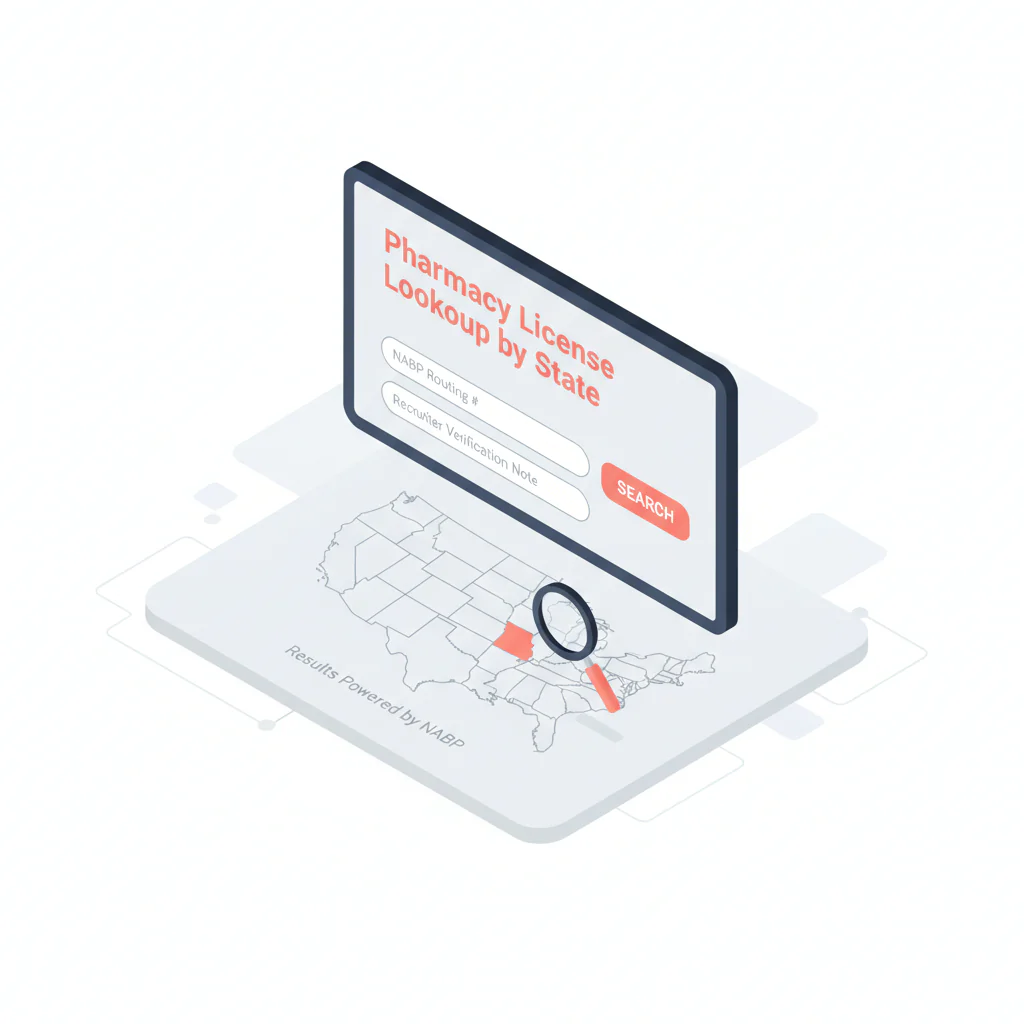
Pharmacy license lookup by state
Ben Argeband, Founder & CEO of Heartbeat.ai — Directory + what recruiters should log.
Pharmacist recruiting slows down when verification isn’t reproducible. Licenses are state-based, board tools vary, and “status” labels aren’t standardized. If your team can’t re-check what you saw (and when), you’ll get submission rework or credentialing stalls.
This hub gives you a board-first workflow for pharmacy license lookup across states, plus a recruiter-ready way to capture the identifiers that matter every time.
What’s on this page:
Who this is for
Recruiters verifying pharmacists before outreach/credentialing steps—agency recruiters, in-house TA, MSP/VMS teams, and credentialing coordinators who need consistent documentation of license status and identifiers.
On this page:
- Quick Answer (what to do, fast)
- Board-first framework (how to avoid wrong-source verification)
- Step-by-step method (including edge cases)
- Micro-assets: fields-to-capture table, weighted checklist, outreach templates
Quick Answer
- Core Answer
- Use NABP to reach the correct state board of pharmacy, verify the pharmacist’s license status on the official state site, and log identifiers with a timestamp.
- Key Insight
- Verification differs by state; board-first routing plus standardized logging prevents rework and makes your checks auditable.
- Best For
- Recruiters verifying pharmacists before outreach/credentialing steps.
Compliance & Safety
This method is for legitimate recruiting outreach only. Always respect candidate privacy, opt-out requests, and local data laws. Heartbeat does not provide medical advice or legal counsel.
Minimum viable verification (what must be in your note):
- State + license number
- License status (exact label) + verification timestamp
- Source URL (or board path notes if the URL is session-based)
Framework: The “Board First” Rule: don’t rely on random directories
In recruiting ops, the only defensible verification is the official source: the state board of pharmacy. Aggregators and random directories can be stale or mismatched. NABP supports boards and is a reliable way to route to the right board site, but you still verify on the official state source and record what it shows.
The trade-off is… board sites take longer than a single “search everything” box, but you reduce submission rework because your verification is reproducible.
Step-by-step method
Step 1: Confirm which state(s) you must verify
- Work state: where the pharmacist will practice.
- Additional states: if the role spans multiple locations or your client requires multi-state verification.
Do not assume one license covers multiple states. Pharmacist licenses are state-based.
Step 2: Route to the correct board using NABP
Use NABP’s Boards of Pharmacy directory to select the state and click through to the official board site. This avoids lookalike sites and outdated bookmarks.
Source: NABP Boards of Pharmacy directory.
Step 3: Run the official verification on the state board site
On the state board of pharmacy site, find the verification tool. Common labels include: “License Lookup,” “Verify a License,” “License Search,” “Licensee Search,” “Online Services,” or “Lookup a License.”
Search using the strongest identifiers you have:
- License number (best when available)
- Full legal name (watch hyphens, middle initials)
- City or ZIP (if supported)
Step 4: Handle edge cases without guessing
- If the board tool is down: log the outage (date/time) and set a re-check task. Don’t submit as “verified” until you can reproduce the result.
- If the board site has no online verification: call the board using the contact info listed in the NABP directory; log the call date/time and what they confirmed.
- If “no record found”: confirm name variants (maiden name, hyphenation), request the license number from the candidate, and re-run the search.
- If multiple matches appear: do not pick the closest match—use license number or another board-supported identifier to confirm the correct pharmacist.
- If key fields are missing on the board page: record “not shown” explicitly (don’t leave blanks that look like you forgot).
Step 5: Capture the minimum recruiter-proof fields (standard note)
- State
- License number
- License status (exact label)
- Name on license (exact spelling)
- License type (record the exact label shown, if present)
- Issue date (if shown)
- Expiration/renewal date (if shown)
- Verification source URL (or board path notes if the URL is session-based)
- Verification timestamp (with time zone)
ATS/CRM verification note example (copy/paste)
Pharmacist license verification: [State] — License #[License Number]. Status: [Exact Status Label]. Name on license: [Exact Name]. Exp/Renewal: [Date or Not Shown]. Verified via [State Board of Pharmacy] at [Source URL or Path Notes] on [Timestamp, Time Zone].
Step 6: Use a consistent definition for license status
License status definition: the current standing of a license as displayed by the official state board of pharmacy verification system at the time you checked (e.g., Active, Inactive, Expired, Lapsed, Suspended). Record the exact label shown and the timestamp of your check.
Do not interpret disciplinary history or infer meaning beyond what the board displays.
Diagnostic Table:
DIRECTORY_TABLE (uniqueness hook): Use this as your “fields to capture” standard. It’s designed for recruiter handoffs and QA.
| Field to capture | Where it appears | What to do if missing | How to store it |
|---|---|---|---|
| State | State board of pharmacy verification page | Confirm you’re on the correct board site via NABP | Structured field (state code + name) |
| License number | Board verification result | Request from candidate; re-run search | Exact string (keep leading zeros) |
| License status (exact label) | Board verification result | Record the label shown; if unclear, note “unclear” and re-check later | Picklist + raw label text |
| Name on license | Board verification result | Ask candidate for exact name used on license | Text field (exact spelling) |
| License type (exact label) | Board verification result (if shown) | Record “not shown” | Picklist + raw label text |
| Issue date | Board verification result (if shown) | Record “not shown” | Date field + “not shown” option |
| Expiration/renewal date | Board verification result (if shown) | Record “not shown”; set a reminder to re-check close to start date | Date field + task/reminder |
| Verification source URL or path notes | Your browser | If the URL is session-based, store the board homepage + clicks used | URL field + notes |
| Verification timestamp | Your workflow | If you forgot, re-run the check and log it correctly | Date-time field (with time zone) |
By-state routing (use NABP as the state selector)
This table is intentionally lightweight: it gives recruiters a by-state browsing experience without forcing you to maintain 50 separate board URLs. For each state, click into NABP, then route to the official board site and find the license verification tool.
| State | Route via NABP | Recruiter reminder |
|---|---|---|
| Alabama | Select Alabama in NABP | Log exact status label + timestamp |
| Alaska | Select Alaska in NABP | Save source URL or path notes |
| Arizona | Select Arizona in NABP | Confirm correct match before logging |
| Arkansas | Select Arkansas in NABP | Record “not shown” for missing fields |
| California | Select California in NABP | Re-check close to start date if required |
| Colorado | Select Colorado in NABP | Log exact status label + timestamp |
| Connecticut | Select Connecticut in NABP | Save source URL or path notes |
| Delaware | Select Delaware in NABP | Confirm correct match before logging |
| Florida | Select Florida in NABP | Record “not shown” for missing fields |
| Georgia | Select Georgia in NABP | Log exact status label + timestamp |
| Hawaii | Select Hawaii in NABP | Save source URL or path notes |
| Idaho | Select Idaho in NABP | Confirm correct match before logging |
| Illinois | Select Illinois in NABP | Record “not shown” for missing fields |
| Indiana | Select Indiana in NABP | Log exact status label + timestamp |
| Iowa | Select Iowa in NABP | Save source URL or path notes |
| Kansas | Select Kansas in NABP | Confirm correct match before logging |
| Kentucky | Select Kentucky in NABP | Record “not shown” for missing fields |
| Louisiana | Select Louisiana in NABP | Log exact status label + timestamp |
| Maine | Select Maine in NABP | Save source URL or path notes |
| Maryland | Select Maryland in NABP | Confirm correct match before logging |
| Massachusetts | Select Massachusetts in NABP | Record “not shown” for missing fields |
| Michigan | Select Michigan in NABP | Log exact status label + timestamp |
| Minnesota | Select Minnesota in NABP | Save source URL or path notes |
| Mississippi | Select Mississippi in NABP | Confirm correct match before logging |
| Missouri | Select Missouri in NABP | Record “not shown” for missing fields |
| Montana | Select Montana in NABP | Log exact status label + timestamp |
| Nebraska | Select Nebraska in NABP | Save source URL or path notes |
| Nevada | Select Nevada in NABP | Confirm correct match before logging |
| New Hampshire | Select New Hampshire in NABP | Record “not shown” for missing fields |
| New Jersey | Select New Jersey in NABP | Log exact status label + timestamp |
| New Mexico | Select New Mexico in NABP | Save source URL or path notes |
| New York | Select New York in NABP | Confirm correct match before logging |
| North Carolina | Select North Carolina in NABP | Record “not shown” for missing fields |
| North Dakota | Select North Dakota in NABP | Log exact status label + timestamp |
| Ohio | Select Ohio in NABP | Save source URL or path notes |
| Oklahoma | Select Oklahoma in NABP | Confirm correct match before logging |
| Oregon | Select Oregon in NABP | Record “not shown” for missing fields |
| Pennsylvania | Select Pennsylvania in NABP | Log exact status label + timestamp |
| Rhode Island | Select Rhode Island in NABP | Save source URL or path notes |
| South Carolina | Select South Carolina in NABP | Confirm correct match before logging |
| South Dakota | Select South Dakota in NABP | Record “not shown” for missing fields |
| Tennessee | Select Tennessee in NABP | Log exact status label + timestamp |
| Texas | Select Texas in NABP | Save source URL or path notes |
| Utah | Select Utah in NABP | Confirm correct match before logging |
| Vermont | Select Vermont in NABP | Record “not shown” for missing fields |
| Virginia | Select Virginia in NABP | Log exact status label + timestamp |
| Washington | Select Washington in NABP | Save source URL or path notes |
| West Virginia | Select West Virginia in NABP | Confirm correct match before logging |
| Wisconsin | Select Wisconsin in NABP | Record “not shown” for missing fields |
| Wyoming | Select Wyoming in NABP | Log exact status label + timestamp |
| District of Columbia | Select District of Columbia in NABP | Save source URL or path notes |
Weighted Checklist:
Use this to decide whether your verification note is submission-ready. Score each item 0–2 (0 = missing, 1 = partial, 2 = complete). Total possible: 12.
- (2) Official source confirmed: you reached the correct state board of pharmacy site via NABP routing
- (2) License number captured: exact match to board record
- (2) License status captured: exact label + timestamp
- (2) Identity confidence: no unresolved duplicates; name on license recorded
- (2) Renewal risk captured: expiration/renewal date recorded or “not shown” explicitly
- (2) Audit trail stored: source URL or board path notes saved in ATS/CRM
Ops rule: If any of these are missing—state, license number, license status label, verification timestamp, and source—pause submission until you can reproduce the verification.
Outreach Templates:
Templates that keep verification clean and candidate-friendly. The goal is to confirm identifiers and schedule a call, not to interrogate.
Template 1: License number confirmation (email)
Subject: Quick confirm for your pharmacist license record
Hi [First Name] — I’m recruiting for a pharmacist role in [State]. Before I move you forward, can you confirm your [State] license number and the name it’s under? I’ll verify it with the state board of pharmacy and use it only for recruiting and credentialing coordination.
Thanks,
[Your Name]
Template 2: Fast verification + scheduling (text)
Hi [First Name] — recruiting pharmacist roles in [State]. Can you share your [State] license # so I can verify license status with the board and get you submitted? If yes, what’s a good 10-min window today?
Template 3: Duplicate-name resolution (phone opener)
“I’m seeing multiple matches on the board lookup for your name. What’s the license number (or the exact name on the license) so I verify the right record and don’t waste your time?”
Common pitfalls
- Using non-official directories as the final answer. Use NABP to route, then verify on the official state board of pharmacy site.
- Logging “Active” without the exact label and timestamp. Status labels vary; your note must be reproducible.
- Guessing when there are multiple matches. Require the license number or another board-supported identifier.
- Leaving blanks instead of “not shown.” Blanks look like missed work; “not shown” is a clear outcome.
- Over-interpreting what you see. Record what the board displays; do not interpret discipline or make conclusions about suitability.
How to improve results
Standardize the verification note in your ATS/CRM
Use the copy/paste note above or convert it into structured fields. Consistency is what makes re-checks fast and QA possible.
Set a freshness rule for re-checks
Because license status can change, define when you re-verify (common checkpoints: before submission and again close to start date, per client policy). Keep the rule consistent across clients and states.
Run a lightweight QA loop
- Re-check a small sample of recent verifications on a recurring cadence and document the QA result in your ATS/CRM.
- Confirm the routing still works (NABP → board site → verification tool) and the recorded license status label matches what the board shows.
- Coach the misses: wrong-state routing, missing timestamps, and duplicate-match guessing are the usual culprits.
Measurement instructions (required)
Measure this by… tracking two operational counters in your pipeline:
- Verification completion rate = verified pharmacist records with all required fields captured / pharmacist records moved to submission stage (reported per 100 submissions).
- Rework rate = submissions returned for missing/incorrect license details / total submissions (reported per 100 submissions).
Legal and ethical use
- Use license lookup for legitimate recruiting and credentialing preparation only.
- Minimize data: capture only what you need to verify identity and license status.
- Honor opt-out requests and follow applicable local data laws and your organization’s policies.
- Do not interpret disciplinary actions or infer meaning beyond what the board displays.
- Heartbeat.ai does not provide medical advice or legal counsel.
Evidence and trust notes
NABP provides a reliable directory to route you to the correct board site. Always complete verification on the official state board of pharmacy source:
Boards can update records with delays. That’s why you log an as-of timestamp and re-check again close to start date when your process requires it.
How Heartbeat.ai approaches data quality, verification, and responsible use: Heartbeat trust methodology.
Related recruiting workflow: pharmacist contact data for recruiting. For broader navigation across license hubs: state license lookups.
FAQs
Is a pharmacist license national or state-based?
State-based. Verify with the state board of pharmacy for the state where the pharmacist will practice.
What should I record from a state board of pharmacy verification page?
At minimum: state, license number, license status (exact label), name on license, and a verification timestamp. If shown, also record license type, issue date, and expiration/renewal date, plus the source URL (or path notes).
What does “license status” mean in this workflow?
License status is the current standing of the license as displayed by the official state board of pharmacy verification system at the time you checked. Record the exact label and the timestamp.
Can I rely on NABP alone for verification?
Use NABP to route to the correct board site, then verify on the official state board of pharmacy source. Your verification note should reference the official board result and when you checked it.
What if the board site shows multiple matches for the same name?
Don’t guess. Ask the candidate for the license number (or the exact name on the license) and re-run the search to confirm the correct pharmacist record.
Next steps
- Route to the correct board: NABP Boards of Pharmacy directory.
- Use the broader hub for adjacent verification workflows: state license lookups.
- If you need to source and reach pharmacists faster with a workflow that fits recruiting ops, start free search & preview data.
About the Author
Ben Argeband is the Founder and CEO of Swordfish.ai and Heartbeat.ai. With deep expertise in data and SaaS, he has built two successful platforms trusted by over 50,000 sales and recruitment professionals. Ben’s mission is to help teams find direct contact information for hard-to-reach professionals and decision-makers, providing the shortest route to their next win. Connect with Ben on LinkedIn.