Recruiter capacity planning physician recruiting
Ben Argeband, Founder & CEO of Heartbeat.ai — Make it spreadsheet math + real recruiting language.
Physician recruiting capacity breaks in two places: reach (gatekeepers, clinic hours, private practice owners, wrong numbers) and admin drag (ATS updates, scheduling, duplicate cleanup, contact refresh). If you plan headcount off “reqs per recruiter,” you’ll overload the team the moment connectability dips or admin spikes.
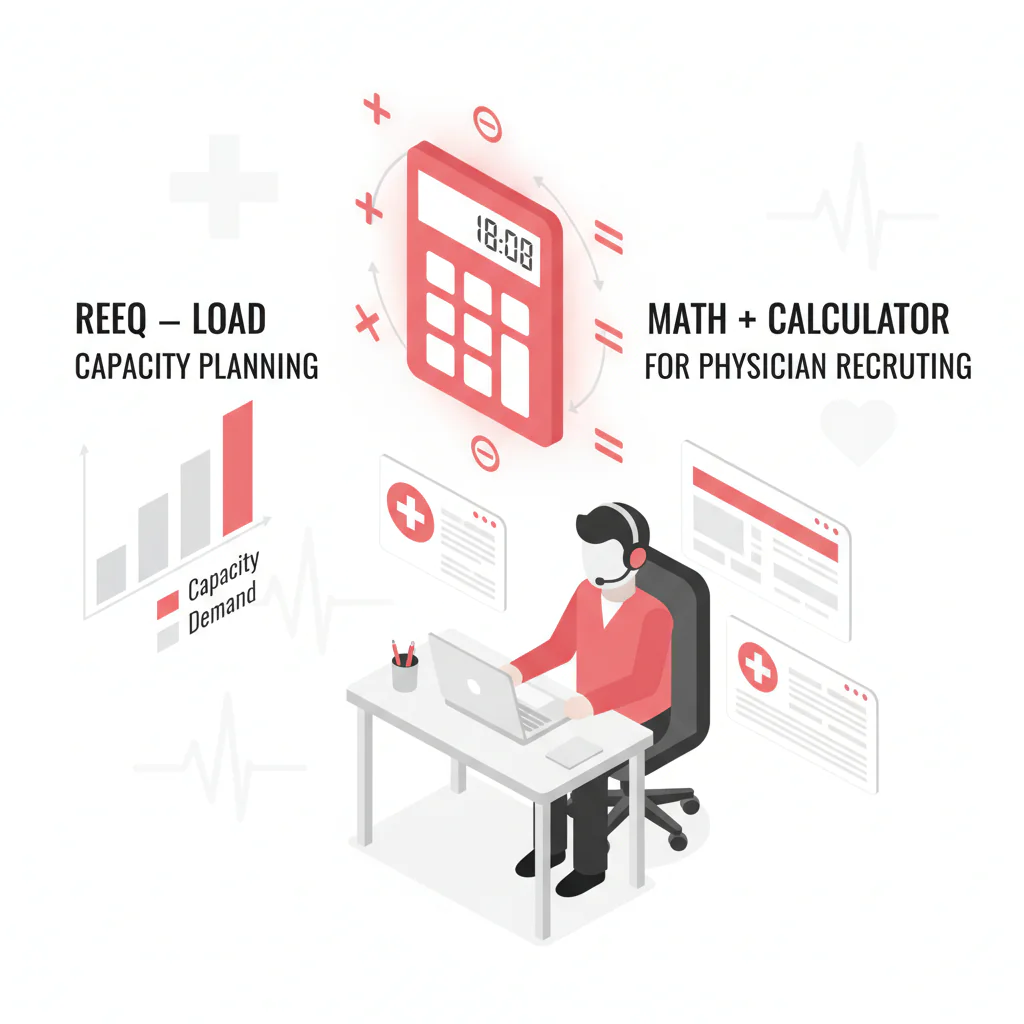
This playbook gives you a math-first staffing model that outputs safe active reqs per recruiter and a staffing estimate using your own inputs: outreach attempts per placement, connect rate, time per attempt, and admin hours. It’s built for speed-to-submittal and workflow fit, not generic HR theory.
What’s on this page:
Who this is for
Recruiting leaders planning headcount and setting realistic req loads for physician roles (in-house, agency, or hybrid) who need a defensible answer to:
- How many active reqs can one recruiter carry without missing follow-ups?
- How many recruiters do we need for next month’s req load?
- Should we hire, automate, or fix contact data first?
Quick Answer
- Core Answer
- Calculate weekly attempt capacity, divide by outreach attempts per placement, then cap active reqs by required attempts per req per week to protect speed-to-submittal.
- Key Statistic
- Heartbeat observed typicals (Q1 2026): 100–200 outreach attempts per placement; connect rate ~10% (about 10 connected calls per 100 dials).
- Best For
- Recruiting leaders planning headcount and setting realistic req loads.
Compliance & Safety
This method is for legitimate recruiting outreach only. Always respect candidate privacy, opt-out requests, and local data laws. Heartbeat does not provide medical advice or legal counsel.
TL;DR lookup:
- Inputs: admin hours, time per attempt, connect rate, attempts per placement, attempts per active req per week.
- Outputs: placements per recruiter per week, and a safe cap for active reqs per recruiter.
- Fast diagnosis: if connect rate drops, your “req capacity” drops even if recruiters work the same hours.
- Fix order: reachability + suppression → automation/ATS enrichment → then headcount.
- CTA: start free search & preview data to see how much wasted dialing you can remove before hiring.
Framework: The “Stop Overloading Recruiters” Model: inputs → throughput → staffing
Capacity planning in physician recruiting is a throughput model with constraints. Use three layers:
- Inputs: time, admin load, reachability, and conversion assumptions.
- Throughput: how many quality outreach attempts a recruiter can execute per week while keeping the ATS usable.
- Staffing: recruiters needed (or req load per recruiter) to hit submittals and placements.
Capacity is constrained by reach and admin time. Automations increase capacity. Better contact data increases the share of attempts that turn into real conversations.
Step-by-step method
Step 1) Define an outreach attempt (so your math isn’t fiction)
Outreach attempt definition: one discrete outbound touch to a specific physician (or decision-maker) through a single channel (call, email, text), with a logged outcome (connected, left voicemail, bounced, replied, wrong number, etc.).
Rule: if it isn’t logged with an outcome, it doesn’t count for capacity planning.
Step 2) Define capacity in weekly attempt capacity (not req count)
Capacity definition: the number of quality outreach attempts a recruiter can execute per week at an acceptable admin burden, while maintaining pipeline hygiene (notes, stages, next steps).
Start with time budgeting:
- Total weekly hours (e.g., 40)
- Admin hours (intakes, scheduling, ATS updates, reporting)
- Net outreach hours = total weekly hours − admin hours
Convert time to attempts:
- Time per attempt (minutes): dialing + voicemail + logging + immediate follow-up (if your process requires it).
- Weekly attempt capacity = (net outreach hours × 60) ÷ time per attempt
The trade-off is… if you force time per attempt down without improving data quality and workflow, you’ll inflate “attempts” while reducing meaningful conversations and submittals.
Step 3) Use your attempts-per-placement (first-party) and update monthly
You need one conversion anchor: outreach attempts per placement. Use your own historical data if you have it. If you don’t, start with a planning range and tighten it after 30–60 days of clean logging.
Define “placement” for your team and keep it consistent (for example: accepted offer for perm; start date for locums).
- Heartbeat observed typicals (Q1 2026): 100–200 outreach attempts per placement.
Keep it segmented by specialty and setting. A hospital-employed role and a private practice owner role can behave differently.
Step 4) Track connect rate (because attempts aren’t equal)
Two recruiters can do the same number of dials and get different outcomes if one is dialing better numbers at better times.
- Connect Rate = connected calls / total dials (report as connected calls per 100 dials).
Use connect rate as your reachability signal for call-heavy workflows. If connect rate drops, your effective capacity drops. If you want to quantify how better contact data changes throughput, pair this with how to measure contact data ROI in recruiting ops.
Step 5) Convert attempt capacity into placement capacity
Once you have weekly attempt capacity and attempts per placement:
- Weekly placements per recruiter = weekly attempt capacity ÷ outreach attempts per placement
This is the cleanest way to talk about “capacity” without arguing about req counts.
Step 6) Convert placement capacity into a safe active req cap
Req load should be based on active reqs (reqs that require weekly outbound activity), not “owned reqs.”
Set a minimum activity standard per active req:
- Attempts per active req per week: the minimum outreach attempts you expect to keep a req moving (calls + emails + texts + follow-ups).
Qualitative intensity tiers (so you can standardize without arguing about exact counts):
- Low intensity: maintenance mode (pipeline exists; you’re keeping warm outreach and follow-ups moving).
- Medium intensity: steady build (you need new candidates weekly and consistent follow-up windows).
- High intensity: urgent fill (tight follow-up SLAs; more same-week touches; more scheduling coordination).
Then cap active reqs by attempt capacity:
- Safe active req cap per recruiter = weekly attempt capacity ÷ attempts per active req per week
This is the number most leaders actually need for staffing and req assignment.
Step 7) Physician-specific workflow: call windows + gatekeeper routing
Physician outreach is not a 9-to-5 desk job. If you don’t plan around call windows, you’ll burn attempts on gatekeepers and voicemail loops.
- Call blocks: protect two outbound blocks aligned to clinic gaps (often early morning and late afternoon). Keep them meeting-free.
- Gatekeeper routing: log the best callback window and the best path (direct line vs provider office vs email review).
- Disposition discipline: every attempt gets an outcome so your attempts-per-placement becomes real.
For a deeper call-block design, use: call block math for physician recruiting.
Diagnostic Table:
Use this in weekly ops review to decide whether you have a staffing problem, a reach problem, or an admin/workflow problem.
| Symptom | What it usually means | What to measure | Fix that increases capacity |
|---|---|---|---|
| High dials, low conversations | Reach problem (wrong numbers, bad timing, gatekeepers) | Connect Rate = connected calls / total dials (per 100 dials) | Refresh contact data, suppress wrong numbers, protect call blocks, reduce wasted dials with ATS enrichment |
| Good conversations, slow submittals | Admin drag or scheduling friction | Minutes from “interested” to “submitted” (median) | Automation for follow-ups + scheduling; tighter intake notes; coordinator support |
| Lots of outreach, few qualified candidates | Targeting problem | Qualification pass rate after first live conversation | Sharper intake, better search filters, suppression of out-of-scope profiles |
| Recruiters are busy but ATS is messy | Workflow mismatch | Admin hours/week vs planned; rework rate (duplicate cleanup time) | ATS enrichment, standardized dispositions, fewer required fields |
| Capacity swings week to week | Interruptions and unplanned meetings | Outbound block adherence (% of planned blocks completed) | Protected outbound blocks + triage rules for “fires” |
Weighted Checklist:
Goal: decide whether to add headcount, improve reachability, or automate. Score each item 0–2 (0 = no, 1 = partial, 2 = yes). Multiply by weight.
| Decision area | Question | Weight | Score (0–2) | Weighted score |
|---|---|---|---|---|
| Reachability | Do we have reliable direct dials and deliverable emails for our target physicians? | 3 | ||
| Reachability | Is connect rate stable week-to-week (connected calls / total dials per 100 dials)? | 3 | ||
| Process | Do recruiters have protected outbound blocks at the right call windows? | 2 | ||
| Admin load | Is ATS enrichment automated (contact + specialty + location + suppression) instead of manual? | 3 | ||
| Conversion | Do we know our outreach attempts per placement from first-party logs? | 3 | ||
| Staffing | Are follow-ups slipping because recruiters are carrying too many active reqs? | 2 |
Interpretation:
- If reachability scores low, fix contact data + suppression before hiring.
- If admin load scores low, automate and add ATS enrichment before hiring.
- If everything scores high and targets still miss, add recruiter capacity or reduce req load.
Outreach Templates:
Short templates that fit physician reality (clinic hours, gatekeepers, short attention windows). Keep them tight and log outcomes.
Standard dispositions (use these for clean measurement)
- Connected
- Left voicemail
- Gatekeeper (no transfer)
- Wrong number
- Do not contact (opt-out)
- Email bounced
- Replied (email/text)
Template 1: Call opener (direct physician line)
- Opener: “Dr. [Last], this is [Name]. I’m calling about a [specialty] role in [region]. Do you have 20 seconds for the headline?”
- Headline: “It’s [setting], [schedule/call], comp range [range]. If I send a 3-bullet summary, what’s the best email?”
- Close: “If it’s not you, who’s the right person in your group to talk to?”
Template 2: Gatekeeper-friendly ask (clinic front desk)
- “I’m trying to reach Dr. [Last] about a physician opportunity. What’s the best time to call when they’re between patients?”
- “Is there a direct line for the provider office, or should I email a one-page summary for review?”
Template 3: Email (first touch)
- Subject: “[Specialty] role — [city] schedule + comp”
- Body: “Dr. [Last] — recruiting for a [specialty] opening in [region]. 3 bullets: (1) [setting], (2) [schedule/call], (3) [comp range]. If you’re open, I’ll send details and a 10-minute time slot. If not, who should I speak with?”
Template 4: Text (after permission or warm context)
- “Dr. [Last], [Name] here. Sent a 3-bullet summary to [email]. Want me to hold a 10-min slot this week or should I close the loop?”
Common pitfalls
Pitfall 1: Planning off req count instead of attempt capacity
If you start with “each recruiter can handle X reqs,” you’ll miss the real constraint: how many quality attempts they can execute while keeping follow-up tight.
Pitfall 2: Treating all attempts as equal
A dial to a verified mobile is not the same as a dial to a hospital main line. If you don’t separate “attempts” from “effective attempts,” your model will overestimate capacity.
Pitfall 3: Ignoring admin time (then blaming recruiters)
Credentialing coordination, scheduling, and ATS hygiene are real work. If you don’t budget admin hours, you’ll steal them from outbound time and the pipeline stalls.
Pitfall 4: Using stale contact data without suppression
Buying static lists is risky because of decay. The modern standard is Access + Refresh + Verification + Suppression. If you don’t suppress wrong numbers, bounced emails, and opt-outs, your reachability drops and your capacity plan quietly fails.
Pitfall 5: Not separating active reqs from owned reqs
Recruiters can “own” 40 reqs, but only 12 might be truly active. Capacity planning should be based on active reqs that require weekly outbound activity.
How to improve results
1) Capacity Calculator worksheet (uniqueness hook)
Calculator block note: Create a spreadsheet tab called Capacity. Use the table below as your exact layout so leaders can audit assumptions quickly.
| Cell | Input / Output | Definition | Value |
|---|---|---|---|
| B2 | Total weekly hours | Hours per recruiter per week | |
| B3 | Admin hours | Intakes, scheduling, ATS updates, reporting | |
| B4 | Net outreach hours | =B2-B3 | |
| B5 | Time per attempt (minutes) | Dial/email/text + logging + immediate follow-up | |
| B6 | Weekly attempt capacity | = (B4*60)/B5 | |
| B7 | Outreach attempts per placement | Your first-party observed typical (segment by specialty) | |
| B8 | Placements per recruiter per week | =B6/B7 | |
| B9 | Attempts per active req per week | Minimum activity standard to keep a req moving | |
| B10 | Safe active req cap per recruiter | =B6/B9 |
Symbolic example (no numbers): if admin hours (B3) increase, net outreach hours (B4) decrease, so weekly attempt capacity (B6) decreases. That lowers placements per recruiter (B8) and lowers your safe active req cap (B10). If leadership adds reqs anyway, follow-ups slip first.
How to use it: B10 is your “reqs per recruiter” cap for active reqs. If leadership wants to add reqs, they must either increase B6 (capacity) or reduce B9 (required weekly activity) without harming outcomes.
2) Add a sensitivity table (attempts 100 vs 200; connect 5 vs 10 vs 15%)
Put this next to the calculator so everyone sees how reachability changes the plan. Use connect rate as your early warning signal.
| Scenario | Outreach attempts per placement | Connect Rate (connected calls / total dials per 100 dials) | Operational implication |
|---|---|---|---|
| Best-case reach | 100 | 15% | More live conversations per dial block; faster qualification; less follow-up waste |
| Planning typical | 100 | 10% | Balanced; requires consistent call blocks and clean dispositions |
| Low reach | 100 | 5% | More time burned on wrong numbers/gatekeepers; prioritize refresh + suppression |
| Hard search | 200 | 15% | More attempts needed; protect outbound time and tighten targeting |
| Hard search (planning typical) | 200 | 10% | Expect slower fills unless you add capacity or reduce active req cap |
| Hard search + low reach | 200 | 5% | Plan breaks; fix reachability before adding reqs or headcount |
3) Measurement instructions (weekly ops cadence)
Measure this by… running a weekly funnel review per recruiter and per specialty line: attempts → connects → qualified → submitted → placed.
- Connect Rate = connected calls / total dials (report per 100 dials).
- Outreach attempts per placement = total logged outreach attempts / placements (report per placement, segmented by specialty).
- Capacity utilization = logged outreach attempts / weekly attempt capacity (report per recruiter per week).
Operating rule: if connect rate drops for two consecutive weeks, treat it as a reachability/workflow issue (refresh, suppression, call windows) before treating it as a recruiter performance issue.
4) Increase capacity without hiring (reduce waste first)
- ATS enrichment: auto-fill contact fields, specialty, location, and suppress duplicates so recruiters aren’t doing data entry mid-flow.
- Automation: templated follow-ups, sequences, and standardized dispositions.
- Reachability: fewer wrong numbers and bounces means fewer wasted attempts and better connect rate.
Legal and ethical use
Physician outreach is high-trust and high-scrutiny. Keep your process clean:
- Only contact for legitimate recruiting purposes and document your process where required.
- Honor opt-out requests immediately and suppress future outreach.
- Don’t misrepresent the role, compensation, or urgency.
- Keep sensitive information out of free-text notes when it’s not required for recruiting decisions.
Evidence and trust notes
We build these playbooks from operational recruiting workflows and what we see in real outreach systems. For how Heartbeat.ai evaluates data quality, refresh, and suppression, read our trust methodology.
Reference (context only; not a benchmark): U.S. Bureau of Labor Statistics: Human Resources Managers.
FAQs
How do I estimate outreach attempts per placement if my ATS data is messy?
Run a 2-week logging sprint: require every call/email/text to be logged with an outcome. Then compute total attempts divided by placements, segmented by specialty. Replace planning assumptions with your observed typical.
What connect rate should I plan around for physician calls?
Plan around your own dial logs. Connect Rate = connected calls / total dials (per 100 dials). Use the median week, not the best week.
How do I turn attempt capacity into a req cap?
Set a minimum attempts-per-active-req-per-week standard (B9 in the calculator). Then cap active reqs using: weekly attempt capacity ÷ attempts per active req per week.
Should I hire more recruiters or invest in automation first?
If admin hours are eating outbound blocks, automation and ATS enrichment usually increase capacity faster than hiring. If reachability is poor (low connect rate, wrong numbers), fix contact data and suppression first or you’ll scale wasted attempts.
Where does Heartbeat.ai fit in this capacity planning workflow?
Heartbeat.ai supports reachability and admin reduction: contact discovery, suppression, and ATS enrichment so recruiters spend more time on real conversations and less on rework. If you need fast contact discovery for a target list, see bulk physician lookup for recruiting outreach.
Next steps
- Build the Capacity worksheet (cells B2–B10) and fill it with your current assumptions.
- Run the sensitivity table and decide what breaks first: reachability, admin time, or attempts per placement.
- Protect outbound blocks and standardize dispositions so your data stays clean.
- start free search & preview data and pressure-test how much wasted dialing you can remove before adding headcount.
About the Author
Ben Argeband is the Founder and CEO of Swordfish.ai and Heartbeat.ai. With deep expertise in data and SaaS, he has built two successful platforms trusted by over 50,000 sales and recruitment professionals. Ben’s mission is to help teams find direct contact information for hard-to-reach professionals and decision-makers, providing the shortest route to their next win. Connect with Ben on LinkedIn.