Physician email list: a deliverability-first workflow for recruiter outreach
Ben Argeband, Founder & CEO of Heartbeat.ai — Cautious, practical; hygiene + compliance first.
What’s on this page:
Who this is for
This is for recruiters who want physician email outreach that lands and gets replies—and who don’t want to burn their domain reputation, create suppression chaos, or waste cycles on stale contacts.
If you’re here because you need access fast, you’re in the right place. The safest way to use a physician email list is as a workflow: verification, segmentation, and suppression—then measure and iterate.
Quick Answer
- Core Answer
- Use a physician email list as access you refresh: verify before sending, segment by setting and constraints, suppress opt-outs and bounces, and monitor deliverability weekly.
- Key Insight
- Static lists decay; inbox placement depends on hygiene (verification + suppression) before you scale volume.
- Best For
- Recruiters who want physician email outreach that lands and gets replies.
Compliance & Safety
This method is for legitimate recruiting outreach only. Always respect candidate privacy, opt-out requests, and local data laws. Heartbeat does not provide medical advice or legal counsel.
Primary page for this topic: https://heartbeat.ai/resources/provider-contact-data/buy-physician-email-list-pros-cons/
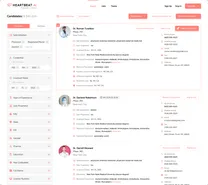
If you want to see what access looks like before you commit, you can start free search & preview data here: Heartbeat signup.
Framework: The “Reply Rate” Stack: Deliverability → Relevance → Timing
When physician outreach underperforms, teams usually blame “bad emails.” In practice, replies are a stack:
- Deliverability: your message reaches the inbox (not bounced, not filtered).
- Relevance: the role matches the physician’s reality (setting, schedule, call, autonomy).
- Timing: you hit a window where they can read and respond.
The trade-off is… you can’t reliably improve relevance and timing if deliverability is unstable. So the workflow starts with hygiene and measurement, then moves up the stack.
Step-by-step method
Step 1) Treat “list” as access, not a one-time asset
Buying a file and blasting it is risky because of decay. The modern standard is Access + Refresh + Verification + Suppression.
- Access: you can find the right physicians quickly.
- Refresh: records update as physicians move groups or patterns change.
- Email verification: you validate before sending to reduce bounces and protect reputation.
- Suppression: you prevent repeat outreach to opt-outs, hard bounces, and complaints.
If you’re evaluating sources, review how Heartbeat.ai approaches data and how records are maintained.
Step 1A) What to request from a provider (so it’s usable)
| Requirement | What to ask for | Why it matters |
|---|---|---|
| Refresh | Last refreshed date + refresh cadence by source | Reduces decay and repeat bounces |
| Verification | When verification runs (right before sending vs only when the record was first collected) + how hard bounces are handled | Protects Bounce Rate and Deliverability Rate |
| Suppression support | How opt-out and complaint suppression is enforced across exports | Prevents re-mailing opt-outs |
| Fields | Email, specialty, setting, location, organization, role, last verified date | Enables segmentation that improves Reply Rate |
Step 2) Define the metrics you’ll manage (so the team stops arguing)
Use consistent definitions and always state the denominator:
- Deliverability Rate = delivered emails / sent emails (per 100 sent emails).
- Bounce Rate = bounced emails / sent emails (per 100 sent emails).
- Reply Rate = replies / delivered emails (per 100 delivered emails).
These three are enough to run a clean physician email channel. If deliverability is unstable, reply rate becomes noise.
Step 3) Build segmentation that matches physician reality
“Physician” is not a segment. Segmenting is how you reduce wasted sends and protect deliverability.
- Setting: hospital-employed vs private practice vs academic vs FQHC
- Role: attending vs fellow vs medical director
- Constraints: clinic hours, procedural blocks, call windows, location flexibility
- Decision drivers: autonomy, support, call burden, comp model
Example segment (copy/paste): “Hospital-employed {Specialty}, weekday clinic, 1:6 call, wants predictable schedule.” Your email should lead with schedule/call and team support, not generic “great opportunity” language.
Step 3A) Handle hospital domains differently
- Start with smaller batches to hospital domains and expand only after stable deliverability and replies.
- Monitor performance by recipient domain; hospital filters can behave differently than Gmail/Outlook.
- Don’t re-send to unverified addresses on hospital domains; it’s an easy way to stack hard bounces.
Step 4) Implement suppression before you send anything
Suppression is where most teams lose control. If you don’t centralize it, you will re-email opt-outs and generate complaints.
- Opt-out: global suppression across all campaigns and tools.
- Hard bounces: unknown user/invalid address should be suppressed immediately.
- Spam complaints: never email again.
- Internal exclusions: already in process, placed, or “do not contact.”
For a practical cleanup workflow, use: how to clean a physician email list.
Step 5) Verify emails and protect your sending reputation
Email verification is how you keep bounce rate down and avoid reputation drift. If you’re running outreach at any meaningful scale, verification is a gate, not a nice-to-have.
- Verify before first send to a segment.
- Re-verify before re-sending to non-responders after time has passed.
- Auto-suppress hard bounces so they can’t be re-added later.
Implementation details here: email verification for healthcare recruiting.
Step 6) Write for replies, not clicks
Physicians don’t want marketing copy. They want a fast read that answers: “Is this relevant, and what’s the next step?”
- One role per email.
- Three bullets max (setting, schedule/call, what’s different).
- One clear question to close (yes/no or two time options).
- Always include an opt-out line and honor it.
Step 7) Use multi-channel sequencing (email is one lane)
Email is fragile by itself. The best recruiting teams sequence email with calls and (where appropriate) text, using the channel that’s most likely to connect for that physician.
If you’re using Heartbeat.ai, one workflow advantage is having contact channels in one place, including ranked mobile numbers by answer probability, so you can prioritize follow-up without wasting dials.
Diagnostic Table:
| Symptom | What it usually means | Recruiter fix | Metric to watch (definition) |
|---|---|---|---|
| High bounces on first send | Stale addresses or no verification gate | Verify before sending; suppress hard bounces; refresh records before retrying | Bounce Rate = bounced / sent (per 100 sent) |
| Low replies but low bounces | Deliverability is acceptable; relevance is off | Tighten segmentation (setting + call); rewrite offer; reduce volume per segment | Reply Rate = replies / delivered (per 100 delivered) |
| Negative replies (“stop emailing me”) | Suppression gaps or unclear opt-out handling | Capture opt-outs centrally; add to global suppression; audit re-import paths | Internal opt-out events (count) + suppression coverage |
| Performance drops on Gmail/Google Workspace over time | Reputation drift from volume spikes or weak engagement | Slow down; focus on engaged segments; monitor domain reputation signals | Deliverability Rate = delivered / sent (per 100 sent) |
Weighted Checklist:
List Hygiene Readiness Checklist (worksheet)
Score each item 0–2 (0 = missing, 1 = partial, 2 = solid). Multiply by weight. If you score under 70%, fix hygiene before scaling sends.
| Area | What “good” looks like | Weight | Score (0–2) |
|---|---|---|---|
| Suppression governance | One global suppression list; enforced across tools; includes opt-out + hard bounce + complaint | 5 | |
| Suppression list fields (minimum) | Email, date added, reason (opt-out/bounce/complaint/DNC), source campaign, notes, owner | 5 | |
| Verification gate | Verification run before first send and before re-sends; hard bounces auto-suppressed | 4 | |
| Segmentation discipline | Segments reflect setting + call + constraints; no “all physicians” blasts | 3 | |
| Offer clarity | One role per email; 3 bullets max; clear next step | 2 | |
| Measurement cadence | Weekly review of deliverability, bounces, replies; changes logged | 3 |
Suppression list fields note: This is the minimum schema that prevents re-mailing opt-outs when lists get re-imported or merged.
Outreach Templates:
Use these as starting points. Keep them plain-text style. Always include a clear opt-out line.
Template 1: First touch (high relevance, low fluff)
Subject: {Specialty} role — {Setting} — {Call/Schedule note}
Hi Dr. {LastName}—I recruit physicians for {HealthSystem/Group}. I’m reaching out because your background in {Specialty/Focus} matches a role we’re filling in {City/Region}.
- Setting: {Hospital-employed / Private group / Academic}
- Schedule: {Clinic days / shifts} + {call details}
- What’s different: {autonomy / support / procedures / growth}
Worth a 10-minute call this week to see if it’s even in the right lane?
If you’d rather not get emails from me, reply “opt out” and I’ll suppress you.
Template 2: Follow-up (assume they’re busy)
Subject: Re: {Specialty} in {Region}
Dr. {LastName}—quick follow-up. If you’re not looking, no problem. If you’re open to hearing options, what’s easier: a call {TwoTimeOptions} or should I send a 3-bullet summary?
Opt-out: reply “opt out.”
Template 3: “Right person?” (reduces complaints)
Subject: Quick check — {Specialty} contact
Hi Dr. {LastName}—am I reaching you at the right email for recruiting outreach? If not, I’ll update my records and stop emailing this address.
Opt-out: reply “opt out.”
Template 4: Setting-specific variant (hospital-employed vs private practice)
Subject: {Specialty} — {Hospital-employed OR Private group} — {Call note}
Dr. {LastName}—quick note with context so you can decide fast.
- If hospital-employed: {support staff / schedule predictability / call structure} and who you report to.
- If private group: {partnership track / autonomy / buy-in expectations} and how call is shared.
- Non-negotiable: {one constraint that matters to this segment}
Should I send the full details, or is this not relevant right now?
Opt-out: reply “opt out.”
Common pitfalls
- Confusing “delivered” with “inbox.” Delivered means the server accepted it; inbox placement can still vary by reputation and engagement.
- No suppression discipline. If opt-outs live in a rep’s inbox or a spreadsheet, you will re-email people and generate complaints.
- Over-sending to cold segments. Volume spikes can tank reputation. Start smaller, prove engagement, then scale.
- One message for everyone. Setting and call expectations drive replies; segment or expect low response.
- Ignoring bounce reasons. Unknown-user bounces should be suppressed; repeated retries are a reputation leak.
How to improve results
This is where teams separate “we sent emails” from “we built a channel.”
Weekly dashboard (simple and actionable)
- Deliverability Rate = delivered emails / sent emails (per 100 sent emails), by domain and segment.
- Bounce Rate = bounced emails / sent emails (per 100 sent emails), by segment and source.
- Reply Rate = replies / delivered emails (per 100 delivered emails), by segment and template.
Measure this by… running a weekly “list health review” that answers three questions:
- Which segments have rising bounce rate (stale data or bad patterns)?
- Which segments have stable deliverability but low replies (relevance problem)?
- Which domains are degrading (reputation problem—slow down and focus on engaged recipients)?
Deliverability monitoring checklist
- Use Google Postmaster Tools if you send meaningful volume to Gmail to watch domain reputation signals.
- If reputation signals trend down, reduce volume, tighten segmentation to higher-intent groups, and pause cold sends until bounce and reply stabilize.
- Log changes (new segment, new template, volume increase) so you can attribute shifts.
If you need a practical hygiene workflow, start with how to clean a physician email list, then implement verification and suppression as gates.
Legal and ethical use
This is not legal advice. Requirements vary by jurisdiction and policy. Operate with respect and restraint:
- Consent & expectations: Use legitimate recruiting outreach practices, follow applicable laws and platform policies, and avoid deceptive messaging.
- Opt-out: Make it easy, honor it fast, and suppress globally.
- Access control: Limit who can export and send; keep suppression lists protected and centralized so opt-outs can’t be overwritten.
- Data minimization: Store only what you need to recruit; protect it; limit access.
- No harassment: If someone opts out or asks you to stop, stop.
For U.S. email compliance basics, review: CAN-SPAM Act Compliance Guide.
Evidence and trust notes
We publish how we think about sourcing, verification, and responsible use. Start here: Heartbeat trust methodology.
Deliverability is influenced by mailbox-provider rules and your sending reputation. References:
- Google Workspace deliverability basics
- Google Postmaster Tools (monitoring signals for domains sending to Gmail)
- FTC CAN-SPAM compliance guide
If you’re evaluating data sources, compare what’s maintained and how it’s structured in our data overview.
FAQs
Is a physician email list worth using for recruiting?
Yes—if you treat it as a verified, segmented channel with suppression. If you treat it as a blast list, you’ll usually pay for it in bounces, complaints, and lost inbox placement.
What does “deliverability tested” mean in practice?
It should mean you’re monitoring Deliverability Rate (delivered emails / sent emails, per 100 sent) and Bounce Rate (bounced emails / sent emails, per 100 sent) by segment and domain, then adjusting volume and hygiene based on trends.
How do I handle opt-out correctly for physician outreach?
Include a simple opt-out instruction in every email, capture it centrally, and suppress that address across all campaigns and tools.
How often should I refresh and re-verify my list?
Re-verify before first send to a segment and before any re-send to non-responders. Refresh records on a cadence that matches your outreach volume and specialty churn.
What’s the fastest way to improve reply rate without increasing volume?
Tighten segmentation (setting + call + constraints) and simplify the email to one role, three bullets, and one question. Then compare reply rate by segment (replies / delivered, per 100 delivered).
Next steps
- See what access + refresh looks like: start free search & preview data.
- Implement hygiene gates: email verification + suppression + segmentation.
- Need commercial details for planning: Heartbeat pricing.
About the Author
Ben Argeband is the Founder and CEO of Swordfish.ai and Heartbeat.ai. With deep expertise in data and SaaS, he has built two successful platforms trusted by over 50,000 sales and recruitment professionals. Ben’s mission is to help teams find direct contact information for hard-to-reach professionals and decision-makers, providing the shortest route to their next win. Connect with Ben on LinkedIn.