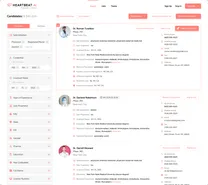
Pharmacist contact data
Ben Argeband, Founder & CEO of Heartbeat.ai — Practical: filters + scripts + verification reminders.
What’s on this page:
Who this is for
Recruiters sourcing pharmacists and needing direct contacts—without wasting touches on the wrong setting, the wrong shift window, or the wrong identity match.
Quick Answer
- Core Answer
- Segment pharmacists by setting first, then match identity via license (and NPI if applicable), refresh contacts, suppress opt-outs, and run short, compliant outreach.
- Key Insight
- Static contact records decay; your results come from Access + Refresh + Verification + Suppression, not from exporting once and blasting.
- Best For
- Recruiters sourcing pharmacists and needing direct contacts.
Compliance & Safety
This method is for legitimate recruiting outreach only. Always respect candidate privacy, opt-out requests, and local data laws. Heartbeat does not provide medical advice or legal counsel.
Pharmacist outreach fails for predictable reasons: retail pharmacists are hard to catch privately during store hours, inpatient pharmacists are behind institutional routing, and PRN/float pharmacists change availability fast. The fix is a workflow that starts with setting and ends with suppression and documentation.
Framework: The “Setting First” Rule: retail vs inpatient changes everything
Don’t build one big pharmacist pool. Build three, because channel, timing, and gatekeeping differ.
- Retail (community): interruptions are constant; keep outreach short and permission-based; avoid repeated calls to store lines.
- Inpatient (hospital/health system): routing matters; titles, departments, and switchboards are part of the job; be ready to ask for the right team.
- PRN/float: speed matters; lead with schedule blocks and start date; follow-up windows are tighter.
The trade-off is… retail is often easier to locate by workplace, while inpatient is often easier to qualify once you reach the right person.
Use cases
- Retail backfill: staff pharmacist coverage where store hours and counter workflow limit call time.
- Inpatient expansion: clinical pharmacist hiring where switchboards and departments control routing.
- PRN surge coverage: short-notice shifts where availability changes week to week.
- Manager/director outreach: when you need a decision-maker for staffing plans or pipeline conversations.
- Multi-site systems: when you must keep identity clean across facilities and avoid duplicate outreach.
Step-by-step method
Step 1: Write a target definition your team can execute
Before you search, define “right pharmacist” in operational terms. This prevents list bloat and keeps outreach relevant.
- Setting: retail vs inpatient vs PRN/float.
- Role: staff, clinical, manager, director (if you need a decision-maker).
- Schedule constraints: nights, weekends, rotating, per diem, 7-on/7-off (if applicable).
- Geography: commute radius or facility list.
Step 2: Match identity using stable keys (not just a name)
Pharmacist names collide. Your matching quality depends on identity keys that don’t change every time someone changes employers.
- License: use state board license as a primary identity anchor.
- NPI (if applicable): treat as an additional key when present and consistent.
- Name + location: minimum viable match; strengthen it with license/NPI when possible.
Confirm identity using at least two matching keys (for example: license state + location signal, or license + employer signal) before outreach.
If you need a state-by-state workflow for license checks, use the pharmacy license hub: pharmacy license lookup resources.
Step 3: Refresh, verify, and suppress before you touch a record
Contact data is only useful if it’s current and you’re respecting prior preferences.
- Refresh: update contact points on a cadence that matches your recruiting cycle time.
- Verification: validate email deliverability and sanity-check phone appropriateness for recruiting outreach.
- Suppression: remove prior opt-outs, prior bounces, and internal “do not contact” flags before every send.
Expected fields in pharmacist contact data (what to look for)
- Identity keys: full name, license state/number, and NPI (if applicable).
- Location signals: current practice area or location indicators.
- Setting signals: retail vs inpatient vs PRN/float indicators (role, employer type, facility type).
- Contact points: email(s), phone(s), and notes on contact type where available.
- Preference controls: consent notes (when applicable), opt-out flags, and suppression status.
Metric definitions (use these consistently):
- Connect Rate = connected calls / total dials (per 100 dials).
- Answer Rate = human answers / connected calls (per 100 connected calls).
- Deliverability Rate = delivered emails / sent emails (per 100 sent emails).
- Bounce Rate = bounced emails / sent emails (per 100 sent emails).
- Reply Rate = replies / delivered emails (per 100 delivered emails).
Step 4: Pick channel and timing by setting
Use the setting to decide what you try first and what you avoid.
- Retail: start with a short email; if you call, keep it to one attempt in a respectful window and don’t hammer store lines.
- Inpatient: email plus a call that’s easy to route (department/title); expect switchboards and transfers.
- PRN/float: lead with schedule blocks and start date; keep follow-ups tight and stop quickly if there’s no engagement.
Operationally: prioritize your first touches using your own recent segment performance by setting (channel + time window), and document what changed when results move.
Step 5: Run compliant outreach with consent and opt-out handling
Your outreach should be permission-based and documented.
- Consent: don’t imply a relationship you don’t have; keep the ask simple.
- Opt-out: make it one-step and honor it across channels immediately.
- Documentation: log source, refresh date, and suppression status so the next recruiter doesn’t repeat mistakes.
Diagnostic Table:
Use this to diagnose why your pharmacist outreach isn’t converting and what to change next. (Segment table note: run it separately for retail vs inpatient vs PRN.)
| Symptom | Most likely cause | Fast fix | What to measure next |
|---|---|---|---|
| High bounces | Stale workplace mapping or old domains | Refresh + verify; suppress prior bounces | Deliverability Rate = delivered / sent (per 100 sent) and Bounce Rate = bounced / sent (per 100 sent) |
| Low connects | Wrong call window for the setting; wrong number type | Shift call windows; reduce attempts; improve identity match | Connect Rate = connected / dials (per 100 dials) |
| Replies are negative fast | Message ignores setting/schedule reality | Rewrite opener to lead with setting + schedule block | Reply Rate = replies / delivered (per 100 delivered), tagged by reason |
| Inpatient routing blocks you | Missing department/title; unclear ask | Use directory-friendly ask; request best time/extension | Track transfer outcomes and update routing notes |
Weighted Checklist:
Score each record before you spend touches. This keeps your team focused on submittable candidates, not just “found contacts.”
- Setting match (0–5): retail/inpatient/PRN aligns to the req.
- Identity confidence (0–5): license match; NPI (if applicable) aligns; location consistent.
- Recency (0–5): contact points refreshed within your cycle time.
- Channel fit (0–5): deliverability signals; phone appropriateness; consent/opt-out status known.
- Workflow fit (0–5): shift pattern and commute reality plausible.
Routing rule: 18–25 = sequence now; 12–17 = refresh/verify first; <12 = fix identity/setting before outreach.
Outreach Templates:
Three pharmacist templates (retail, hospital, PRN) plus a stop rule. Keep them short, permission-based, and setting-specific. Adapt to employer policy and local rules; avoid repeated attempts to workplace main lines.
Template 1 — Retail pharmacist (email)
Subject: Quick question about your schedule
Body: Hi [First], I recruit pharmacists for [Employer/Client] roles in [City]. Are you open to a quick note about a [FT/PT] role with [setting] and [shift block]? If not, reply “no” and I’ll opt you out.
Template 2 — Inpatient pharmacist (call opener)
Opener: Hi [First], this is [Name]. I’m recruiting for an inpatient pharmacist role in [City]. If now’s a bad time, what’s your best window this week—or should I email details?
If routed: “Could you connect me with inpatient pharmacy or the clinical pharmacist team? I can hold.”
Template 3 — PRN/float pharmacist (text, only where appropriate)
Text: Hi [First]—[Name] here (pharmacy recruiter). PRN shifts in [City], [days/times], starting [date]. Interested in details? Reply STOP to opt out.
Stop rule (use every time)
If a pharmacist opts out, says “don’t contact,” or indicates the number/email is wrong, suppress immediately across all campaigns and document the opt-out.
Common pitfalls
- Blending settings: one script and one cadence for everyone creates complaints and low conversion.
- Weak identity matching: contacting the wrong pharmacist is avoidable when you anchor on license and confirm location/employer signals.
- Skipping suppression: repeated outreach to opt-outs or prior bounces is preventable and damages deliverability.
- Over-calling retail locations: store lines are not a dialing strategy; keep attempts minimal and respectful.
- Not logging outcomes: if you don’t tag outcomes by setting, you can’t improve the workflow.
How to improve results
Measure this by… splitting your reporting into retail vs inpatient vs PRN and reviewing it weekly. Blended metrics hide the real problem.
Measurement instructions
- Create three segments: retail, inpatient, PRN/float.
- Track email metrics per segment:
- Deliverability Rate = delivered emails / sent emails (per 100 sent emails).
- Bounce Rate = bounced emails / sent emails (per 100 sent emails).
- Reply Rate = replies / delivered emails (per 100 delivered emails).
- Track call metrics per segment:
- Connect Rate = connected calls / total dials (per 100 dials).
- Answer Rate = human answers / connected calls (per 100 connected calls).
- Run a weekly refresh + suppress pass: refresh older records, suppress opt-outs and bounces, and re-verify before new sequences.
- Improve the first two lines: tag objections (schedule mismatch, setting mismatch, not looking, wrong person) and rewrite openers per segment.
When to use enrichment vs net-new search
- Use enrichment when you already have the right pharmacist identity (license/NPI if applicable) but need current contact points.
- Use net-new search when your req definition changed (setting, shift, geography) and your existing pool no longer matches.
For a deeper enrichment workflow, see contact enrichment steps (same principles apply).
Legal and ethical use
Use pharmacist contact data for legitimate recruiting outreach with consent-aware practices. Always honor opt-out requests immediately and maintain suppression lists. Follow applicable local and national data laws and respect workplace policies. License checks are for identity verification and workflow accuracy; they are not legal advice.
Evidence and trust notes
- Trust methodology: how Heartbeat evaluates data quality
- NABP directory (Boards of Pharmacy)
- Data quality verification checklist
- Pharmacy license lookup hub (state-by-state)
FAQs
How do I use pharmacist contact data without wasting touches?
Start with setting segmentation, then verify identity with license (and NPI if applicable), refresh contacts, and suppress opt-outs before outreach. Keep scripts short and setting-specific.
What identity keys reduce wrong-person outreach?
License is the most practical anchor. Add NPI (if applicable) when it’s present and consistent. Use name + location as a baseline, not as your only match.
What metrics should I track for pharmacist outreach?
Track Deliverability Rate (delivered/sent), Bounce Rate (bounced/sent), Reply Rate (replies/delivered), Connect Rate (connected/dials), and Answer Rate (human answers/connected). Report them separately for retail vs inpatient vs PRN.
How should I handle opt-out and wrong-number messages?
Suppress immediately across channels and document it. If a pharmacist says the number/email is wrong, suppress that contact point and correct the record so it doesn’t recycle.
Where can I verify a pharmacist license?
Use the appropriate state board. The NABP directory helps you find the correct board site, and Heartbeat’s pharmacy license lookup hub organizes the workflow for recruiting teams.
Next steps
- start free search & preview data and build three segments (retail, inpatient, PRN) before you send anything.
- Standardize your pre-outreach controls with data quality verification so your team stops debating record quality mid-sprint.
- If you already have identities and need current contact points, use enrichment workflows as your model.
About the Author
Ben Argeband is the Founder and CEO of Swordfish.ai and Heartbeat.ai. With deep expertise in data and SaaS, he has built two successful platforms trusted by over 50,000 sales and recruitment professionals. Ben’s mission is to help teams find direct contact information for hard-to-reach professionals and decision-makers, providing the shortest route to their next win. Connect with Ben on LinkedIn.