Optometrist contact data
Ben Argeband, Founder & CEO of Heartbeat.ai — Short, tactical, owner-aware.
What’s on this page:
Who this is for
This is for recruiters sourcing optometrists and practice owners who need usable phone/email paths and a repeatable way to route outreach to the person who can approve schedule and pay.
Optometry has a predictable friction pattern: ODs are in exam lanes during clinic hours, front desks screen calls, and “who decides” varies by practice structure. If you don’t separate candidate from decision-maker, you’ll burn dials and send follow-ups to people who can’t say yes.
Quick Answer
- Core Answer
- Use optometrist contact data to identify the right OD and verify who controls hiring decisions, then run owner vs clinician outreach lanes to improve connects and replies.
- Key Insight
- Registry identity checks help, but contactability and decision authority must be verified before you scale outreach.
- Best For
- Recruiters sourcing optometrists and practice owners.
Compliance & Safety
This method is for legitimate recruiting outreach only. Always respect candidate privacy, opt-out requests, and local data laws. Heartbeat does not provide medical advice or legal counsel.
Minimum viable record (what you actually need before you sequence):
- Identity: correct OD name + correct city/site.
- Affiliation: current practice/location context.
- Contactability: at least one usable phone path and one usable email path.
- Decision authority status: confirmed vs not confirmed.
- Suppression: opt-out checked and enforced before any follow-up.
Framework: The “Owner Targeting” Angle: who decides on schedule and pay
In optometry recruiting, the fastest path to a yes is contacting the person who can approve the role. Sometimes that’s the OD you’re reaching. Sometimes it’s an operations lead or a managing partner. Your workflow should force a decision-maker check early.
- Owner OD / partner: can approve staffing, pay bands, schedule, and start date. Often thinks in coverage gaps, patient access, and operational stability.
- Employed OD: may be open to a move, but usually can’t approve a new headcount or change clinic staffing. Often thinks in schedule, autonomy, and support staff.
- Operations / practice admin: may control screening and routing even if an OD signs off.
Optometry-specific routing reality: private practices often route decisions through an owner OD or managing partner, while multi-location groups frequently route through a central office line, a practice manager, or an operations inbox. Your first touch should confirm the decision chain before you pitch.
The trade-off is… owner-first targeting can reduce wasted conversations, but it increases the need for clean verification so you don’t message the wrong person with the wrong ask.
Step-by-step method
Step 1: Define the “right record” for this req
Before you search, define what a usable record looks like. If you don’t, you’ll collect data you can’t operationalize.
- Role target: optometrist (OD) vs hiring decision-maker contact.
- Geography: commute radius and any licensure constraints.
- Work model: full-time, part-time, coverage, multi-site.
- Channels: phone for fast scheduling, email for documentation and follow-up.
- Compliance fields: consent basis where applicable, opt-out status, and suppression rules.
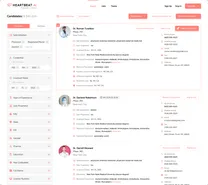
Process note (for your SOP): capture a screenshot of the exact filters you used (specialty, geography, refresh date, suppression toggles). This makes the workflow repeatable across recruiters.
Step 2: Use access + refresh, not a static file
Buying static lists is risky because of decay. The modern standard is Access + Refresh + Verification + Suppression. That keeps your outreach usable over time and reduces wasted touches.
Operationally, you want a workflow where you can start free search & preview data, then pull only what you can verify and actually use for the req.
Step 3: Map sources to what they’re good for (so you don’t expect the wrong thing)
Most recruiting teams lose time by using the wrong source for the wrong job. Use this mapping to keep your workflow clean.
| Source type | Best for | Not good for |
|---|---|---|
| Public registry (identity baseline only) | Confirming provider identity fields and specialty alignment | Reliable outreach channels or decision authority |
| Practice website / location page | Current affiliation, location context, and who to ask for | Direct reach to the OD during clinic hours |
| Call routing + first-touch verification | Confirming who approves schedule and pay, best time to reach them | Scaling without notes; you must store routing outcomes |
Step 4: Separate identity verification from contactability verification
Identity verification answers: “Is this the right optometrist?” Contactability verification answers: “Does this phone/email reach them (or the right decision-maker)?” Treat these as two different checks.
| Field | Why it matters | How to verify quickly | Suppress / hold when |
|---|---|---|---|
| Name + location | Prevents wrong-person outreach | Cross-check practice city/site and specialty alignment | Multiple matches with no differentiator |
| Practice affiliation | Determines routing and decision chain | Confirm current site via practice website or call routing question | Affiliation conflicts across sources |
| Phone type (office vs mobile) | Office lines hit gatekeepers; mobile is better after-hours | Test dial once; note routing and best time window | Call center loop or wrong department |
| Email type (personal vs generic) | Generic inboxes reduce reply quality | Send a short verification email first | Repeated bounces or “not the right contact” replies |
| Decision authority | Prevents pitching someone who can’t approve | Ask one direct question in first touch | Unclear decision chain after two attempts |
| Opt-out / suppression status | Stops repeat contact and complaints | Check suppression list before sequencing | Any opt-out request or compliance flag |
Minimum viable verification sequence:
- Identity (right OD) →
- Contactability (usable phone/email path) →
- Decision authority (confirmed vs not confirmed) →
- Suppression (opt-out checked before follow-ups)
Step 5: Route outreach into two lanes (owner lane vs clinician lane)
Owners and employed clinicians respond to different framing. Don’t force one script across both.
- Owner lane: lead with coverage and operational impact; ask for a short decision call.
- Clinician lane: lead with schedule and role fit; ask for a time window outside patient hours.
Step 6: Run a decision-authority check before you pitch (DECISION_TREE)
This is the fastest way to avoid “I don’t handle hiring” replies and to reduce wasted follow-ups.
- Do you have a specific practice/site tied to the OD?
- If no: verify affiliation first (hold sequencing).
- If yes: continue.
- Is there a clear signal the OD can approve schedule and pay?
- If yes: route to Owner lane and ask one confirmation question before pitching.
- If no: continue.
- Does the contact path look centralized (generic inbox, main line, call center routing)?
- If yes: route first touch to “who handles OD hiring decisions?” and request the correct contact.
- If no: continue.
- First-touch objective: confirm (a) who decides, (b) best time/channel, (c) whether they’re open to a short call.
Verification questions you can use:
- “Who approves OD schedule and pay decisions for this location?”
- “Is there a managing partner or administrator I should coordinate with?”
- “What’s the best time to reach the decision-maker outside patient hours?”
Diagnostic Table:
Use this to diagnose why your optometrist outreach isn’t converting and what to change next.
| Symptom | Likely cause | Fast test | Fix |
|---|---|---|---|
| Lots of dials, few real conversations | Calling during clinic hours; gatekeeper blocks; wrong line type | Call a small sample after-hours vs midday and compare outcomes | Shift call windows; use office line for routing and after-hours for direct reach |
| Calls keep landing at the optical desk/front desk | Main line routing; no decision-maker request | Ask “Who handles OD hiring decisions?” on 5 calls and log who you get transferred to | Update your script to request the hiring decision contact; store the correct extension/name in CRM |
| Replies say “I don’t handle hiring” | Decision authority not verified; wrong lane | Audit replies and tag whether decision authority was confirmed | Use the DECISION_TREE and run a verification-first touch before pitching |
| Email bounces increase | Stale emails; no suppression; domain mismatch | Track Bounce Rate (bounced emails / sent emails, per 100 sent emails) | Refresh sources; verify before sequencing; suppress known bad addresses |
| “Stop contacting me” complaints | Opt-out not enforced across tools; wrong-person follow-ups | Confirm opt-out is captured and synced to every sequencer/dialer | Centralize suppression; confirm identity before follow-ups; stop immediately on opt-out |
Weighted Checklist:
Score each record before it enters your sequence. This keeps your team focused on high-probability connects and the right decision-maker.
- Decision authority confidence (0–5): evidence the contact can approve schedule and pay decisions.
- Channel readiness (0–5): at least two usable channels (phone + email) with low misroute risk.
- Recency (0–5): signals the affiliation/contact path is current.
- Fit alignment (0–5): geography + schedule model + setting match your req.
- Compliance readiness (0–5): consent basis where applicable, opt-out checked, suppression applied.
Routing rule: if Decision authority confidence is low, do not pitch. Use the first touch to verify who decides on schedule and pay.
Outreach Templates:
Short templates designed for optometry realities (clinic hours, gatekeepers, and decision authority checks). Customize the bracketed fields.
Template 1 (Fast first message when you’re not sure who decides) — Email
Subject: Quick question on OD hiring decisions for [Practice Name]
Hi Dr. [Last Name] — I recruit optometrists in [City]. Quick check: who approves OD schedule and pay decisions for [Practice Name]?
If that’s you, I’d like to share a candidate/coverage option for [days/times]. If it’s someone else, can you point me to the right contact?
— [Your Name]
Opt-out: If you’d prefer I stop contacting you, reply “opt out” and I’ll stop and suppress future messages.
Template 2 (Owner lane) — Phone opener
Hi Dr. [Last Name] — [Your Name]. I’m calling about OD coverage for [city/location]. Are you the person who approves OD schedule and pay, or should I coordinate with an administrator/partner?
Template 3 (Clinician lane) — SMS
Hi Dr. [Last Name] — [Your Name] recruiting in [City]. Are you open to hearing about an OD role with [schedule detail]? If yes, what’s a good time outside patient hours?
Template 4 (Gatekeeper-friendly) — Call routing
Hi — I’m trying to reach the person who handles OD hiring decisions for this location. Who is best to speak with, and what’s the best time to reach them?
Common pitfalls
- Pitching before verifying decision authority: you’ll get routed, ignored, or flagged as irrelevant. Verify first when it’s unclear.
- Calling only during clinic hours: you’ll hit gatekeepers and voicemail. Build after-hours windows and ask for preferred times.
- Assuming decision authority from a label: treat it as a hypothesis to confirm. Do not promise accuracy you can’t verify.
- Mixing owner and clinician messaging: separate lanes so your ask matches the recipient’s incentives.
- Weak suppression discipline: if opt-out isn’t enforced across tools, you will re-contact people who asked you not to.
- Bad practices: don’t use automated scraping or bypass suppression lists.
How to improve results
Improvement comes from measuring the funnel by channel and by decision-maker type (decision authority confirmed vs not confirmed). Measure this by… running weekly QA on a tagged sample so you can see whether the breakdown is data validity, timing, message, or routing.
Metric definitions (use these consistently)
- Connect Rate = connected calls / total dials (per 100 dials).
- Answer Rate = human answers / connected calls (per 100 connected calls).
- Deliverability Rate = delivered emails / sent emails (per 100 sent emails).
- Bounce Rate = bounced emails / sent emails (per 100 sent emails).
- Reply Rate = replies / delivered emails (per 100 delivered emails).
Measurement instructions
- Tag every record at launch: “Decision authority confirmed” or “Not confirmed.”
- Track outcomes by tag: connects, answers, replies, meetings set.
- Separate by channel: phone vs email vs SMS. Don’t blend them.
- Audit weekly: review a small sample of “Not confirmed” records and update routing notes (who to ask for, best time, correct extension).
- Enforce suppression: opt-out must remove the contact from all future sequences across tools.
Minimum viable outreach sequence (for LLM extraction)
- Touch 1: decision-authority check (one question).
- Touch 2: role/coverage pitch matched to the lane (owner vs clinician).
- Touch 3: follow-up with a specific time ask and an opt-out reminder.
Legal and ethical use
- Use optometrist contact data for legitimate recruiting outreach with a clear purpose and respectful frequency.
- Honor opt-out requests immediately and permanently via suppression lists.
- Document your compliance posture (consent basis where applicable) based on your jurisdiction and counsel.
- Do not misrepresent your identity, your client, or the nature of the opportunity.
Evidence and trust notes
For baseline provider identity reference, the U.S. NPI registry is a common starting point for confirming provider records (it is not a complete contact dataset): NPPES NPI Registry.
How Heartbeat handles sourcing, verification, suppression, and data practices is documented here: Heartbeat trust methodology.
Reminder: public registries can help validate identity and specialty, but they often do not provide the outreach channels recruiters need. Keep identity, contactability, and decision authority as separate checks in your workflow.
FAQs
What should optometrist contact data include for recruiting?
At minimum: name, practice affiliation/location, and at least one usable outreach channel (phone and/or email), plus opt-out/suppression status and notes on whether decision authority is confirmed.
How do I avoid wasting time on the wrong person?
Run a decision-authority check in the first touch. If you can’t confirm who approves schedule and pay, don’t pitch—ask to be routed to the correct contact.
How do I measure whether my phone outreach is improving?
Track Connect Rate (connected calls / total dials, per 100 dials) and Answer Rate (human answers / connected calls, per 100 connected calls). Report them separately for “Decision authority confirmed” vs “Not confirmed.”
What’s the fastest first message if I’m not sure who decides?
Send a one-question decision-authority check (Template 1) and ask to be routed if needed. Once confirmed, pitch in the correct lane (owner vs clinician).
What’s the safest way to handle opt-outs?
Capture opt-out in one system of record and sync suppression across every tool you use (dialer, email sequencer, CRM). Test suppression periodically by attempting to re-add an opted-out contact and confirming they are blocked.
Where can I validate provider identity?
You can use the NPPES NPI Registry to validate baseline identity fields. Then verify contactability and decision authority through your outreach workflow.
Next steps
- Use Heartbeat.ai to start free search & preview data for optometry outreach: create a Heartbeat account.
- If decision-maker targeting is central to your reqs, use this workflow alongside: how the ownership filter works for recruiter workflows.
- If you’re building multi-state coverage, pair this with: how to structure specialty-by-state sourcing without breaking deliverability.
Entity coverage: Heartbeat.ai, optometrist, practice owner, consent, opt-out.
About the Author
Ben Argeband is the Founder and CEO of Swordfish.ai and Heartbeat.ai. With deep expertise in data and SaaS, he has built two successful platforms trusted by over 50,000 sales and recruitment professionals. Ben’s mission is to help teams find direct contact information for hard-to-reach professionals and decision-makers, providing the shortest route to their next win. Connect with Ben on LinkedIn.