


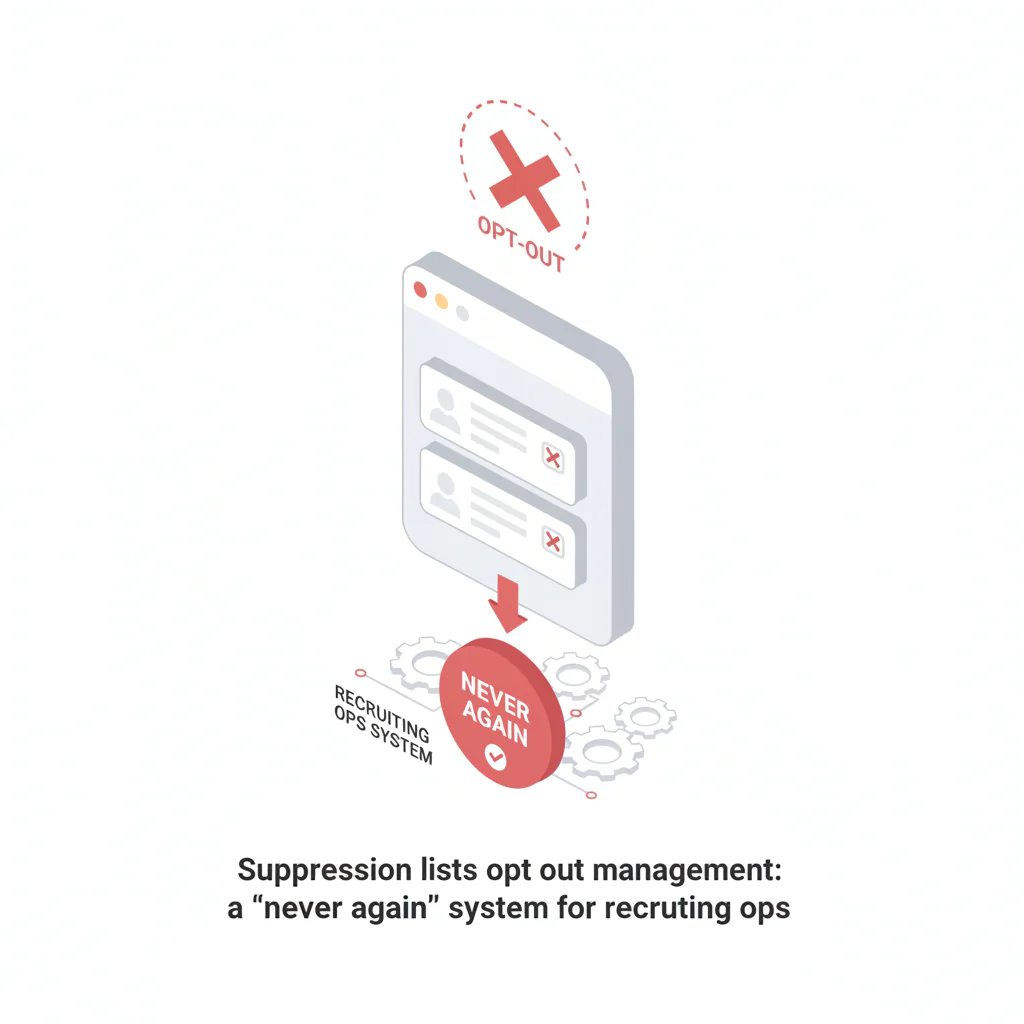
Suppression lists opt out management
Ben Argeband, Founder & CEO of Heartbeat.ai — Operationally precise; reduces risk and wasted time.
What’s on this page:
Who this is for
If you run recruiting ops and you’re responsible for keeping email/SMS/call outreach clean across an ATS, CRM, sourcing tools, and spreadsheets, this is for you. Specifically: teams who need a repeatable way to capture an opt-out, sync it everywhere, and stop it from getting re-imported next week.
Suppression prevents repeat harm to candidates and prevents wasted recruiter cycles chasing people who already said “stop.” Treat it as an ops system, not a one-off cleanup.
Quick Answer
- Core Answer
- Build a single suppression system that captures channel-specific opt-outs with source/date, syncs to ATS/CRM and outreach tools, and blocks re-imports before outreach happens.
- Key Insight
- Suppression only works when it’s enforced at import, enrollment, and send/dial—not just stored in one tool.
- Best For
- Recruiting ops teams managing opt-outs across email/SMS/call.
Compliance & Safety
This method is for legitimate recruiting outreach only. Always respect candidate privacy, opt-out requests, and local data laws. Heartbeat does not provide medical advice or legal counsel.
Framework: The “Never Again” System: Capture → Sync → Enforce
Every suppression program that holds up under real recruiting volume does three things:
- Capture: record the stop request once, with enough detail to act on it (channel, scope, timestamp, source).
- Sync: propagate that record to every system that can send a message or trigger a task (ATS, CRM, email sequencer, dialer, enrichment).
- Enforce: prevent outreach and prevent re-entry (import guardrails, enrollment blocks, and audit logs).
The trade-off is… you’ll spend more time on data hygiene up front, but you’ll stop paying the hidden tax of repeat harm, escalations, and recruiter time wasted on contacts you should never touch again.
Channel-specific vs global suppression (examples):
- Candidate replies “STOP” to a text: suppress SMS, but email/call may remain allowed unless they request otherwise.
- Candidate unsubscribes from email: suppress email, but calls may remain allowed if your policy permits and the candidate didn’t opt out of calls.
- Candidate says “don’t contact me again”: treat as global suppression across email/SMS/call unless your internal policy requires clarification.
Step-by-step method
Step 1: Define what you’re suppressing (so everyone logs the same thing)
Before you touch tools, align on three definitions and write them into your SOP. Use these exact operational meanings so your team doesn’t mix categories.
- Opt-out (definition): a candidate’s request to stop receiving messages on a specific channel (email, SMS, call) or in a defined scope (for example, “no texts”).
- Suppression (definition): the operational state where your systems block outreach to that person for the suppressed channel/scope, including future imports and sequences.
- Stop request (definition): the event that triggers suppression (reply “stop,” email unsubscribe, verbal request on a call, recruiter note, complaint). It must be logged with source and timestamp.
In practice: you’re not just storing a “do not contact” flag. You’re storing a decision (what to block) plus evidence (why/when it was requested) plus routing (where it must be enforced).
Step 2: Choose your system of record (ATS or CRM) and make it unambiguous
Pick one place that is authoritative for suppression. For most recruiting orgs, that’s the ATS or CRM because it’s where identities converge and where recruiters work.
- If your ATS is the source of truth: suppression fields live on the candidate record, and every other tool reads from it.
- If your CRM is the source of truth: same concept, but ensure the ATS is updated before any outreach tasks are created.
Decision tree (use this to avoid split-brain):
- If outreach tasks are created in the ATS, make the ATS authoritative for suppression and push suppression outward.
- If outreach tasks are created in the CRM, make the CRM authoritative and sync suppression into the ATS before tasks are generated.
- If your email/SMS/dialer can enroll candidates without touching ATS/CRM, you still need ATS/CRM as the system of record and enforce suppression at enrollment in the sending tools.
- If you can’t pick one owner, you don’t have a system yet; you have multiple partial lists.
Do not let your system of record be a spreadsheet unless you have no alternative. Spreadsheets don’t enforce anything; they only document.
Step 3: Implement a suppression fields schema (store what you’ll need later)
You need enough structure to (a) block the right channel, (b) prove what happened, and (c) avoid re-importing suppressed contacts. At minimum, store channel-specific suppression plus source/date.
Recommended fields (candidate-level):
- suppression_status (enum): none, partial, full
- suppressed_channels (multi-select): email, sms, call, other
- suppression_scope (text/enum): “all outreach,” “no SMS,” “no calls,” “no marketing,” etc.
- suppression_reason (enum): stop request, unsubscribe, complaint, internal policy, unknown
- stop_request_source (text): email reply, SMS keyword, phone call, recruiter note, web form
- stop_request_timestamp (datetime)
- stop_request_actor (text): candidate, recruiter, system
- stop_request_evidence (text/url): message ID, call note link, ticket ID (store pointers, not sensitive content)
- suppression_last_synced_at (datetime)
- suppression_notes (text): short, factual
Recommended fields (identity-level, if your stack supports it):
- suppressed_emails (array): normalized emails (lowercase, trimmed)
- suppressed_phones (array): normalized E.164 numbers
Why identity-level matters: candidates change jobs, emails, and sometimes phone numbers. You want suppression to follow the person, not just one record.
Step 4: Normalize identities (so suppression matches on import)
Suppression fails when the same person shows up with a slightly different email/phone format. Normalize before you compare:
- Email: lowercase, trim spaces, store raw + normalized.
- Phone: store in E.164; strip punctuation; keep country code.
- Name: don’t use name as a suppression key (too many collisions).
Set your matching priority for suppression checks: phone match OR email match should be enough to block the relevant channel.
Step 5: Capture stop requests from every channel (not just email)
Build capture paths for the three places stop requests happen most:
- Email: unsubscribe links, “remove me,” “stop emailing,” auto-unsubscribe events from your email tool.
- SMS: STOP keywords, “don’t text,” “remove,” carrier filtering events.
- Call: verbal “don’t call me,” gatekeeper requests, voicemail requests.
Operational rule: the first person who sees the stop request logs it immediately in the system of record, then triggers sync. Don’t wait for ops to “clean it up later.”
Step 6: Add a simple RACI (so suppression doesn’t fall between roles)
- Recruiter (Responsible): logs the stop request event immediately; selects channel + scope; adds a short note.
- Recruiting Ops (Accountable): owns the suppression schema, sync jobs, import guardrails, and weekly audit.
- Systems Admin (Responsible): implements field protections, workflow blocks, and integration monitoring.
- Compliance/Privacy Stakeholder (Consulted): reviews policy language and escalation handling; not a day-to-day bottleneck.
Step 7: Sync suppression across tools (propagation map)
List every system that can initiate outreach or create an outreach task. Then decide how suppression gets into each one.
- ATS ↔ CRM: bi-directional or one-way, but never ambiguous. One is authoritative.
- Email sequencer: suppression list upload/API sync + automatic unsubscribe ingestion back to the system of record.
- Dialer: blocked numbers list + call task suppression rules.
- SMS platform: blocked numbers list + STOP ingestion back to the system of record.
- Enrichment/workflow tools: suppression check before enrichment and before pushing back into ATS/CRM.
Monitoring (so sync failures don’t become repeat-contact incidents):
- Alert on failed sync jobs (email/SMS/dialer) and route to ops with the affected identity keys.
- Run a daily reconciliation: sample recent stop requests and confirm they exist in each downstream tool.
- Define retry behavior: automatic retry first, then create a ticket with stop_request_timestamp + source.
If you’re running ATS enrichment workflows, the suppression check must happen before enrichment writes back into your ATS/CRM. Otherwise you’ll keep resurrecting suppressed contacts.
Step 8: Enforce suppression at three choke points
Most teams enforce in only one place (usually the email tool). You need all three:
- Before import: block suppressed identities from being created or reactivated without review.
- Before enrollment: prevent sequence enrollment and prevent call/SMS task creation if the channel is suppressed.
- Before send/dial: last-mile suppression in the sending tool (email/SMS/dialer) as a safety net.
When a record is blocked at import due to a partial match (for example, shared clinic phone), ops should review and either confirm suppression or correct the identity mapping.
Step 9: Escalation path for complaints (operational, not optional)
- Pause outreach to the identity keys involved (email/phone) while you investigate.
- Verify the stop request event in the system of record (source + timestamp + scope) and correct any missing fields.
- Confirm propagation to downstream tools (email/SMS/dialer) and backfill suppression where sync failed.
- Document resolution in the candidate record and in your ops log (what failed, what changed, and how you’ll prevent recurrence).
Step 10: Add import guardrails (prevent re-importing suppressed contacts)
Re-import is where most “we already suppressed them” failures happen. Put guardrails in writing and in tooling:
- Import rule: any inbound list/enrichment feed must be checked against suppression keys (normalized email/phone) before creating/updating records.
- Quarantine queue: if a match is found, route to an ops review queue instead of importing directly.
- Field protection: do not allow imports to overwrite suppression fields unless the import is from the system of record.
- Reactivation policy: define who can remove suppression and what evidence is required (for example, explicit candidate consent captured with timestamp).
Step 11: Train recruiters on the one-sentence logging standard
Recruiters won’t log if it’s complicated. Give them a one-sentence standard they can paste into notes:
- “Candidate requested no [channel] outreach on [date/time] via [source]. Updated suppression scope to [scope].”
Then ops can standardize fields later, but the event is captured immediately.
Diagnostic Table:
| Symptom | Likely root cause | Fastest fix (ops) | Where to enforce |
|---|---|---|---|
| Suppressed candidate gets emailed again | Suppression stored in ATS/CRM but not synced to email tool (or overwritten on import) | Make ATS/CRM the system of record; lock suppression fields from imports; sync to email suppression list | Before enrollment + before send |
| Suppressed number still gets dialed | Dialer blocklist not updated; call tasks created without suppression check | Push blocked numbers to dialer; add ATS/CRM rule: no call tasks when call channel suppressed | Before task creation + before dial |
| Same person reappears after enrichment | Enrichment writes new email/phone and creates a “new” identity | Normalize identities; suppression match on phone OR email; quarantine matches | Before import + before enrichment writeback |
| Ops can’t prove when/why suppression happened | No logging fields for source/date/evidence | Add stop_request_source + timestamp + evidence pointer; require on any suppression change | System of record |
| Recruiters avoid logging because it’s slow | Too many required fields; unclear definitions | Use the one-sentence logging standard; ops backfills structured fields weekly | ATS/CRM |
Entity check: This table assumes your ATS/CRM is where logging happens and where the suppression list state is stored, then synced outward.
Weighted Checklist:
Use this to score whether your suppression program will hold up under real recruiting volume. Score out of 100.
- (20) System of record is defined (ATS or CRM) and documented; only one tool is authoritative.
- (15) Channel-specific suppression exists (email/SMS/call), not a single generic flag.
- (15) Stop request logging includes source + timestamp + actor; recruiters can log quickly (single action + short note).
- (15) Import guardrails: suppression check runs before record creation/update; suppression fields are protected from overwrite.
- (10) Enrollment is blocked when the relevant channel is suppressed (sequence + call/SMS tasks).
- (10) Sync is automated to email/SMS/dialer suppression endpoints with a defined cadence and failure alerts.
- (10) Audit trail exists: who changed suppression, when, and why (with evidence pointer).
- (5) Reactivation policy exists and requires explicit candidate consent captured with timestamp.
Pass/fail guidance: Under 70 points, you’re relying on memory and good intentions. Over 85, you’re running a real ops system.
Outreach Templates:
Template 1: Recruiter note (call stop request)
Subject/Note: Stop request logged
Body: Candidate requested no call outreach on [YYYY-MM-DD HH:MM TZ] via phone conversation. Updated suppression: channel=call, scope=[all outreach/no calls]. Source logged. (ATS/CRM record updated.)
Template 2: Candidate confirmation (email)
Subject: Confirming your outreach preference
Body: Thanks for letting me know. I’ve updated your preferences and will stop contacting you via [email/SMS/calls] going forward. If you ever want to reconnect, reply here and I’ll update it.
Template 3: Internal ops message (propagation failure)
Subject: Suppression sync failure — action needed
Body: A stop request was logged in the system of record but did not propagate to [tool]. Please block [email/phone] in [tool] and investigate the sync job. Include stop_request_timestamp and source in the ticket.
Template 4: Vendor/tool import instruction (to prevent re-import)
Message: Before importing any contacts into our ATS/CRM, run a suppression match on normalized email and E.164 phone. If matched, quarantine and do not create/update records unless ops approves.
Common pitfalls
- “We have a suppression list” that lives only in the email tool. That doesn’t stop call tasks, SMS, or re-imports. Enforce at import + enrollment + send/dial.
- One generic flag for everything. Candidates often mean “don’t text me” but are fine with email. Store channel-specific suppression so you don’t burn good leads or violate preferences.
- No source/date. If you can’t answer “when did they ask?” you can’t troubleshoot disputes or train the team.
- Imports overwrite suppression. Protect suppression fields from being overwritten by enrichment feeds or list uploads.
- Shared clinic numbers and group emails. These create false matches. Quarantine and verify identity mapping before applying global suppression.
- Identity mismatch. If you don’t normalize phone/email, you’ll miss matches and re-contact people who already opted out.
- Reactivation without evidence. If someone removes suppression because “candidate seems interested,” you’ll create repeat harm. Require explicit consent and log it.
How to improve results
Improvement here means fewer accidental contacts, fewer escalations, and less recruiter time wasted. It also helps keep your outreach channels healthy.
Measurement instructions
Track suppression as an operational workflow with a few simple counters you can pull weekly from your ATS/CRM and sending tools:
- Repeat-contact incidents: count of messages/calls sent to identities marked suppressed at the time of send (per week). Goal: trend to zero.
- Suppression propagation lag: time from stop_request_timestamp to suppression present in each downstream tool (median + 95th percentile). Target: as fast as your tooling supports for automated channels; monitor lag and reduce it over time.
- Import block rate: blocked/quarantined records due to suppression match per 100 attempted imports. If this is zero, you’re probably not checking correctly.
- Enrollment block rate: blocked sequence/dial enrollments due to suppression per 100 enrollment attempts. This should exist; it proves enforcement is working.
If you also monitor outreach performance, keep metric definitions consistent:
- Deliverability Rate = delivered emails / sent emails (per 100 sent emails).
- Bounce Rate = bounced emails / sent emails (per 100 sent emails).
- Reply Rate = replies / delivered emails (per 100 delivered emails).
- Connect Rate = connected calls / total dials (per 100 dials).
- Answer Rate = human answers / connected calls (per 100 connected calls).
OPS_TEMPLATE worksheet: suppression schema + propagation checklist + import guardrails
This worksheet is designed to prevent the most common failure: suppressed contacts re-entering through enrichment or list imports.
A) Minimum viable suppression schema (copy/paste)
- Candidate fields (ATS/CRM): suppressed_channels, suppression_scope, stop_request_source, stop_request_timestamp, stop_request_actor, stop_request_evidence, suppression_reason.
- Identity fields: normalized_email, normalized_phone (E.164).
- Logging rule: every suppression change requires source + timestamp (system-enforced if possible).
B) Propagation checklist (downstream enforcement)
- Email tool: sync suppressed emails + ingest unsubscribes back to system of record.
- SMS tool: sync blocked numbers + ingest STOP events back to system of record.
- Dialer: sync blocked numbers + block call task creation when call channel suppressed.
- Workflow/enrichment: suppression check before writeback; quarantine matches.
C) Import guardrails (the “never re-import” layer)
- Pre-import step: normalize incoming email/phone; match against suppressed identities.
- If match: route to quarantine queue; do not create/update candidate record automatically.
- Field protection: suppression fields are read-only for imports unless the import source is the system of record.
- Audit: log import job ID + counts (attempted, blocked, quarantined, approved).
D) Example suppression event record (what “good” looks like)
| Field | Example value |
|---|---|
| suppressed_channels | sms |
| suppression_scope | no SMS |
| stop_request_source | SMS reply |
| stop_request_timestamp | [YYYY-MM-DD HH:MM TZ] |
| stop_request_actor | candidate |
| stop_request_evidence | message_id:[your-sms-platform-id] |
| normalized_phone | +1XXXXXXXXXX |
| normalized_email | candidate@example.com |
Weekly audit loop (short, scheduled)
- Review repeat-contact incidents and identify which choke point failed (import, enrollment, send/dial).
- Check propagation lag for the last week’s stop requests; fix any tool that’s drifting.
- Work the quarantine queue: approve true matches, correct false matches, and update matching rules if needed.
Workflow fit tips (reduce recruiter time waste)
- Put a “Suppression status” badge on the candidate header in your ATS/CRM so recruiters see it before they click call/text/email.
- Make suppression a required step in your disposition reasons (for example, “Not interested — opted out of SMS”).
- When sourcing in Heartbeat.ai, keep suppression synced so recruiters don’t waste cycles; Heartbeat.ai can support workflows that prioritize connectability, including ranked mobile numbers by answer probability when you’re dialing.
Legal and ethical use
This is operational guidance, not legal counsel. Your obligation is simple in practice: when someone asks you to stop, you stop—on the channels and scope they requested—and you make sure your systems don’t “forget.”
Data minimization matters operationally: store what you need to enforce suppression (channel, scope, timestamp, source, and an evidence pointer). Avoid storing message bodies or sensitive content unless your internal policy requires it.
At minimum, align your process with the rules and guidance that apply to your outreach channels and geography. Start with these official resources:
Operationally: document consent where needed, honor opt-outs quickly, and keep suppression synchronized across every system that can contact a candidate.
Evidence and trust notes
Heartbeat content is written for recruiting operators who need workflows that hold up under volume. For how we evaluate data quality, identity resolution, and operational claims, see our trust methodology.
Primary references used for the compliance concepts in this playbook:
- FTC: CAN-SPAM Act Compliance Guide for Business
- FCC: Telephone Consumer Protection Act (TCPA) overview
- For broader recruiting compliance operations, see Recruiting compliance resources.
FAQs
What fields should we store for suppression?
Store channel-specific suppression (email/SMS/call), scope, stop request source, timestamp, actor, and an evidence pointer. Also store normalized email and E.164 phone for matching on import.
Should suppression live in the ATS or the CRM?
Pick one system of record. If recruiters create outreach tasks in the ATS, put suppression there and sync outward. If tasks originate in the CRM, make the CRM authoritative and sync into the ATS before tasks are generated.
How do we stop suppressed contacts from getting re-imported?
Add pre-import suppression matching on normalized email/phone, quarantine matches, and protect suppression fields from being overwritten by enrichment feeds or list uploads.
What’s the difference between opt-out and suppression?
An opt-out is the candidate’s request (event) to stop contact on a channel/scope. Suppression is the enforced system state that blocks outreach and prevents re-entry across tools.
How does this affect deliverability and recruiter throughput?
When suppression is enforced, you reduce complaints and accidental contacts, which helps keep email deliverability healthier and prevents recruiters from burning time on people who already said “stop.” Track Deliverability Rate = delivered emails / sent emails (per 100 sent emails) and repeat-contact incidents weekly.
Next steps
- Implement the OPS_TEMPLATE worksheet: schema + propagation checklist + import guardrails.
- Audit your stack for enforcement at the three choke points: import, enrollment, send/dial.
- If you’re also managing candidate re-engagement, pair this with reactivating physician candidates without burning trust.
- When you’re ready to operationalize sourcing + suppression together, start free search & preview data.
About the Author
Ben Argeband is the Founder and CEO of Swordfish.ai and Heartbeat.ai. With deep expertise in data and SaaS, he has built two successful platforms trusted by over 50,000 sales and recruitment professionals. Ben’s mission is to help teams find direct contact information for hard-to-reach professionals and decision-makers, providing the shortest route to their next win. Connect with Ben on LinkedIn.

