


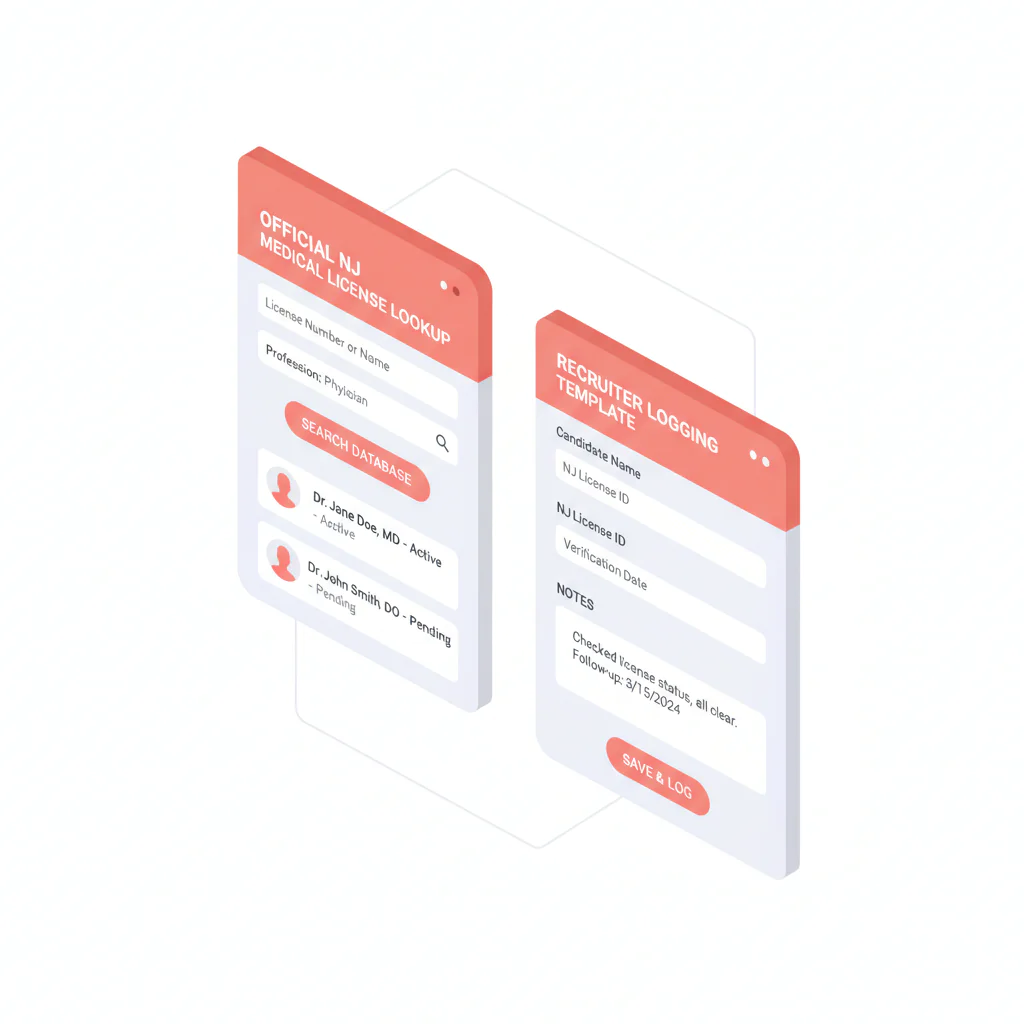
New Jersey medical license lookup
Ben Argeband, Founder & CEO of Heartbeat.ai — Step-by-step + checklist.
What’s on this page:
Who this is for
This is for recruiters verifying physicians in New Jersey who need a repeatable way to confirm a physician license in the official system, document it cleanly, and avoid mismatching common names.
Quick Answer
- Core Answer
- Use the NJ Division of Consumer Affairs online license search, match the physician by two identifiers, then log status, dates shown, and the source URL with a timestamp.
- Key Insight
- Verification that scales is a reusable record (fields + source link + checked time), not a screenshot buried in notes.
- Best For
- Recruiters verifying physicians in New Jersey.
Compliance & Safety
This method is for legitimate recruiting outreach only. Always respect candidate privacy, opt-out requests, and local data laws. Heartbeat does not provide medical advice or legal counsel.
Framework: The “Don’t Screenshot, Log” Rule: make verification reusable
When a hiring manager asks, “Are we good on licensure?”, you need an answer you can defend quickly: what you checked, when you checked it, and what the official portal showed.
The rule: every New Jersey medical license lookup should produce a reusable verification record with identifiers, the exact status label, dates shown, and the source URL. The trade-off is… you spend an extra minute logging, but you stop re-checking the same physician across submission, offer, and pre-start.
Step-by-step method
-
Start at the official source. Use the NJ Division of Consumer Affairs licensing portal as your source of truth for New Jersey license status.
-
Get to the public license search. From the NJ Division of Consumer Affairs site, navigate into the public license search function. If you cannot find it quickly, use the search function on the NJ Division of Consumer Affairs site for “license search” and confirm you are still on an official njconsumeraffairs.gov page.
-
Select the correct profession/license type before you assume “no record found”. If the portal asks for profession/license type, choose the physician category that matches your candidate. A mismatch here is a common reason recruiters get empty results.
-
Search with the most stable identifier you have. License number is best. If you do not have it, search by name and narrow using any portal filters available (for example, city or license type).
-
Confirm identity with two identifiers. Before you mark anything verified, match at least two of the following: full name, license number, practice city, or NPI (if you already have it in your ATS/CRM).
-
Open the record details and log the reusable fields. Copy the status label exactly as displayed. Capture dates shown (issue/expiration if present) and the license type/number.
-
Log the source URL and checked timestamp. Paste the exact URL you used (record page if available) and the date/time you checked. This is what makes the verification auditable.
-
If the portal shows additional actions/notes, do not interpret. Log that additional information is present and route it to your compliance/credentialing workflow. Keep recruiter notes factual.
-
When you need to tie the license to a contact record, use NPI-to-license matching. This reduces duplicate profiles and prevents attaching the wrong license to the wrong physician when names are similar.
NJ record fields to expect (log what is shown):
- Licensee name (including any suffixes or middle initials)
- Profession/license type/category selected
- License number
- Status label (copy exactly)
- Issue date and expiration date (if present)
- Any location/city fields shown (useful for identity matching)
Diagnostic Table:
Use this to decide what to do next based on what the New Jersey portal returns. This is operational guidance only.
| Portal outcome | Recruiting risk | What to log | Next action |
|---|---|---|---|
| Status shows active for physician license | Low (for licensure status) | Status label (exact), license number, license type, dates shown, source URL, checked timestamp | Mark “Verified (NJ)” and proceed with submission workflow |
| Status shows inactive/expired/lapsed | Start-date and credentialing timing risk | Status label + dates shown + source URL + checked timestamp | Ask candidate for timeline; flag for credentialing review |
| Multiple similar names returned | High mismatch risk | Search terms used + the two identifiers you matched (or note missing identifier) | Request license number or NPI before marking verified |
| No record found | Medium (often search setup issue) | Profession/license type selected + search terms + timestamp | Retry with correct category, alternate spelling, or request license number |
| Record indicates additional information present | Process risk if mishandled | “Additional information present” + source URL + checked timestamp | Route to compliance/credentialing; do not interpret in recruiter notes |
Weighted Checklist:
Uniqueness hook (CHECKLIST): New Jersey “fields to log” verification record. If you want this lookup to be reusable across your team, these are the fields that must exist in your ATS/CRM note or custom object after you check the NJ portal.
- (5) Source authority: “NJ Division of Consumer Affairs” + paste the exact source URL used.
- (5) Checked timestamp: Date/time (and timezone) when you ran the lookup.
- (5) License identifier: License number (if available) and profession/license type/category selected.
- (4) Identity match: Two identifiers matched (for example, name + license number; name + city; name + NPI).
- (4) License status: Copy the status label exactly as displayed (no paraphrasing).
- (3) Dates shown: Issue date and expiration date (if present in the portal record).
- (3) Name variants: Any alternate name shown (helps future searches and reduces duplicates).
- (2) Search setup: Profession/license type selected + search terms used (helps troubleshoot “no record found”).
- (2) Additional info flag: If present, log “additional information present” and route internally (no interpretation).
Pass/Fail rule: If you cannot match two identifiers, do not mark verified. Keep the record in “Needs ID confirmation”.
Outreach Templates:
Use these when you have started the official lookup but need one missing identifier to finish cleanly.
Template 1: Request license number (fastest)
Subject: Quick NJ license detail to confirm your profile
Body: I am confirming your New Jersey physician license record in the NJ Division of Consumer Affairs portal for our file. Can you reply with your NJ license number (and the name it is under)? I will log the status + dates + source link for credentialing.
Template 2: Request NPI for matching
Subject: NPI to match your NJ license record
Body: To avoid mismatches on common names, can you send your NPI? I am using it to match your NJ physician license record to the correct profile and document the source link + status.
Template 3: Confirm name variant and city
Subject: Confirming NJ license record (name/city)
Body: I am seeing multiple similar results in the NJ Division of Consumer Affairs search. Can you confirm the exact name on your NJ license and your primary practice city? Once confirmed, I will log the status + dates + source URL for our records.
Common pitfalls
- Marking verified on a single identifier. With common names, you can attach the wrong license to the wrong physician. Require two identifiers.
- Choosing the wrong profession/license type. If the portal search is scoped to a category, a mismatch can look like “no record found”. Log the category you selected so the next person can reproduce the check.
- Paraphrasing the status label. Copy the status label exactly as displayed so your team does not debate what it meant later.
- Interpreting disciplinary language. If the portal indicates additional information, route it. Do not summarize or interpret it in recruiting notes.
- Relying on screenshots. Screenshots are not searchable and do not age well. Log fields + URL + timestamp as the system of record.
How to improve results
Metric definition (required): license status
License status = the exact status label shown in the official NJ portal record at the time you checked, logged with the source URL and checked timestamp.
Measurement instructions (required)
- Measure this by… tracking time-to-verified: time from when a candidate enters your “NJ verification needed” stage to when the reusable verification record is complete (all checklist fields present).
- Track recheck rate as: number of verifications that required a second portal check / total verifications (per 100 verifications). Reduce this by logging the profession/license type selected, source URL, and timestamp.
- Track mismatch prevention as: number of records held in “Needs ID confirmation” / total attempted verifications (per 100 attempts). This is acceptable if it prevents wrong attachments.
Copy/paste ATS note template (use after each check)
NJ License Verification (NJ DCA): Checked [DATE/TIME TZ]. Source URL: [PASTE URL]. Profession/license type selected: [TYPE]. Licensee name: [NAME]. License number: [NUMBER]. Status label: [EXACT STATUS]. Dates shown: [ISSUE/EXP IF PRESENT]. Identity match: [2 IDENTIFIERS USED]. Additional info present: [YES/NO].
Legal and ethical use
- Use official sources for verification and keep notes factual.
- Collect only the identifiers you need for legitimate recruiting and credentialing workflows.
- Respect opt-out requests and suppression across email and phone outreach.
- This page does not provide legal advice and does not interpret disciplinary information.
Evidence and trust notes
Official source for New Jersey license records: NJ Division of Consumer Affairs.
How we evaluate sources, freshness, and data handling: Heartbeat Trust Methodology.
Related workflow for tying identifiers together (useful when you are matching a license record to a contact record): NPI-to-license matching for cleaner provider records.
Browse the full hub of state pages: State license lookups directory.
FAQs
What site should I use for a New Jersey medical license lookup?
Use the NJ Division of Consumer Affairs online license search as the official source, then log the source URL and the timestamp of your check.
What identifiers should I capture for a physician license record?
At minimum: full name, license number (if available), profession/license type/category, status label, dates shown (issue/expiration if present), and the source URL + checked timestamp. If you have it, store NPI for matching.
What if I get “no record found” in the NJ portal?
First confirm you selected the correct profession/license type (if the portal requires it). Then retry with license number (best), alternate spelling, or request the license number from the candidate.
What if multiple physicians share the same name?
Do not guess. Require a second identifier (license number, city, or NPI) before you mark verified. If you cannot match two identifiers, keep the record in “Needs ID confirmation”.
Should I store a screenshot of the license page?
Optional for audit, but do not rely on it. The reusable record is the logged fields + source URL + checked timestamp so anyone can re-check quickly.
Next steps
- Run the official check in the NJ portal and log the Weighted Checklist fields in your ATS/CRM: NJ Division of Consumer Affairs.
- Clean up identity matching so license records attach to the right physician profile: NPI-to-license matching.
- If you want to operationalize verification + outreach in one workflow, start free search & preview data.
Note: If you meant nj medical license lookup as a shortcut query, this page covers the same workflow: official source first, then log the reusable fields.
About the Author
Ben Argeband is the Founder and CEO of Swordfish.ai and Heartbeat.ai. With deep expertise in data and SaaS, he has built two successful platforms trusted by over 50,000 sales and recruitment professionals. Ben’s mission is to help teams find direct contact information for hard-to-reach professionals and decision-makers, providing the shortest route to their next win. Connect with Ben on LinkedIn.

