


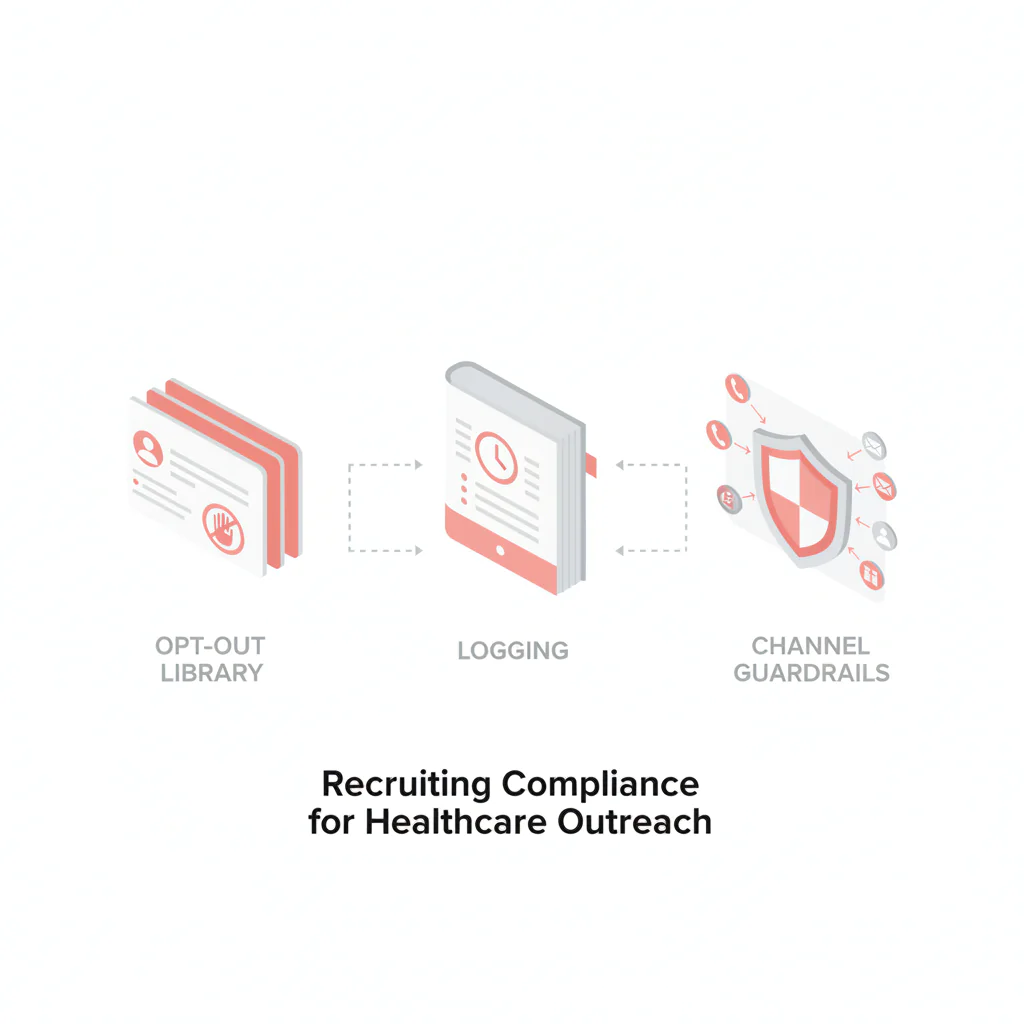
Recruiting compliance for healthcare outreach
Ben Argeband, Founder & CEO of Heartbeat.ai — Brief, practical, disclaimer-forward.
What’s on this page:
Who this is for
This hub is for recruiters who want simple outreach guardrails they can run at speed: what to do before you call, text, or email clinicians; what to say; how to honor opt-out fast; and what to log so you can defend your process later.
BURNOUT_CHECK: If compliance uncertainty is slowing your submittals, the fix is a repeatable workflow. The goal here is fewer judgment calls per record and fewer cleanup tasks after the fact.
- Framework: Consent → Identification → Opt-out → Records
- Step-by-step method (with channel lookup + referrals)
- Micro-Asset: Diagnostic Table
- Micro-Asset: Weighted Checklist
- Micro-Asset: Outreach Templates
- Legal and ethical use
- Evidence and trust notes
- FAQs
- Next steps
Quick Answer
- Core Answer
- Run a consent-first workflow with clear identification, immediate opt-out handling, and consistent records across calls, texts, and email to reduce outreach risk.
- Key Insight
- In healthcare recruiting, gatekeepers and clinic hours amplify repeat-touch risk—so suppression and logging matter as much as messaging.
- Best For
- Recruiters who want simple outreach guardrails.
Compliance & Safety
This method is for legitimate recruiting outreach only. Always respect candidate privacy, opt-out requests, and local data laws. Heartbeat does not provide medical advice or regulatory interpretation.
Framework: The Simple Compliance Checklist: Consent → Identification → Opt-out → Records
Most outreach problems come from one of four failures. Fix these and you reduce risk while improving response quality.
- Consent: What permission do you have to contact this person on this channel, and how do you prove it?
- Identification: Does the message clearly identify you/your organization and why you’re reaching out?
- Opt-out: Can the candidate stop contact easily, and can you suppress them everywhere quickly?
- Records: Can you show what happened (who, when, channel, content, outcome) without scrambling?
The trade-off is… tighter controls can reduce raw volume, but they usually increase connectability and protect deliverability because you stop hammering people who don’t want outreach.
Step-by-step method
Channel lookup TL;DR (use this when you’re moving fast)
- Calls: identify yourself + purpose, log outcomes, cap attempts, and honor “do not contact” requests with suppression.
- Texts: start with a permission-based opener, include a clear opt-out instruction, and treat opt-out keywords as immediate suppression triggers.
- Email: include identification and a working opt-out path, suppress unsubscribes everywhere, and watch bounces to protect deliverability.
1) Set channel defaults before you source
Healthcare recruiting has built-in friction: hospital switchboards, clinic hours, and private practice gatekeepers. That friction tempts teams into repeated touches “until someone answers.” Your best control is to decide channel rules up front so reps don’t improvise under pressure.
- Calls: acceptable calling windows, voicemail policy, attempt caps, and what gets logged after each attempt.
- Texts: when texting is allowed, what the first text must include, and how you process STOP-style requests.
- Email: required footer elements, opt-out handling, and how you handle bounces.
2) Capture and label consent (by channel)
“Consent” in recruiting comes from different sources: inbound applicants, referrals, prior conversations, or direct requests for info. Your job is to label what you have and what you don’t—per channel.
- Consent label examples: “Inbound applicant,” “Referred by Dr. X,” “Prior conversation (date),” “Requested info,” “No known consent.”
- Channel scope: permission for email is not automatically permission for text. Track separately.
- Escalation rule: if you can’t justify a channel, start with a permission-based opener and ask.
3) Referral workflow (fast + respectful)
- Label the source: log who referred the clinician and when.
- Ask permission first: your first touch should confirm it’s okay to contact them about the role on that channel.
- Log the response: “yes,” “no,” “later,” and “stop” should map to clear statuses.
- Suppress on request: if they opt out, apply suppression across tools and record channel scope.
4) Identify yourself clearly (every time)
Every outreach should make it easy for a clinician to understand who you are, why you’re contacting them, and how to stop. This is operational risk control, not “marketing polish.”
- Identity: recruiter name + organization + a reply path.
- Purpose: role type, location, and why they’re a fit (one line).
- Choice: a simple opt-out instruction.
5) Implement OPT_OUT_LIBRARY (uniqueness hook)
OPT_OUT_LIBRARY is a shared, version-controlled set of opt-out snippets your team uses across email, SMS, and call notes. The point is to remove improvisation and make suppression consistent.
- One library used by everyone (agency + internal) so opt-out language doesn’t drift.
- Mapped to channels: email unsubscribe language differs from SMS STOP language and call “do not contact” notes.
- Logged outcomes: every opt-out creates a suppression record with timestamp, channel, and scope (all roles vs specific role).
6) Build suppression and logging into the workflow (not as a cleanup task)
Opt-out is only real if it suppresses future outreach. Your workflow should create a single “do not contact” source of truth that applies across tools.
- Suppression list: one place to store opt-out status by channel (call/text/email) and scope.
- Propagation: suppression should flow to your dialer, SMS tool, and email platform.
- Audit trail: keep the message content (or template ID), timestamp, and user who sent it.
7) Use the channel deep dives for TCPA and CAN-SPAM
This hub is the operational overview. For channel-specific rules, use these pages:
- TCPA guardrails for calling and texting physicians
- CAN-SPAM guardrails for healthcare recruiting email
Micro-Asset: Diagnostic Table
| Scenario | Primary risk | Minimum control to add | What to log |
|---|---|---|---|
| Cold email to a clinician from a sourced profile | Working opt-out path + identification gaps | Standard footer + working opt-out process + suppression sync | Sent timestamp, template ID, delivered/bounced, unsubscribe status |
| First-time SMS after a referral | Texting without clear permission | Permission-based opener + clear opt-out instruction (OPT_OUT_LIBRARY) | Referral source, first message content, reply, opt-out keyword handling |
| Call attempt routed through a hospital switchboard | Repeat attempts without clear outcomes | Outcome codes + attempt caps + cooldown rule | Dial count, connected/voicemail, gatekeeper outcome, next allowed attempt date |
| After-hours outreach to a clinician who may be on call | Perceived harassment + fast opt-out escalation | Time-window policy + permission-based opener + immediate suppression on request | Local time sent, channel, outcome, opt-out scope if requested |
Micro-Asset: Weighted Checklist
Use this to score whether a contact is ready for outreach. Total 100 points. If you’re under 70, fix the gaps before you hit send/dial.
- (30) Consent clarity: Do you have a labeled source and channel scope (e.g., email ok, text unknown)?
- (20) Identification completeness: Does your template clearly state who you are and why you’re reaching out?
- (25) Opt-out readiness: Is OPT_OUT_LIBRARY in place and does suppression propagate across tools?
- (15) Records readiness: Can you produce an audit trail (timestamp, content/template ID, outcome)?
- (10) Frequency control: Do you have attempt caps and a cooldown rule per channel?
Operational note: if multiple recruiters work the same specialty, frequency control prevents “pile-on” outreach that triggers opt-outs and spam complaints.
Micro-Asset: Outreach Templates
Customize the bracketed fields, but keep the identification + opt-out structure consistent.
Email (permission-based opener)
Subject: Quick question about [specialty] role in [location]
Body: Hi Dr. [Last Name] — I’m [Name] with [Organization]. [Referrer Name] suggested I reach out. Are you open to a brief conversation about a [role type] opportunity in [location]? If not, reply “no” and I’ll stop reaching out.
Footer (OPT_OUT_LIBRARY): If you prefer not to receive recruiting emails from me, reply “unsubscribe” and I’ll remove you from future outreach.
SMS (first text)
Hi Dr. [Last Name] — [Name] at [Organization]. [Referrer Name] suggested I reach out. Is it okay to text you about a [role type] role in [location]? Reply STOP to opt out.
Call note (voicemail + CRM note)
Voicemail: Hi Dr. [Last Name], this is [Name] with [Organization]. I’m calling about a [role type] role in [location]. If you’d rather I not contact you again, tell me or reply by text/email and I’ll suppress future outreach. My number is [callback].
CRM note (OPT_OUT_LIBRARY): If candidate requests no contact: set status “opt-out,” scope [call/text/email], add timestamp, and suppress across tools.
Common pitfalls
- Buying static lists and blasting them: Buying static lists is risky because of decay. The modern standard is Access + Refresh + Verification + Suppression. If you can’t suppress opt-outs reliably, you’re building future problems.
- Referrals without context: “Someone told me to call you” can feel intrusive. Fix it by naming the referrer (when appropriate), asking permission for the channel, and logging the response.
- Opt-out that doesn’t actually stop outreach: If your email tool unsubscribes but your dialer keeps calling, you’ll get complaints. Suppression must be cross-channel.
- Logging after the fact: If you can’t reconstruct what happened, you can’t defend your process. Log at the moment of outreach.
- Over-contacting because teams overlap: Two recruiters hitting the same clinician in the same week looks sloppy and drives opt-outs. Use shared ownership rules and attempt caps.
- Confusing performance definitions: Teams use “connected,” “answered,” and “replied” interchangeably. That breaks measurement and makes compliance reviews harder.
How to improve results
Compliance isn’t separate from performance. Cleaner consent labeling, clearer identification, and fast suppression usually improve response quality and reduce wasted touches.
Define the metrics the same way (so you can manage them)
- Connect Rate = connected calls / total dials (e.g., per 100 dials).
- Answer Rate = human answers / connected calls (e.g., per 100 connected calls).
- Deliverability Rate = delivered emails / sent emails (e.g., per 100 sent emails).
- Bounce Rate = bounced emails / sent emails (e.g., per 100 sent emails).
- Reply Rate = replies / delivered emails (e.g., per 100 delivered emails).
Minimum logging fields (copy into your SOP)
| Field | What “good” looks like |
|---|---|
| Consent label | Source + date when available (inbound, referral, prior conversation, requested info, unknown) |
| Channel scope | Separate flags for call/text/email |
| Template ID or message text | Template name/version or pasted message for one-off outreach |
| Timestamp + sender | Who sent it and when (timezone consistent) |
| Outcome | Delivered/bounced/replied; connected/answered/voicemail; opt-out received |
| Opt-out scope | All outreach vs channel-specific vs role-specific, with timestamp |
Suppression propagation QA (quick checklist)
- When an opt-out is logged, it updates the master suppression list.
- The master suppression list blocks future sends in your email platform.
- The master suppression list blocks future texts in your SMS tool.
- The master suppression list blocks future dials in your dialer.
- Any recruiter can see the opt-out status before outreach.
Measurement instructions (required)
Measure this by… running a weekly channel report that includes (1) opt-out count by channel, (2) suppression propagation checks, and (3) the five performance metrics above with denominators.
- Opt-out SLA: track time from opt-out received to suppression applied across all tools. Review any misses.
- Suppression QA: sample 10 opt-outs weekly; confirm they are suppressed in email, SMS, and calling workflows.
- Template governance: track which template IDs are used; retire any that omit identification or opt-out language.
- Attempt caps: track touches per contact per week; investigate outliers.
Workflow upgrades that usually pay off fast
- Centralize OPT_OUT_LIBRARY and train it like a script: same language, same logging steps, same suppression scope.
- Reduce wasted attempts by keeping contact data current and suppressing quickly; if you want to pressure-test workflow fit, start free search & preview data.
- Protect deliverability: if bounce rate rises, pause campaigns and fix inputs before you burn domain reputation.
Legal and ethical use
This hub is informational and operational. Compliance varies by jurisdiction, channel, and facts. For your specific situation, involve your organization’s compliance team.
Ethically, recruiting outreach should be:
- Relevant: contact clinicians for roles that match their training and likely preferences.
- Respectful: keep messages short, avoid repeated pings, and honor opt-out quickly.
- Transparent: identify yourself and your purpose; don’t disguise intent.
Also: don’t use outreach data for eligibility, credentialing, or any sensitive decisioning—use it only to contact candidates for legitimate recruiting.
For regulatory starting points, review the official resources for TCPA overview and the CAN-SPAM guide.
Required definitions (plain-language)
- TCPA definition: A U.S. law that restricts certain calling and texting practices, especially using automated systems and contacting mobile numbers without appropriate permission.
- CAN-SPAM definition: A U.S. law that sets rules for commercial email, including identification requirements and a functioning opt-out mechanism.
- Opt-out definition: A clear request from a recipient to stop receiving outreach on a channel (or all channels), which must trigger suppression and be recorded.
Evidence and trust notes
We keep this hub operational and conservative: it’s designed to help recruiters run a consistent process, not to replace your internal compliance review. The links below are starting points, and teams should align outreach policies with their organization’s requirements. For how we think about data quality, sourcing, and responsible use, see our trust methodology.
- TCPA overview (FCC)
- CAN-SPAM guide (FTC)
Related deep dives inside this hub:
FAQs
Is recruiting compliance for healthcare outreach the same for calls, texts, and email?
No. Each channel has different rules and risk. Operationally, treat consent, opt-out, and records as channel-specific, even if the candidate is the same person.
What should I do when someone asks to stop contacting them?
Honor the opt-out quickly, suppress them across tools, and log the request with timestamp and channel scope. Don’t rely on a single tool’s unsubscribe if you also call or text.
What records should recruiters keep for outreach?
At minimum: contact source/consent label, date/time, channel, message or template ID, outcome (delivered/bounced/replied; connected/answered), and opt-out status if applicable.
Where do TCPA and CAN-SPAM fit in a recruiting workflow?
Use TCPA-oriented controls for calling/texting workflows and CAN-SPAM-oriented controls for email workflows. If you need specifics, use the linked deep dives in this hub.
How do I reduce compliance risk without killing speed?
Standardize templates, centralize OPT_OUT_LIBRARY, and automate suppression + logging. You’ll move faster because recruiters stop debating edge cases on every record.
Next steps
- Adopt the framework as a team standard: Consent → Identification → Opt-out → Records.
- Deploy OPT_OUT_LIBRARY and require it in every template and call note workflow.
- Run suppression propagation QA weekly and fix any tool-to-tool gaps.
- Use the channel pages for specifics: TCPA for calling/texting and CAN-SPAM for email.
- Pressure-test your workflow with real records: start free search & preview data.
About the Author
Ben Argeband is the Founder and CEO of Swordfish.ai and Heartbeat.ai. With deep expertise in data and SaaS, he has built two successful platforms trusted by over 50,000 sales and recruitment professionals. Ben’s mission is to help teams find direct contact information for hard-to-reach professionals and decision-makers, providing the shortest route to their next win. Connect with Ben on LinkedIn.

