


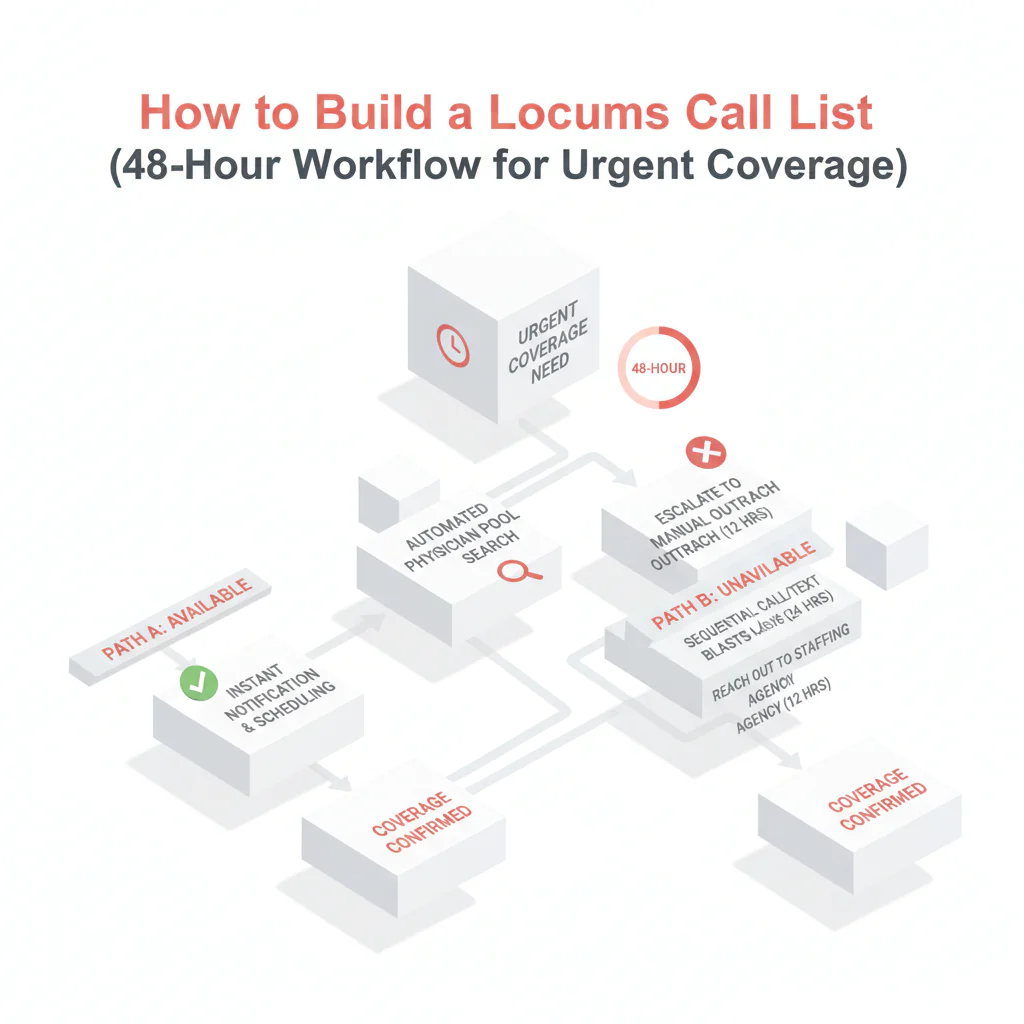
How to build a locums call list
Ben Argeband, Founder & CEO of Heartbeat.ai — Tight, urgent, calming. Execute today; measure tomorrow.
What’s on this page:
Who this is for
This is for locum tenens recruiters who can’t afford dead dials: agency recruiters, in-house staffing teams, and physician recruiters working urgent coverage where the window to connect is measured in hours, not weeks.
Locums calling has predictable friction: physicians are in clinic, in procedures, or behind gatekeepers; many are practice owners with limited call windows; and availability changes fast. Your list has to be built for connectability and recency, not just “names in a spreadsheet.”
Quick Answer
- Core Answer
- To build a locums call list fast, target licensed-fit physicians, validate direct dials, rank by answer likelihood, sprint outreach in 48 hours, then refresh after no-answers or wrong-person signals.
- Key Statistic
- Heartbeat observed typicals: placements per 100–200 outreach attempts (calls/messages/emails), tracked alongside speed-to-submittal.
- Best For
- Locum tenens recruiters who can’t afford dead dials.
Compliance & Safety
This method is for legitimate recruiting outreach only. Always respect candidate privacy, opt-out requests, and local data laws. Heartbeat does not provide medical advice or legal counsel.
Framework: The 48-Hour Locums Call List: Target → Validate → Rank → Sprint → Refresh
A locums call list is a short, high-signal set of physicians with (1) a realistic “yes” profile for the coverage gap, (2) validated contact paths, and (3) a refresh loop tied to outcomes. It is not a static spreadsheet you keep dialing for weeks.
- Target: narrow to physicians who can realistically say yes (license, specialty, schedule, travel).
- Validate: confirm you’re calling the right person on a working number; capture consent/opt-out notes.
- Rank: prioritize the highest-probability calls first so your first hour is your best hour.
- Sprint: run a tight 48-hour outreach cadence with stop rules.
- Refresh: update the list based on live outcomes so tomorrow’s dials aren’t yesterday’s mistakes.
Step-by-step method
Step 1: Write the “yes profile” for this specific coverage gap (10 minutes)
Before you pull data, write the minimum viable “yes profile” in one paragraph. For locums, it should include:
- Specialty + setting (inpatient/outpatient, procedures, call expectations).
- State license requirement (must-have vs “can start credentialing”).
- Start window (same-day, this week, next month).
- Schedule reality (nights, weekends, 7-on/7-off, clinic hours).
- Travel availability signals you’ll accept as “ready” (recent locums, multi-state licensing, flexible schedule notes).
The trade-off is… tighter targeting reduces list size, but it increases speed-to-submittal because you spend your first call block on people who can actually say yes.
Step 2: Build your initial target set (30–60 minutes)
Start with a source that can give you physician identity, practice context, and contactability. If you’re using Heartbeat.ai, you can start free search & preview data and build a first-pass list without committing to a static export.
Filters that matter for locums call lists:
- License fit: active license in the needed state (or a documented path if the client will wait).
- Role fit: physician type and subspecialty aligned to the coverage gap.
- Geography: within travel tolerance (airport proximity often matters more than zip code).
- Practice pattern: hospital-employed vs private practice ownership (owners have different decision cycles and call windows).
- Recency: prioritize records with recent verification signals; older records are where dead dials hide.
Minimum columns for your locums call list (so it’s callable, measurable, and refreshable):
- Physician: name + specialty/subspecialty
- License: state license status + license state(s)
- Contact numbers: each number labeled (direct dial vs main line) + line tested flag where available
- Best call window: time-of-day note (and time zone)
- Recency: last verified/updated date for key fields
- Availability: earliest start + schedule constraints + travel radius
- Compliance notes: consent/opt-out status + suppression reason if applicable
Step 3: Validate numbers before you burn call blocks (30–90 minutes)
Locums calling fails when you treat “a phone number” as “a callable number.” You need phone validation and clear labeling for what you’re dialing.
- Separate direct dial vs main line. Keep both, but don’t confuse them.
- Mark line tested where available so your team knows what’s been recently reachable.
- Suppress wrong-person numbers immediately to prevent repeat mistakes.
- Capture consent and opt-out notes in the record so future outreach respects preferences.
For a deeper validation workflow you can hand to ops, use: phone validation for provider direct dials.
Step 4: Rank the list for answer likelihood (so your first hour is your best hour)
Once you have a validated set, rank it so dial time goes to the highest-probability connects first. In Heartbeat.ai, this includes ranked mobile numbers by answer probability (use it to prioritize, then let your outcomes override everything).
Default priority order (simple and effective for urgent coverage): dial validated direct dials first, then sort by license fit, then best call window, then highest recency.
Practical ranking signals for locums:
- Validated direct dial ahead of office lines (when appropriate and compliant).
- Recent successful connects from your own team (your outcomes beat any generic score).
- License + travel readiness (multi-state, recent locums, flexible schedule notes).
- Time zone + call windows (don’t call during procedures; don’t call clinic-heavy schedules mid-session).
Step 5: Sprint outreach in a 48-hour cadence with stop rules
Your goal is a tight loop: dial → outcome → update → next best dial. Use stop rules so you don’t keep paying for the same mistake.
- Refresh trigger: refresh the record after 2–3 no-answers or any wrong-person signal.
- Stop rule: if you get “wrong specialty,” “wrong person,” or an opt-out request, suppress and move on.
- Availability capture: every connect ends with a next step (send details, credentialing check, or a scheduled callback).
Call outcome taxonomy (so your metrics don’t lie)
| Outcome label | What it means | What you do next |
|---|---|---|
| Connected | The call connected (includes voicemail systems). Human answer is tracked separately. | Log it; if voicemail, follow your voicemail rule and move on. |
| Human answer | A person answered and you confirmed you’re speaking with the physician. | Run the 20-second permission opener; capture availability and next step. |
| Voicemail | Connected to voicemail (not a human answer). | Leave the 10-second message; schedule a second attempt in a different window. |
| No answer | Rang out or no pickup. | After 2–3 no-answers, refresh before additional attempts. |
| Wrong person | Number does not reach the intended physician. | Suppress that number immediately; refresh the record. |
| Opt-out | Physician requests no further contact via that channel. | Confirm and suppress across future outreach; document the request. |
For list structure and what to store, see: locum tenens physician contact data.
Step 6: Refresh cadence (daily during active coverage)
Locums lists decay fast because physicians change roles, numbers rotate, and gatekeepers shift. During an active urgent search, treat refresh as a daily habit, not a quarterly project. If you need a cadence model you can hand to ops, use: provider data refresh cadence.
Micro-Asset: 48-Hour Timeline
Use this when the client says “we need coverage now.” It’s designed to protect speed-to-submittal while keeping your list clean.
| Time box | What you do | Output | Stop rules |
|---|---|---|---|
| Hour 0–2 | Write the yes profile (license, schedule, travel). Pull initial target set in Heartbeat.ai. Tag by state license and start-window feasibility. | First-pass list with required fields: physician, specialty, state license, recency notes, contact numbers. | If requirements are unclear, pause and get written confirmation from the client before dialing. |
| Hour 2–6 | Run phone validation and label numbers as direct dial vs main line; mark line tested where available. | Callable list (validated) + suppression list (wrong person / opt-out). | Any wrong-person signal → suppress immediately and refresh the record. |
| Hour 6–24 | Rank and dial in priority order. Capture availability and travel constraints. Send a short details message to interested physicians. | Connect outcomes + availability notes + next-step timestamps. | After 2–3 no-answers, trigger refresh before more attempts. |
| Hour 24–48 | Second pass: dial refreshed records first, then new adds. Push submittals and schedule credentialing checks. | Submittals + clean list for day 3 if needed. | If the job is filled, stop outreach and honor opt-outs across future searches. |
Weighted Checklist:
Score each physician record before it earns a dial slot. This keeps your team from “dialing because it’s there.”
| Factor | Weight | What “good” looks like | How to verify |
|---|---|---|---|
| State license fit | 30% | Active license in required state (or documented path if client accepts). | Check state license status and expiration; store license state(s) in the record. |
| Contactability | 25% | Direct dial available; number is validated; opt-out status known. | Use phone validation + your own call outcomes; mark consent/opt-out notes. |
| Recency | 20% | Recently verified contact fields; not a stale profile. | Track last verified date; refresh after no-answer/wrong-person triggers. |
| Availability likelihood | 15% | Schedule flexibility, prior locums, travel readiness. | Capture on connect; tag “can travel,” “weekends only,” “nights,” etc. |
| Workflow fit | 10% | Credentialing readiness and responsiveness. | Time-to-respond and document turnaround from prior interactions. |
Operational note: keep a separate suppression list for numbers tied to opt-out requests so you don’t re-import them later. If you must re-import, match on phone number and suppression reason first.
Outreach Templates:
Same-day script pack + availability note template + stop rules you can paste into your ATS/CRM. This is the fastest way to keep outreach consistent across a team without turning it into spam.
Same-day coverage call opener (30 seconds)
Goal: confirm identity, earn permission, and get availability fast.
- You: “Dr. [Last], this is [Name]. I’m calling about a locum tenens coverage need in [State]. Is now an okay time for 20 seconds?”
- If yes: “We have [Setting] coverage starting [Start window]. Are you open to hearing details if it fits your schedule and license?”
- If no: “Understood—what’s the best time today or tomorrow for a 2-minute call?”
Availability capture (ask + note template)
Ask: “If it’s a fit, what’s your earliest start date, and what days are you willing to work?”
ATS/CRM note template (copy/paste):
Availability: Earliest start: __ / Preferred schedule: __ / Nights: Y/N / Weekends: Y/N / Call: __ / Travel radius: __ / License states: __ / Credentialing docs ready: Y/N / Best callback window: __ / Consent/opt-out notes: __
Short follow-up message for details (use only where compliant)
“Dr. [Last]—per our call, sending the [Facility/City] locums details. What’s the best email to send the schedule/rate and credentialing checklist?”
Stop rule: If they request opt-out, confirm and suppress across future outreach.
Voicemail (10 seconds)
“Dr. [Last], [Name] calling about a locums coverage need in [State] starting [Window]. If you’re open, call me at [Number]. If not, tell me and I’ll close it out.”
Common pitfalls
- Calling unvalidated numbers first. You burn your best call block on the lowest-probability dials. Validate and label numbers before the sprint.
- Not separating main line from direct dial. Main lines create false confidence. Keep them, but don’t treat them as urgent-coverage channels.
- Ignoring refresh triggers. In locums, “no answer” is data. Refresh after 2–3 no-answers or any wrong-person signal.
- Not capturing availability in a structured way. If you can’t search your own notes for “weekends only” or “can start Monday,” you’ll re-ask the same questions and slow down submittals.
- Over-dialing the same record. More attempts on stale data doesn’t create more connects; it creates more wasted time and more complaints.
How to improve results
Most teams win margin here: not by dialing more, but by dialing smarter and learning faster.
Define and track the metrics that control locums speed
- Speed-to-submittal = time from first outreach attempt (first dial/email) to first submittal sent to the client for that requisition.
- Connect Rate = connected calls / total dials (per 100 dials).
- Answer Rate = human answers / connected calls (per 100 connected calls).
Measure this by… logging every dial outcome (connected, human answer, voicemail, no answer, wrong person, opt-out) and keeping “connected” separate from “human answer” so Answer Rate is consistent.
Use outcome-based routing (your list should change after every call block)
- After each 30–60 minute block, sort your list by: (1) validated direct dials not yet attempted, (2) refreshed records, (3) second attempts, (4) everything else.
- Promote records with positive signals (asked for details, gave a callback window, confirmed license).
- Demote or suppress records with negative signals (wrong person, opt-out, wrong specialty).
Run a 24–48 hour refresh rule during active searches
For urgent coverage, treat refresh as a rule, not a suggestion. If the search is active, refresh the callable fields (number validity, best call window, availability) inside 24–48 hours. For the operational model, use: how to set provider data refresh cadence.
Protect recruiter time with a daily burnout check
When urgency spikes, teams brute-force. That’s how you get sloppy notes, repeated dials, and avoidable compliance risk. End each day with this quick check:
- Did we suppress wrong-person numbers immediately?
- Did we stop outreach when someone asked to opt out?
- Did we refresh after repeated no-answers instead of re-dialing blindly?
- Did we capture availability in a searchable format?
Legal and ethical use
Build compliance into the list, not as an afterthought:
- Consent and opt-out: store opt-out requests and honor them across future searches.
- Purpose limitation: contact physicians for recruiting outreach tied to real opportunities, not vague marketing.
- Minimize data: keep what you need to recruit (role fit, license, availability, contactability) and avoid unnecessary sensitive data.
- Know the rules for calling and messaging: your outreach method may be regulated depending on jurisdiction and context.
Baseline reference for U.S. calling/messaging compliance: FCC overview of the Telephone Consumer Protection Act (TCPA).
Evidence and trust notes
What we’re optimizing here is operational reality: list decay, connectability, and speed-to-submittal. For how Heartbeat.ai thinks about data sourcing, validation, and quality controls, read: how Heartbeat validates and refreshes provider data.
- What “line tested” means: a workflow label indicating the number has a recent reachability signal; it is not a guarantee a future call will connect.
- What “recency” means: the last time key fields (like phone and role context) were verified or updated; your live outcomes should trigger refresh and suppression.
- Citation (compliance baseline): https://www.fcc.gov/general/telephone-consumer-protection-act-1991-tcpa
If you want the broader sourcing workflow that feeds this call-list method, use: locum tenens sourcing playbook.
FAQs
How big should a locums call list be?
Big enough to keep your next 48 hours full with callable records. Start smaller with higher validation and recency, then expand only after you’ve exhausted the top-ranked segment.
When should I refresh a locums call list?
Refresh after 2–3 no-answers or any wrong-person signal, and run a 24–48 hour refresh rule during active urgent coverage searches.
What fields must be in a locums call list?
At minimum: physician name, specialty, state license status, best call window, validated phone numbers (labeled), recency/last verified date, availability notes, and consent/opt-out status.
How do I improve connect rate on locums calls?
Validate and label numbers, rank your dials, call in realistic windows, and suppress wrong-person numbers immediately. Track Connect Rate as connected calls / total dials (per 100 dials) so you can see improvement week over week.
Where can I get locum tenens physician contact data?
Use a source that supports verification, suppression, and refresh—static lists decay fast. If you’re evaluating options, start with: locum tenens physician contact data and then start free search & preview data to build a targeted list for your current requisition.
Next steps
- Build your first targeted list and start free search & preview data in Heartbeat.ai.
- Operationalize validation with your team: phone validation for provider direct dials.
- Set your ongoing refresh SOP: provider data refresh cadence.
If you implement this workflow, you’ll spend less time on dead dials and more time on real conversations that turn into submittals.
About the Author
Ben Argeband is the Founder and CEO of Swordfish.ai and Heartbeat.ai. With deep expertise in data and SaaS, he has built two successful platforms trusted by over 50,000 sales and recruitment professionals. Ben’s mission is to help teams find direct contact information for hard-to-reach professionals and decision-makers, providing the shortest route to their next win. Connect with Ben on LinkedIn.

